Signature Control: Controls when the output will be present; see "Signature Control" on
page136.
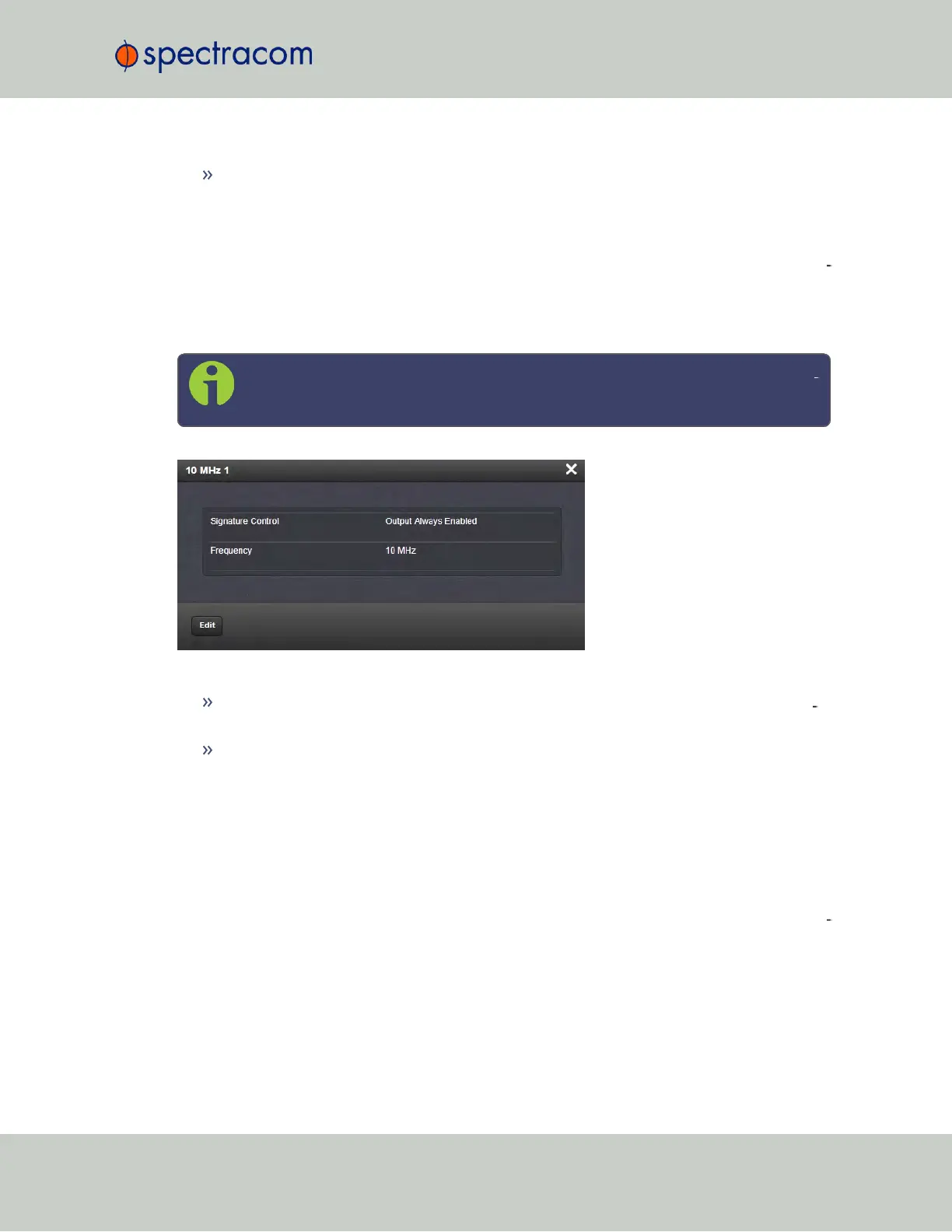
Frequency Output: Status Window
To view the settings of a Frequency output, go to its Status window. For instructions, see: "View
ing Input/Output Configuration Settings" on page329.
The Web UI list entry for this card is named: 1/5/10MHz BNC (or: TNC).
The connector numbers are: J1…J3.
Note: SecureSync starts numbering I/O ports with 0 (only 1PPS and 10MHz out
puts start at1, because of the built-in outputs).
The Status window displays the following settings:
Signature Control: Controls when the output will be present. See also: "Signature Con
trol" on page136.
Frequency: The frequency of the output: 1MHz, 5MHz or 10MHz, depending on the
card model.
For more information on monitoring installed option cards, see: "Monitoring the Status of
Option Cards" on page272.
5.2.3.5 Programmable Frequency Out [1204-13, -2F, -30]
Programmable Frequency Output option modules provide output square waves at pro
grammable pulse rates, or sine waves at programmable frequencies. The output frequency,
which is adjustable via the SecureSync Web UI, is locked to the SecureSync system-disciplined
oscillator.
SecureSync User Reference Guide 371
APPENDIX



 To Next Page