4.3.1.3 Adding/Deleting/Changing User Accounts
To access the Users list, and the Password Security panel:
1.
Navigate to MANAGEMENT > OTHER: Authentication.
2.
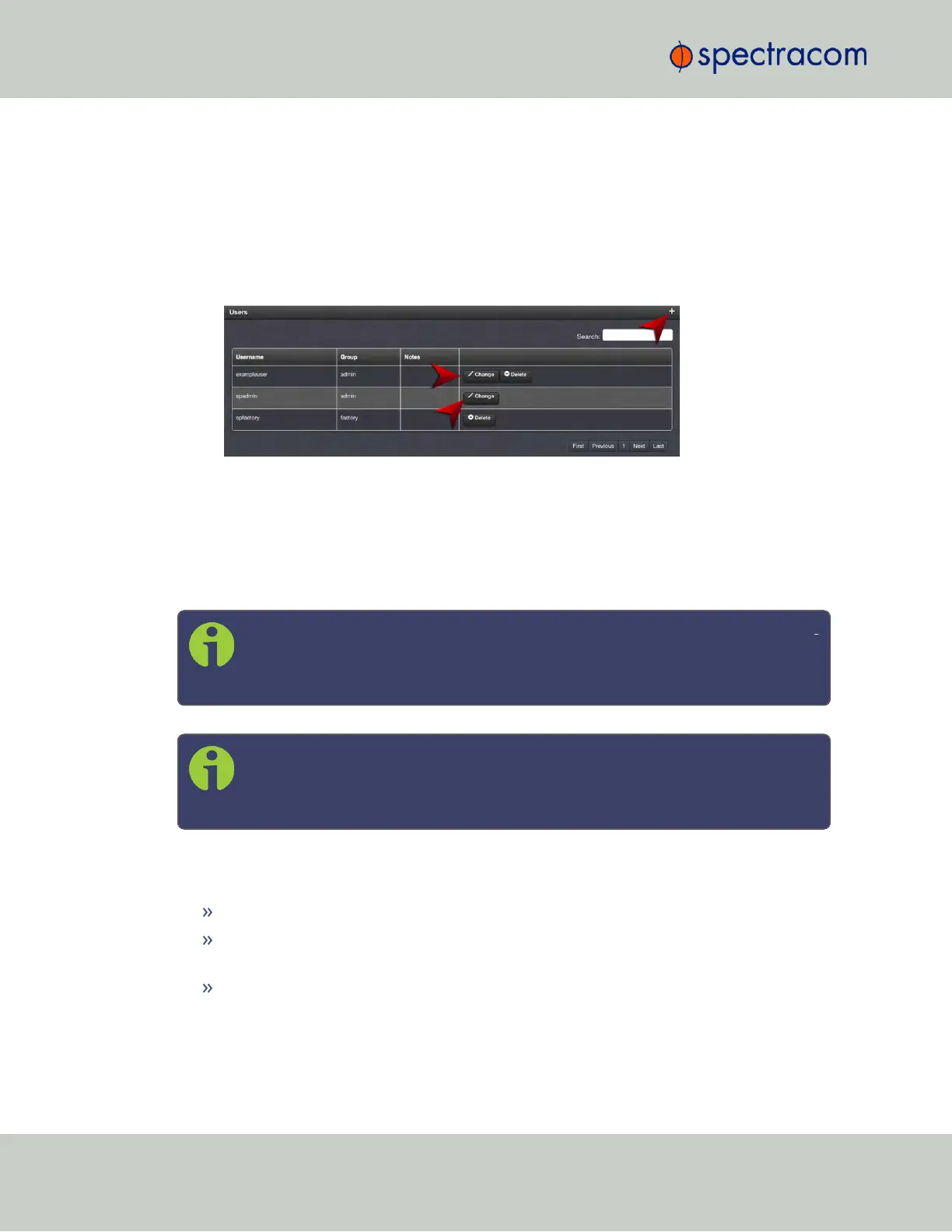
The Users panel on the right shows a list of all user accounts, including their Username,
the Group to which that user account is assigned to, and any Notes about the user
account:
SecureSync units are shipped with two default accounts:
i.
The "administrator" account (spadmin), and
ii.
The "factory" service account (spfactory).
Additional accounts may be added and deleted as desired. The number of accounts that can
be setup is virtually unlimited.
Note: The password for the spadmin account can be changed (and it is recom
mended to do so for security reasons). However, the spadmin account name
cannot be changed, and the account cannot be removed from SecureSync.
Note: The spfactory account is for use by Spectracom service personnel.
While the spfactory account can be deleted by an administrator, it should
be noted that this may potentially limit remotely provided technical support.
User accounts can be created to have either limited user or full administrator rights. Each user
can be assigned his own login password.
To ADD a user account, click the PLUS icon in the top-right corner of the Users screen.
To DELETE a user account, click the Delete button in that account’s entry on the Users
screen.
To APPLY CHANGES to a user account, click the Change button next to the desired user
account.
When either the Change button or the PLUS icon is clicked, the Add or Change User window
appears:
228
CHAPTER 4 • SecureSync User Reference Guide Rev. 23
4.3 Managing Users and Security



 To Next Page