Sanitization
The Delete Position command must also be used when sanitizing a SecureSync unit (ensuring
that no trace of position data remains on the unit). See "Sanitizing the Unit" on page312.
Deleting the GNSS position
To delete the GNSS position:
1.
Disconnect the GNSS antenna from the SecureSync unit (required only when sanitizing
the unit).
2.
Navigate to Interfaces > References: GNSS Reference.
3.
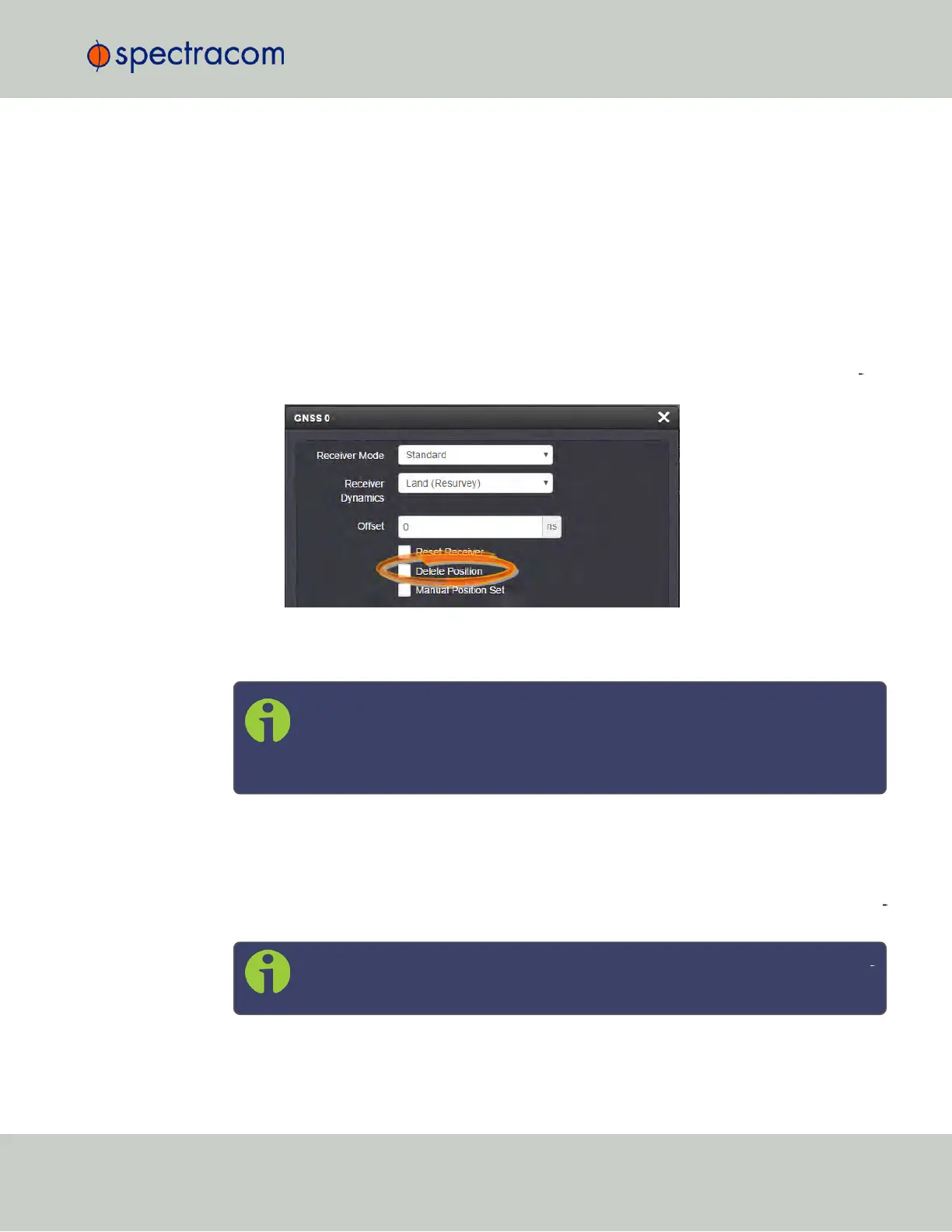
Click on the GEAR button next to the GNSS Reference (typically, there is only one ref
erence, numbered "0"). The GNSS0 window will open:
Locate the Delete Position box, check it, and click Submit.
4.
SecureSync will initiate a GNSS self survey.
Note: In Mobile Receiver Mode it is NOT possible to delete the position and start
the GNSS survey. This feature is only available in Standard Mode and in Single
Satellite Mode (see "Selecting a GNSS Receiver Mode" on page172). In Single
Satellite Mode a GNSS survey may take up to 24 hours.
3.3.2.9 Manually Setting the GNSS Position
The exact geographic position (location and elevation) of the antenna your SecureSync unit—
and thus its onboard GNSS receiver—is a major factor for SecureSync to calculate an accur
ate System Time from the GNSS reference.
Note: The elevation (altitude) should be set in accordance with the World Geo
detic System 1984 (WGS84), not Mean Sea Level (MSL).
3.3 Managing References
CHAPTER 3 • SecureSync User Reference Guide Rev. 23
181



 To Next Page