A.
Sequence of seconds output when adding a second ("positive Leap Second"):
56, 57, 58, 59, 60, 0, 1, 2, 3 …
B.
Sequence of seconds output when subtracting a second ("negative Leap Second"):
56, 57, 58, 0, 1, 2, 3, 4 …
3.2.3.4 Configuring a Leap Second
To manually correct the System Time for a leap second:
1.
Navigate to MANAGEMENT> OTHER: Time Management.
2.
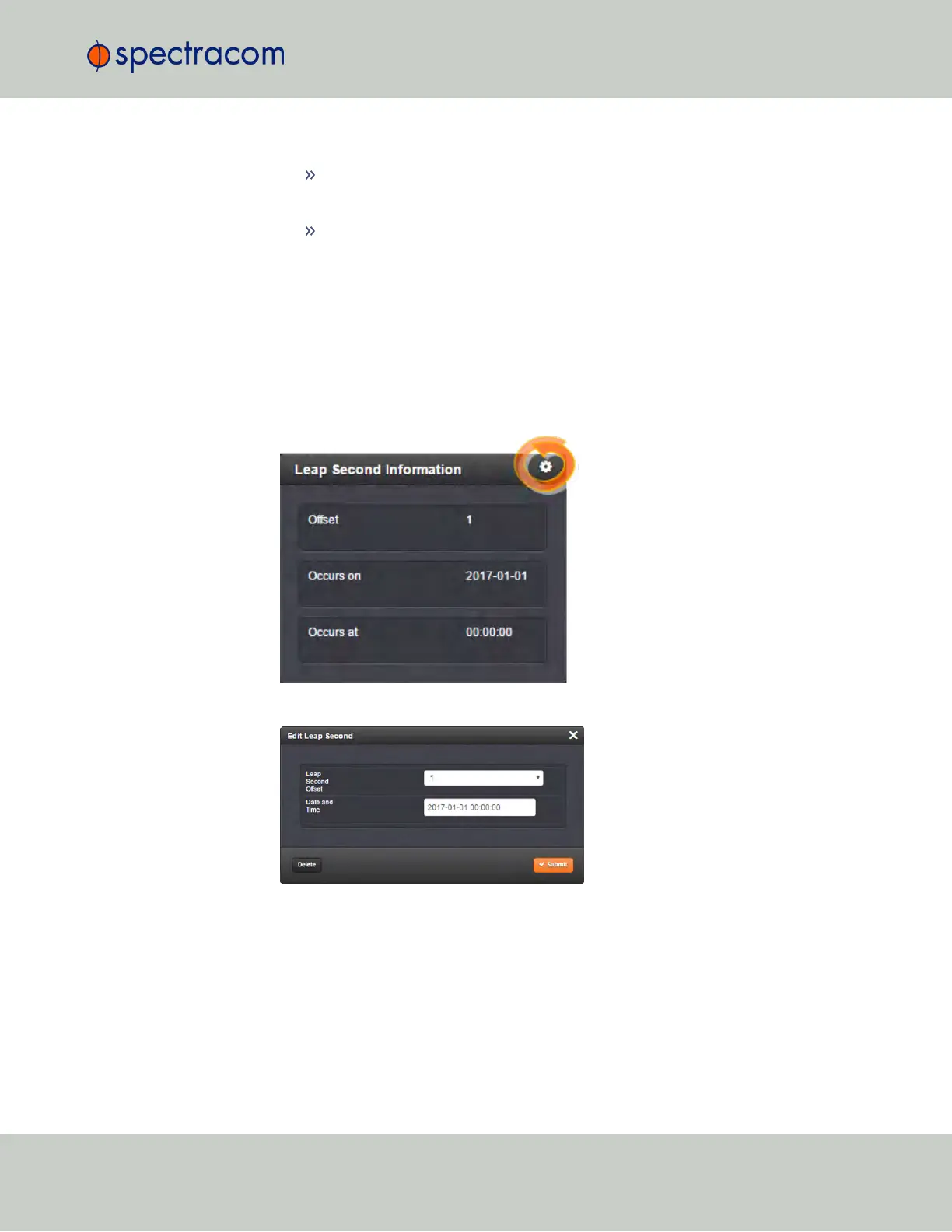
In the Leap Second Information panel, click the GEAR icon.on the left-hand side of the
Time Management screen:
3.
The Edit Leap Second window will display:
4.
In the Leap Second Offset field enter the desired GPS Offset.
5.
In the Date and Time field, enter the date that the desired leap second should occur.
6.
Click Submit.
To delete a leap second correction, click the Delete button.
3.2 System Time
CHAPTER 3 • SecureSync User Reference Guide Rev. 23
151



 To Next Page