4.5.2.6 Configuring Logs
Note: The NTP log has no available configuration options.
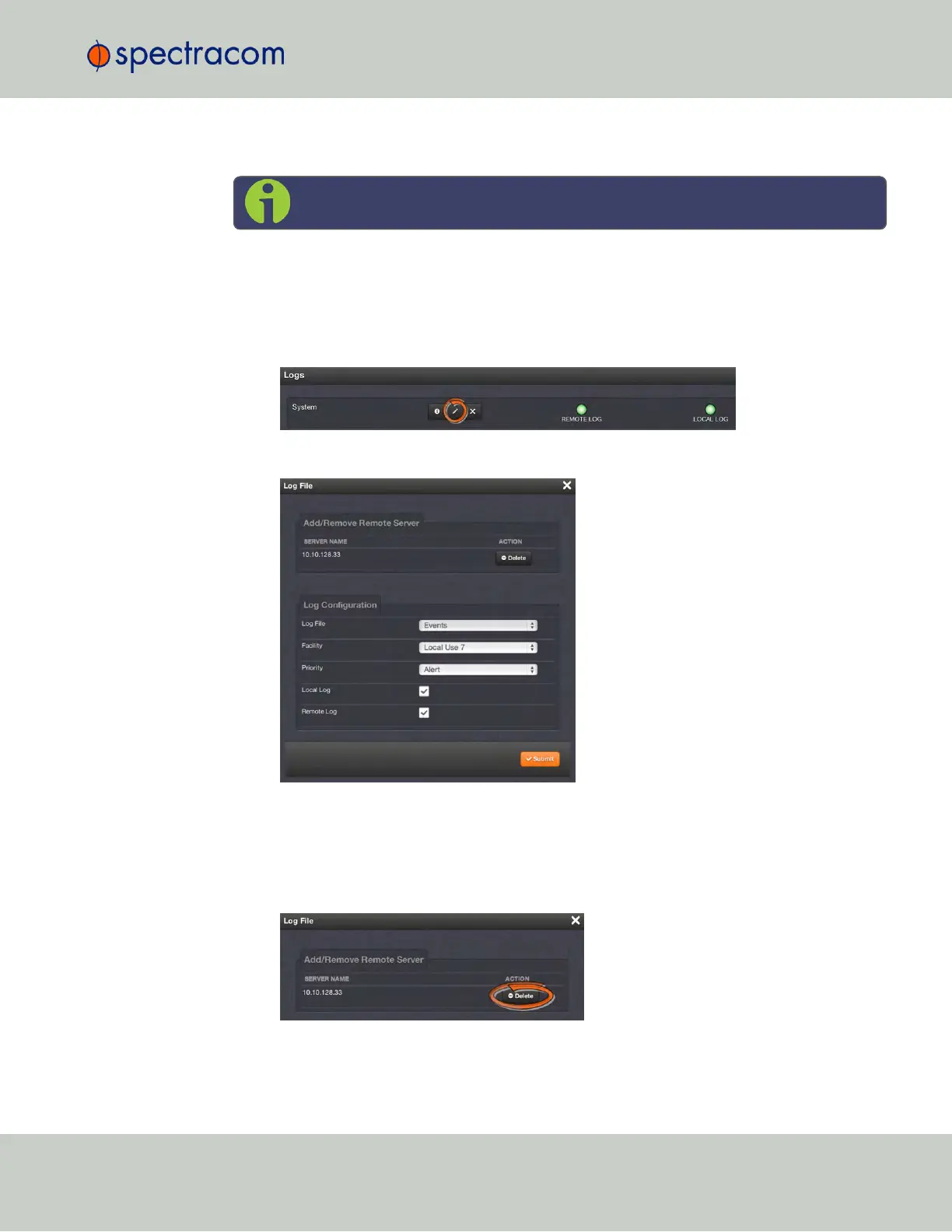
To configure a log:
1.
Navigate to MANAGEMENT > OTHER: Log Configuration.
2.
In the Logs panel select the log you wish to configure, then click the corresponding
PENCIL button.
3.
In the Log File window, fill in the available fields.
The following log configuration options are available:
a.
Add/Remove Remote Server—The Syslog server(s) to which remote logs are sent. This
panel is only available if Remote Log is checked below in the Log Configuration panel.
If the log has a remote log server to which it writes, the name of the server will appear
here. Click Delete to remove the remote server.
4.5 Quality Management
CHAPTER 4 • SecureSync User Reference Guide Rev. 23
297



 To Next Page