Configuring A-GPS
To configure the A-GPS settings of your SecureSync unit, or review the current configuration:
1.
Navigate to INTERFACES > GNSS Reference. The GNSS screen will be displayed.
2.
In the GNSS Reference panel on the right, click the GEAR button next to GNSS0.
3.
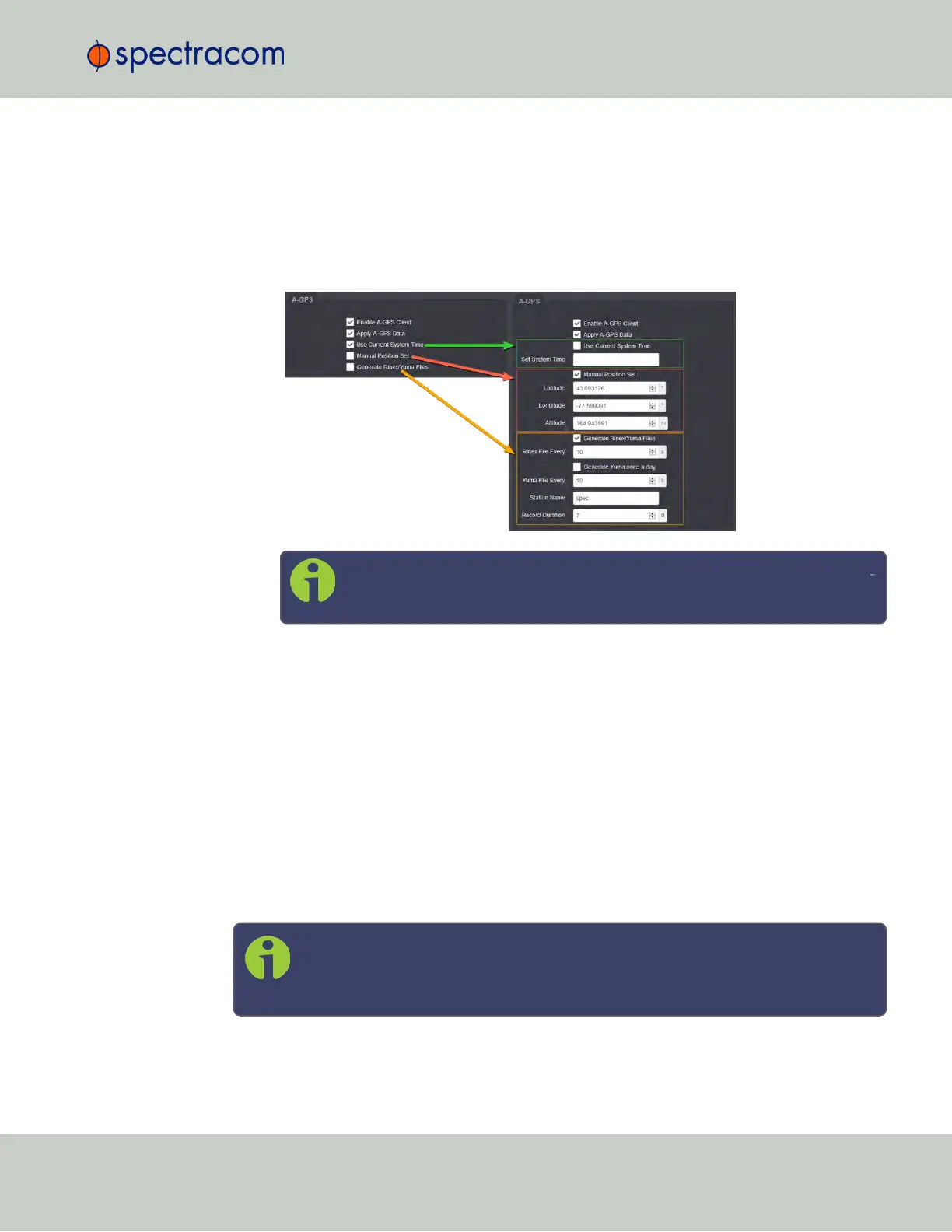
In the GNSS0 window, locate the A-GPS panel at the bottom:
Note: The options displayed on your screen depend on your system con
figuration.
4.
Configure the settings as required:
Enable A-GPS Client
The feature Enable A-GPS Client will schedule assistance data to be collected and updated
every hour. On startup, if data is present, it will be sent to the receiver.
Apply A-GPS Data
When this option is selected, SecureSync will immediately apply the time, position and satellite
data to the receiver once you click Submit.
Time and position are user-configurable; SecureSync collects A-GPS satellite data from an
external source automatically.
Note: Once you click Submit, any parameters entered under Apply A-GPS Data
will override the system Time and Position data. Exercise caution when using this
feature, since this could negatively impact the GNSS receiver operation.
3.3 Managing References
CHAPTER 3 • SecureSync User Reference Guide Rev. 23
189



 To Next Page