SecureSync will remain in Holdover mode until either:
a.
Any enabled and valid input reference becomes available again: If one or more ref
erences return and are declared valid before the Holdover period has expired (even
momentarily, i.e. for at least one second), SecureSync exits the Holdover mode and
returns to its fully synchronized state.
b.
The Holdover Timeout period expires. In this case, SecureSync will declare loss of syn
chronization.
Note that Holdover mode does not persist through reboots or power cycles. If a reboot or
power cycle occurs while SecureSync is in Holdover mode, it will power-up and remain in a
“not synchronized” state until at least one valid Time and 1PPS input reference becomes avail
able again. While in this state, NTP will be Stratum15 and outputs will not be usable. If the
input references are restored and then lost or declared not valid again, SecureSync will then
go back into Holdover mode.
What is "Holdover Timeout"?
Holdover Timeout is the user-configurable allowable time period in which SecureSync remains
in Holdover mode before it declares loss of synchronization. Holdover Timeout can be adjus
ted according to application-specific requirements and preferences. See below for recom
mendations on how long (short) the Holdover Timeout should be.
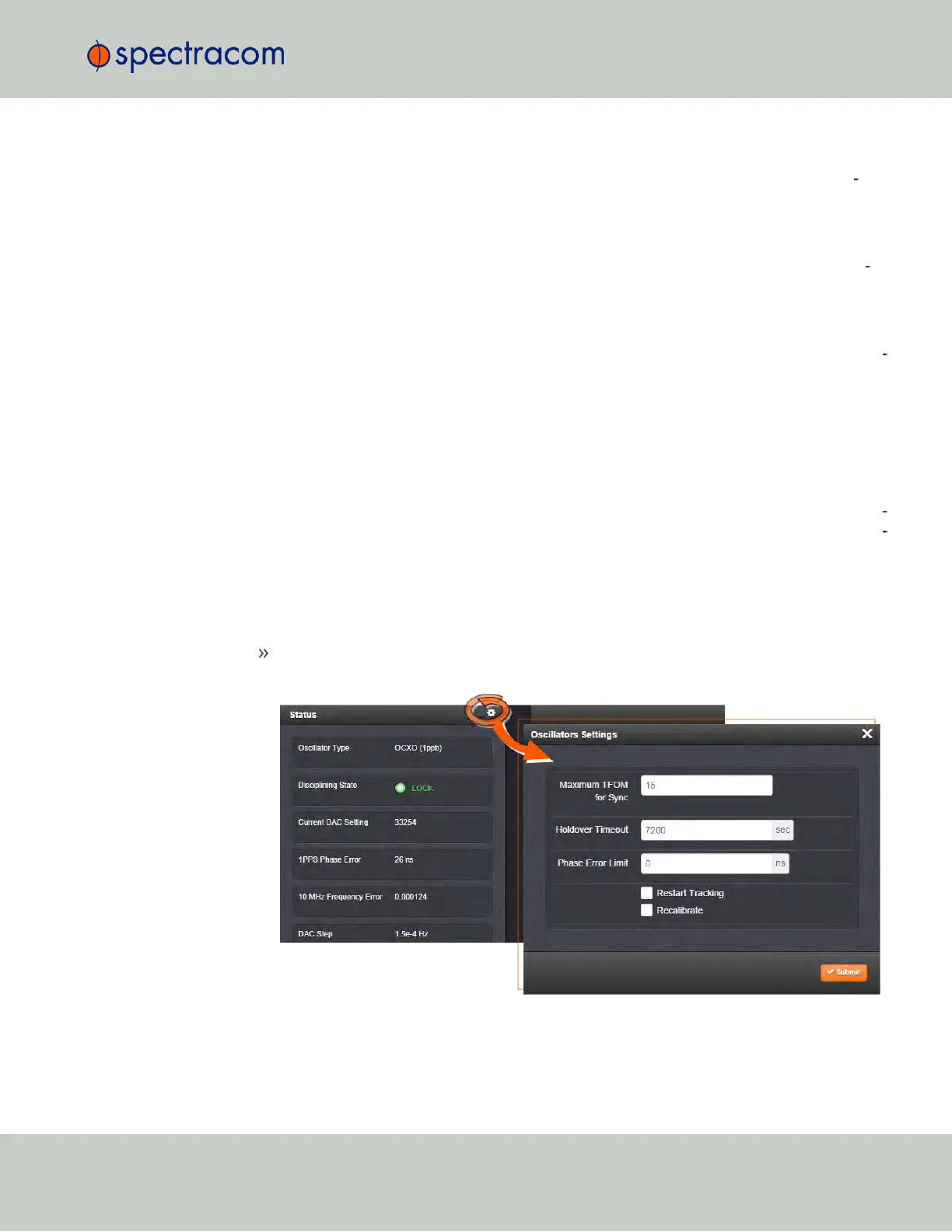
How to configure Holdover Timeout
To set the Holdover Timeout value:
Navigate to MANAGEMENT > OTHER: Disciplining, and click the GEAR icon in the
Status panel:
For more information on the TFOM value and Phase Error Limit, see "Configuring the
Oscillator" on page196.
3.4 Holdover Mode
CHAPTER 3 • SecureSync User Reference Guide Rev. 23
191



 To Next Page