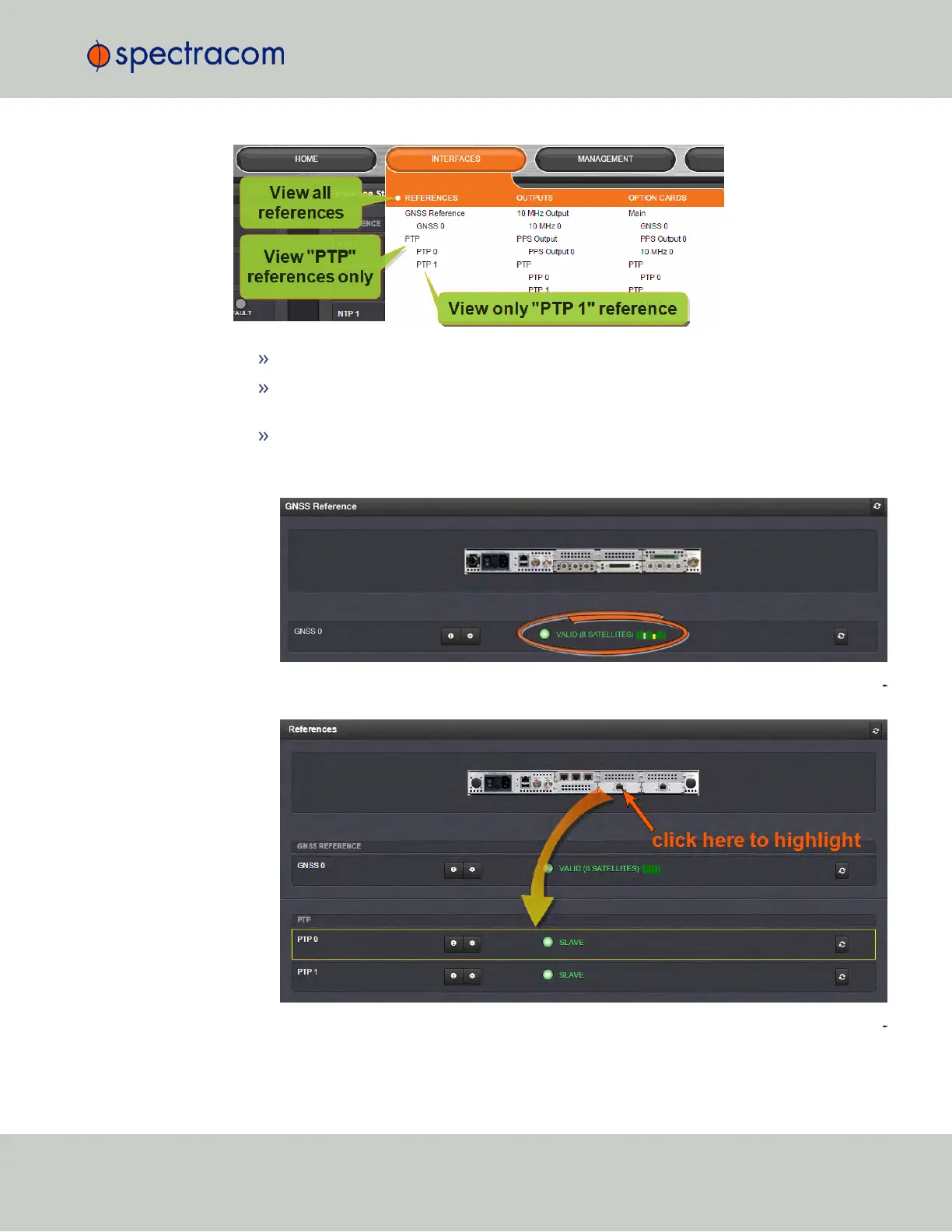
To display all references, navigate to INTERFACES > REFERENCES.
To display all references of a given type, click on the entry for that reference type (
not
indented e.g., GNSS Reference).
To display one particular reference, click on its entry (indented e.g., GNSS 0).
The Reference window will show the validity status for the chosen reference(s):
You can also click on any of the connectors shown in the rear panel illustration to high
light/identify the corresponding reference:
To display more status information for a particular input reference, click the cor
responding INFO button:
4.5 Quality Management
CHAPTER 4 • SecureSync User Reference Guide Rev. 23
263



 To Next Page