d.
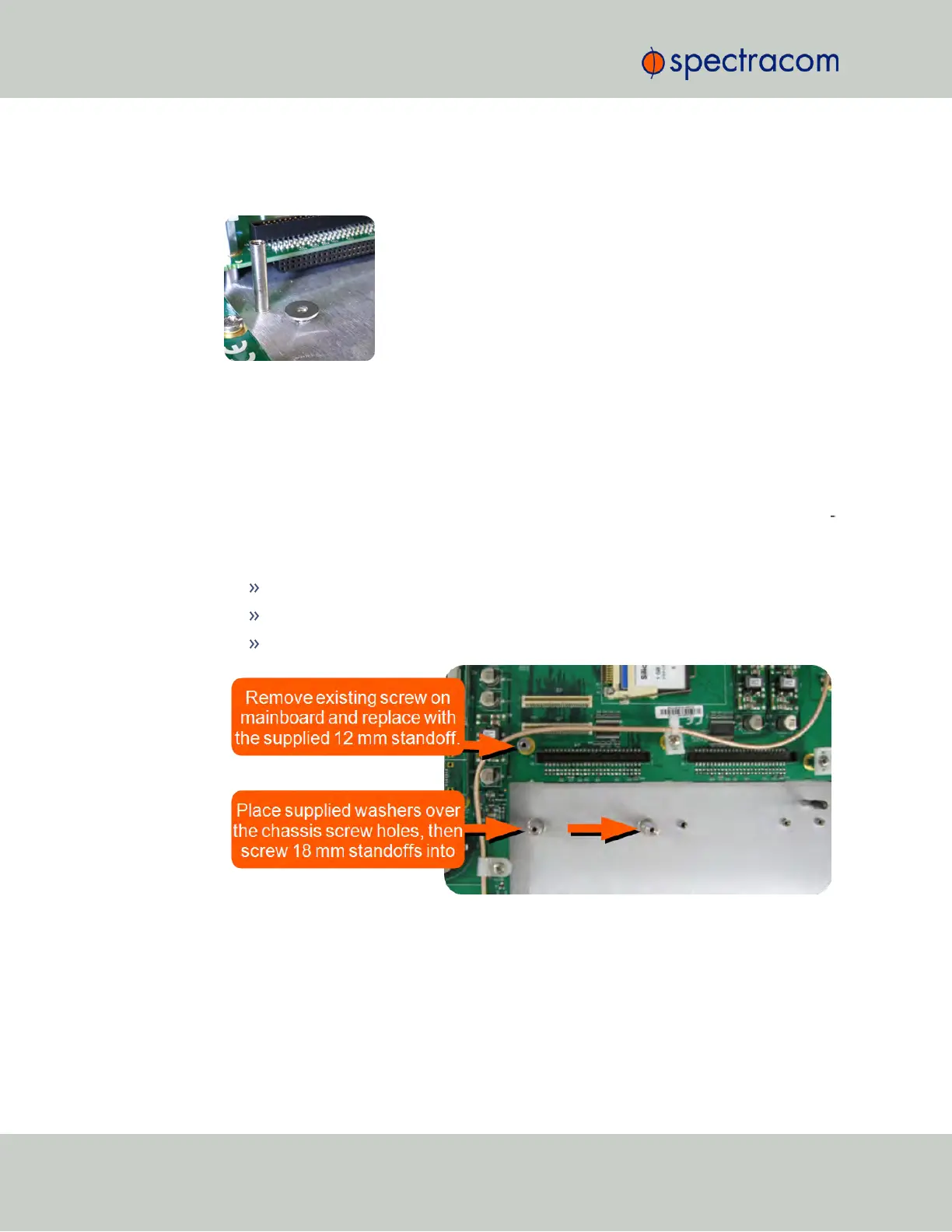
Take the supplied washers and place them over the chassis screw holes (see figure
below).
Figure 5-9: Washer placement
e.
Screw the supplied 18-mm standoffs into place above the washers (see figure below),
applying a torque of 0.9Nm/8.9in-lbs.
f.
On the SecureSync mainboard, remove the screw located under the J11 connector and
replace with the supplied 12-mm standoff (see figure below).
g.
Insert the Gigabit Ethernet option card into Slot2, and carefully press down to fit the con
nectors on the bottom of the Gigabit Ethernet card to the connectors on the mainboard.
h.
Secure the option card by screwing the supplied M3 screws into:
both standoffs on the chassis
the standoff added onto the mainboard
and into the rear chassis. Apply a torque of 0.9Nm/8.9in-lbs.
Figure 5-10: Gigabit Ethernet option card installation
344 SecureSync User Reference Guide
APPENDIX



 To Next Page