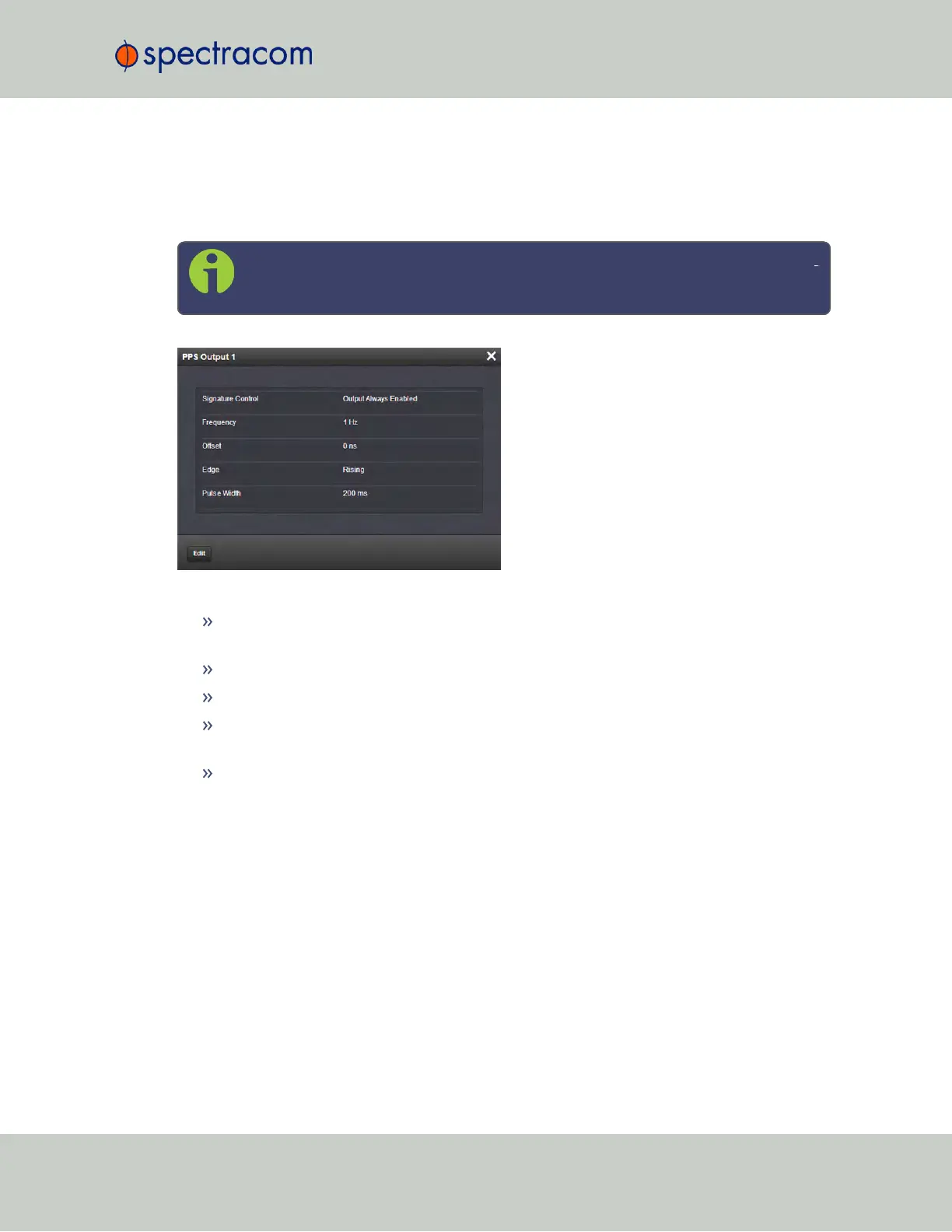
The Web UI list entries for these cards are: 1PPS/Frequency BNC and 1PPS/Frequency RS-
485.
The connector number is: J3 (BNC card); J1 (RS-485 card).
Note: SecureSync starts numbering I/O ports with 0 (only 1PPS and 10MHz out
puts start at1, because of the built-in outputs).
The Status window displays the following settings:
Signature Control: Displays the current configuration of Signature Control. See also:
"Signature Control" on page136.
Frequency: Indicates the configured frequency of the 1PPS output signal.
Offset: Displays the configured Offset (to account for cable delays or other latencies).
Edge: Shows if the on-time point of the 1PPS output is the rising or falling edge of the
pulse.
Pulse Width: Displays the configured Pulse Width of the 1PPS output. The Pulse Width is
displayed in nanoseconds (ns). The default Pulse Width is 200 milliseconds.
SecureSync User Reference Guide 367
APPENDIX



 To Next Page