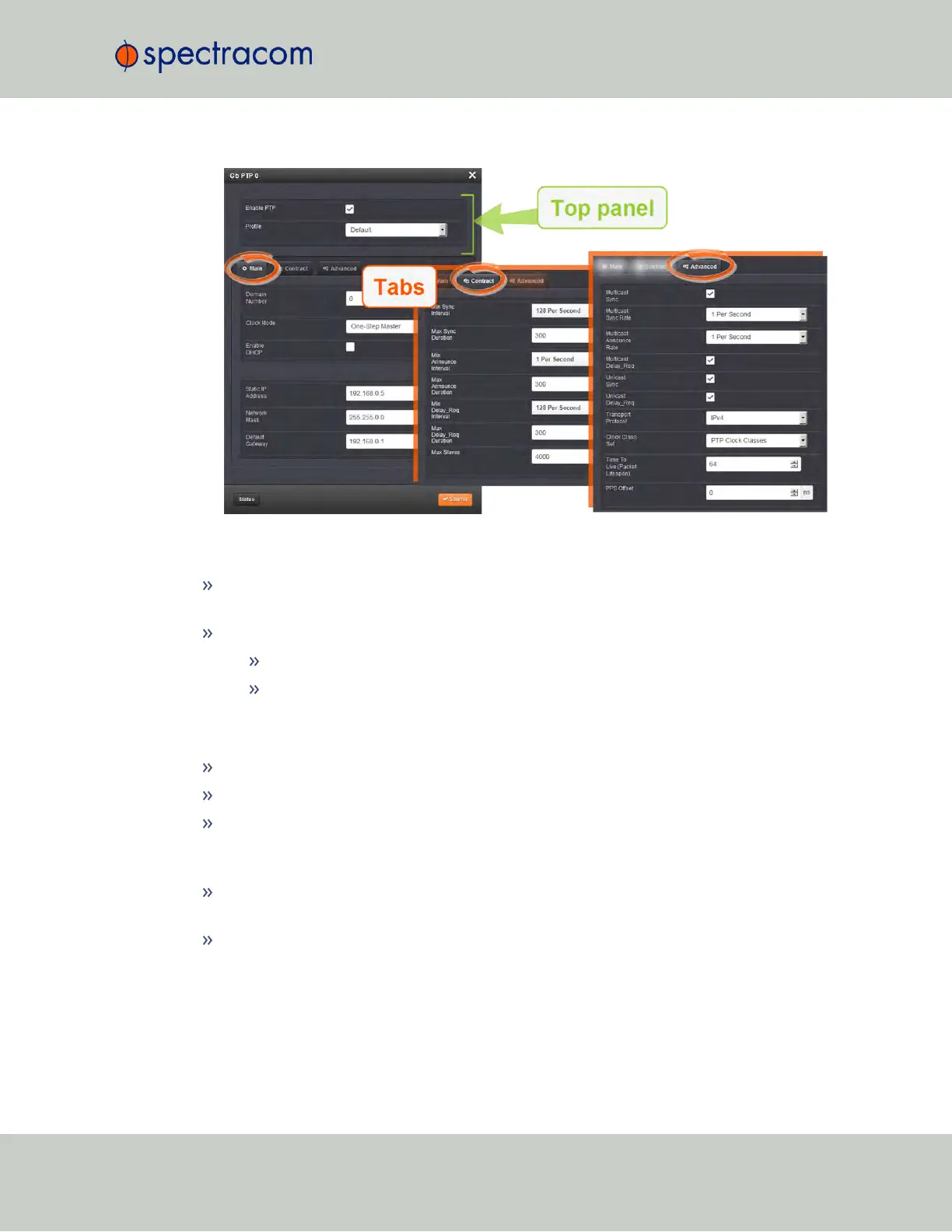
Top panel settings
Enable PTP: Enables/Disables PTP. Check the box to enable PTP. Uncheck it to disable
PTP.
Profile: offers a choice of:
Default (incl. Enterprise)
Telecom
Bottom panel: tabs
Main: These settings pertain to network connectivity.
Contract: These settings pertain to the unicast contract.
Advanced: These setting pertain to time Sync information.
Main tab settings
Domain Number: Sets the current PTP Domain Number, as defined in IEEE Std 1588-
2008 Section 7.1
Clock Mode: PTP has two ways to transmit the initial T1 timestamp of the Sync packet
transmission from the Master to the Slave:
SecureSync User Reference Guide 459
APPENDIX



 To Next Page