Unicast Ttl: [64] Time to live for Unicast packets.
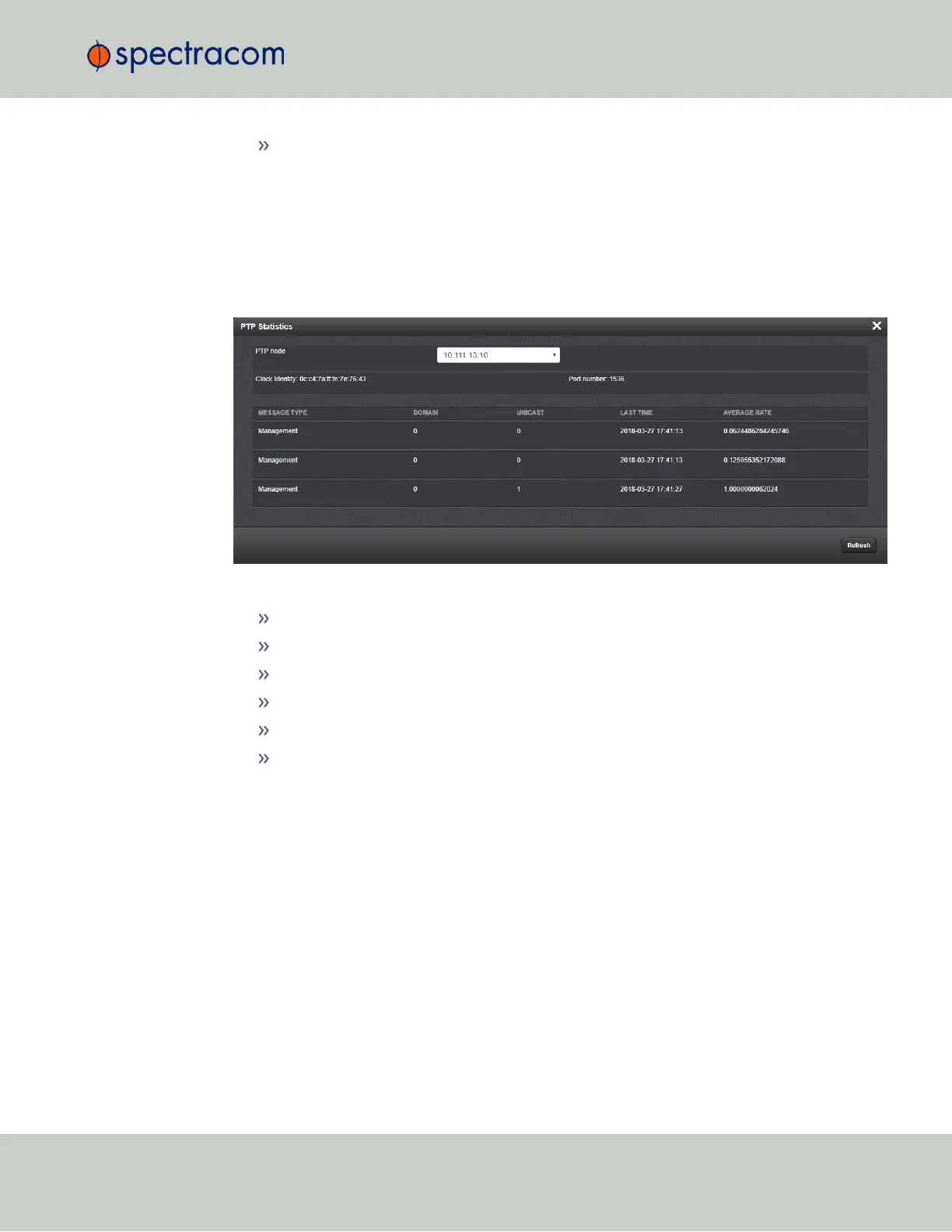
The PTP Statistics Panel
This panel provides statistics for each Ethernet port. If the PTP is set to OFF for a specific port,
this screen will not display any information.
All statistics shown are based on the traffic that is detectable by VersaSync, i.e. in a Unicast
environment, VersaSync may only detect traffic that is addressed to it, based on switch con-
figuration.
Figure 2-8: PTP Statistics Panel
PTP Node: IP address of PTPnode.
Clock Identity: [e.g., "a0:36:9f:ff:fe:37:b9:5d"]
Domain: Domain number of the selected PTP node.
Unicast: [0,1] OFF or ON (1)
Last Time: [e.g., "2016-08-12 18:19:15"] The last time a packet was received.
Average Rate: [e.g., "0.0624986091344933"] Indicates how often the selected message
has been detected (in seconds e.g., "1.0" would mean once every second).
2.7.9.2 Enabling/Disabling PTP
To enable or disable PTP:
1.
Navigate to MANAGEMENT > NETWORK: PTP Setup.
2.
In the PTP panel, slide the toggle switch to ON or OFF for the desired Ethernet port
(eth1).
2.7 Configuring Network Settings
CHAPTER 2 • VersaSync User Manual Rev. 6.0
109



 To Next Page