4.1 Issuing the HALT Command Before Removing Power
Gracefully shutting down VersaSync by using the HALT command offers the following advant-
ages over shutting the unit down by interrupting the power supply:
The shutdown process will be logged
The System Clock will update the Real Time Clock with the latest System Time.
VersaSync's file system will be synchronized, which under some circumstances will allow
for faster startup next time the unit will be powered up again.
Note: Wait 30 seconds after entering the HALT command before removing
power.
Issuing a HALT Command via the Web UI
1.
Navigate to TOOLS > SYSTEM: Reboot/Halt.
2.
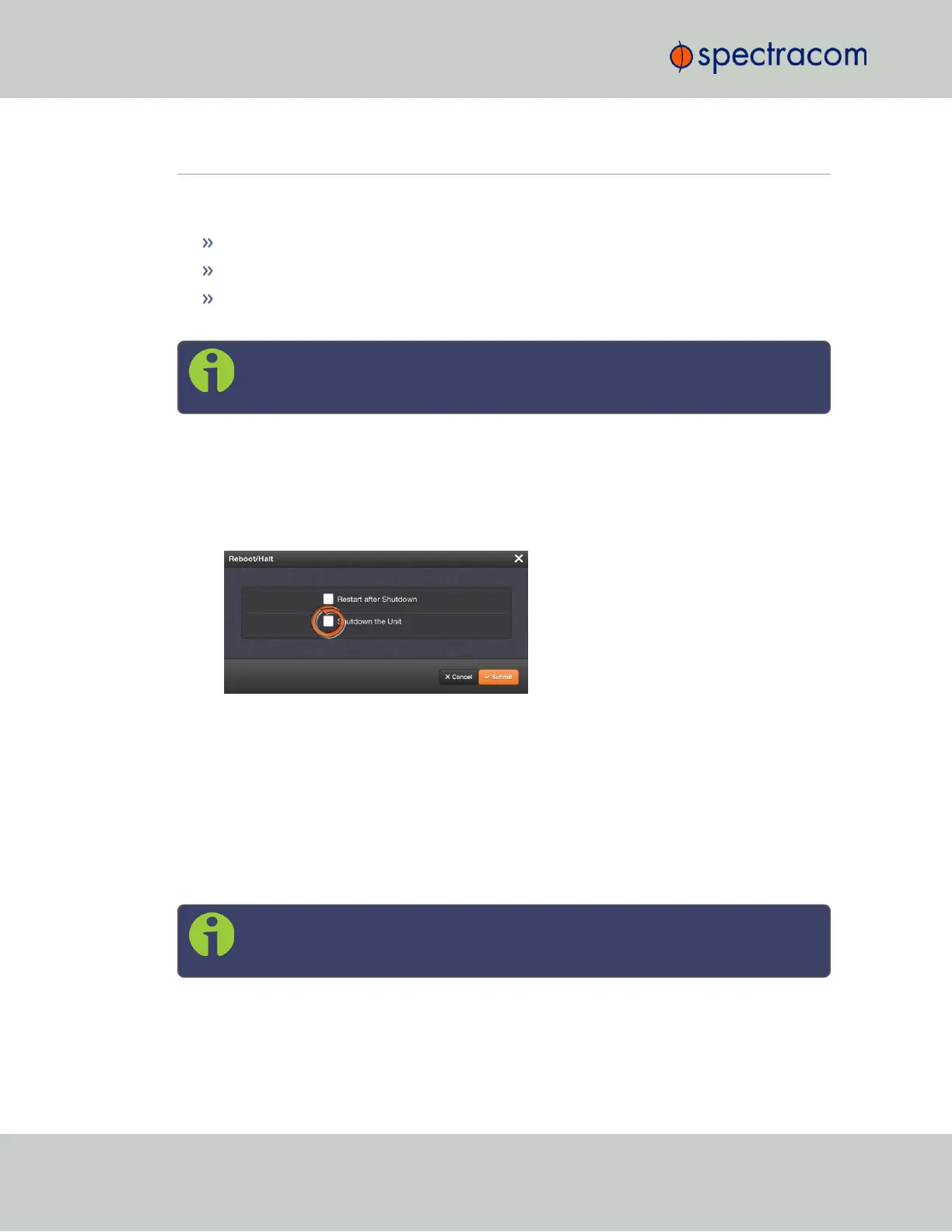
The Reboot/Halt window will display. Select the Shutdown the Unit checkbox.
3.
Click Submit.
4.
Wait 30 seconds after entering the HALT command before removing power from the
unit.
Issuing a HALT Command via SerialPort/Telnet/SSH:
With a serial connection to the USB port, telnet connection or SSH connection, type halt
<Enter> to halt the unit for shutdown. For more information on VersaSync commands, see
"CLICommands" on page241.
Note: After issuing the HALT command wait 30 seconds before you remove
power.
180
CHAPTER 4 • VersaSync User Manual Rev. 6.0
4.1 Issuing the HALT Command Before Removing Power



 To Next Page