You can zoom in on any of the graphs by grabbing the handles at either end and pulling them
inwards. The graph will focus in on the time interval you choose in real time.
Clicking on the Delete icon in the top-right hand corner will erase all current oscillator log data.
Clicking on the Download arrow icon will download the latest oscillator log data as a .csv
file.
4.6.1.4 NTP Status Monitoring
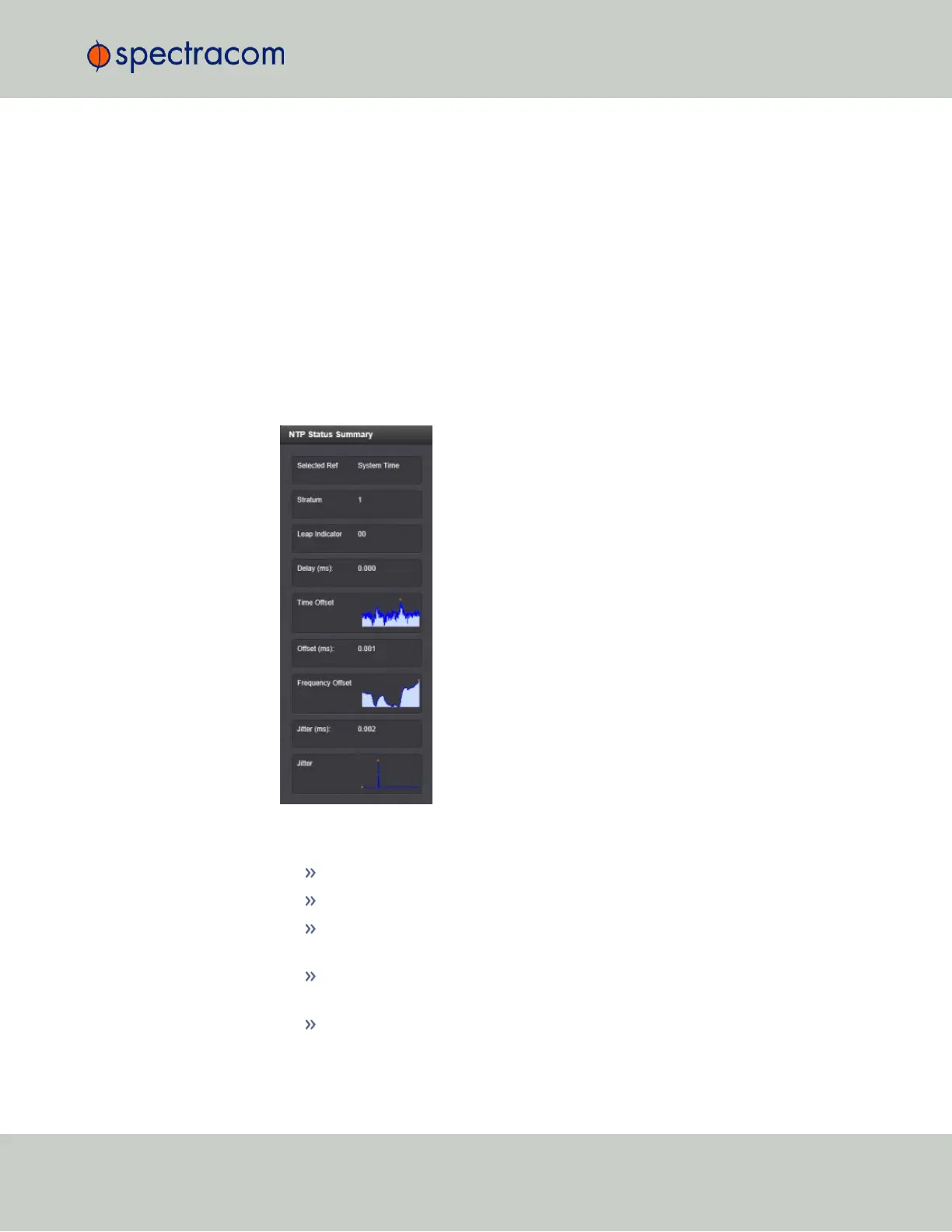
VersaSync's NTP Status Summary provides a means to monitor NTP status and performance
parameters relevant to your VersaSync at a glance.
1.
To access the NTP Status Summary panel, navigate to MANAGEMENT > NETWORK: NTP
Setup.
2.
The NTP Status Summary panel is at the lower left of the screen. The panel contains the fol-
lowing information:
Selected Ref—The reference VersaSync is currently using.
Stratum—This is the stratum level at which VersaSync is operating.
Leap Indicator—The leap indicator bits (usually 00). See "Leap Second Alert Noti-
fication" on page124.
Delay (ms)—The measured one-way delay between VersaSync and its selected ref-
erence.
Time Offset—This is a graphical representation of the system time offset over time.
Clicking on this graph in the NTP Status Summary panel will open a window in
4.6 Quality Management
CHAPTER 4 • VersaSync User Manual Rev. 6.0
207



 To Next Page