A local clock can be set up through the Time Management Page; see
"Local Clock(s), DST" on page126. Local timescale allows a Local
Clock to apply a time offset for Time Zone and DST correction.
Offset: Provides the ability to account for STANAG Line (TOD1 and TOD2
independently) cable delays or other latencies in the STANAG input. Avail-
able Offset range is –500 to +500ms in 5ns steps.
3.
Click Submit.
2.6.4.6 Configuring a HaveQuick Output
To configure a HaveQuick output:
1.
Navigate to INTERFACES > OUTPUTS: HQ Output 0, or to INTERFACES > OPTION
CARDS: HQ Output 0. The Status window will display, providing information on Sig-
nature Control, message Format, Timescale, and Offset.
2.
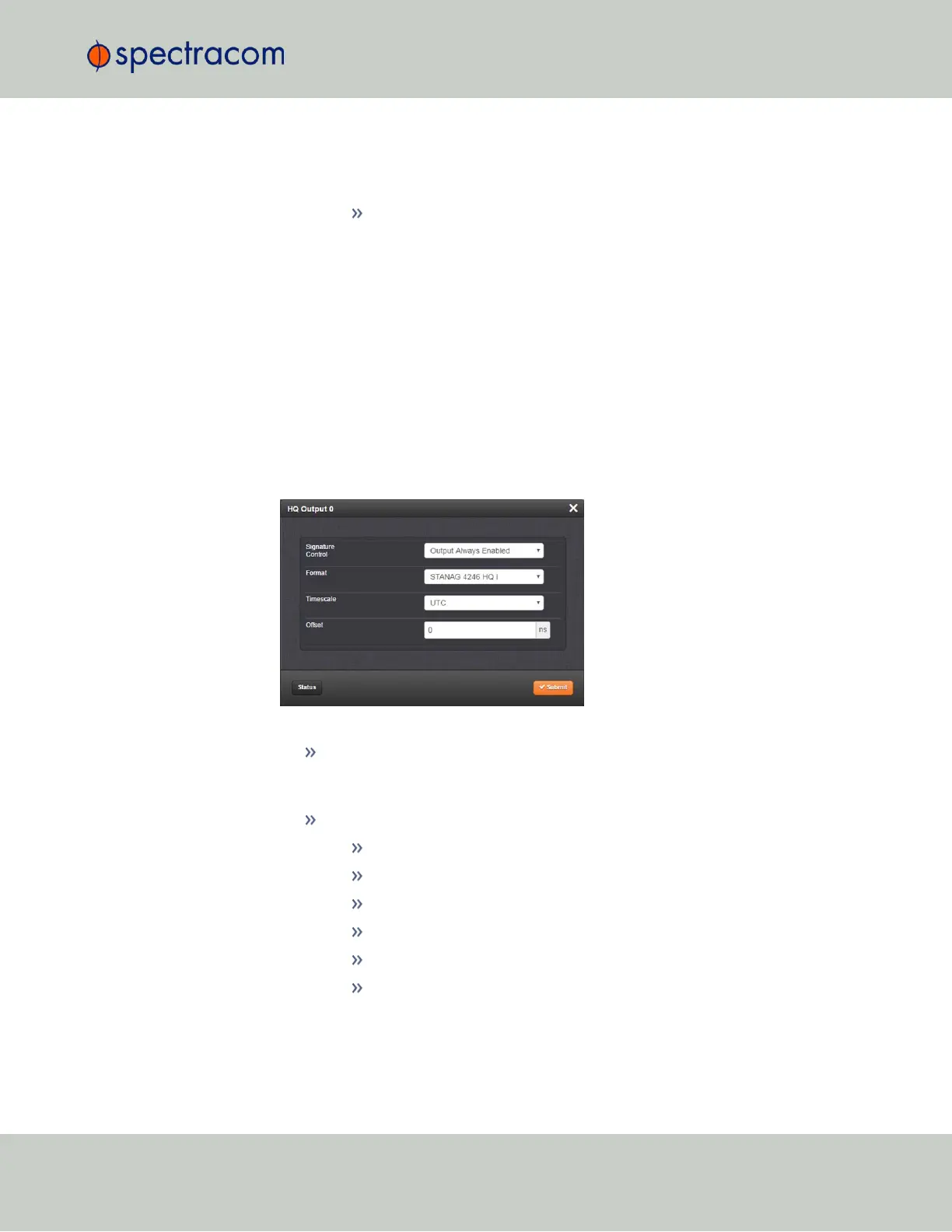
Click Edit. The Configuration window will display.
The following settings are configurable:
Signature Control: Used to control when the signal will be present. This function
allows the modulation to stop under certain conditions, see also "Signature Con-
trol" on the next page.
TOD Format: The user-selectable format to be used. Available formats include:
STANAG 4246 HQI
STANAG 4246 HQII
STANAG 4372 HQIIA
STANAG 4430 STM
STANAG 4430 XHQ
ICD-GPS-060A BCD
2.6 Configuring Inputs/Outputs
CHAPTER 2 • VersaSync User Manual Rev. 6.0
51



 To Next Page