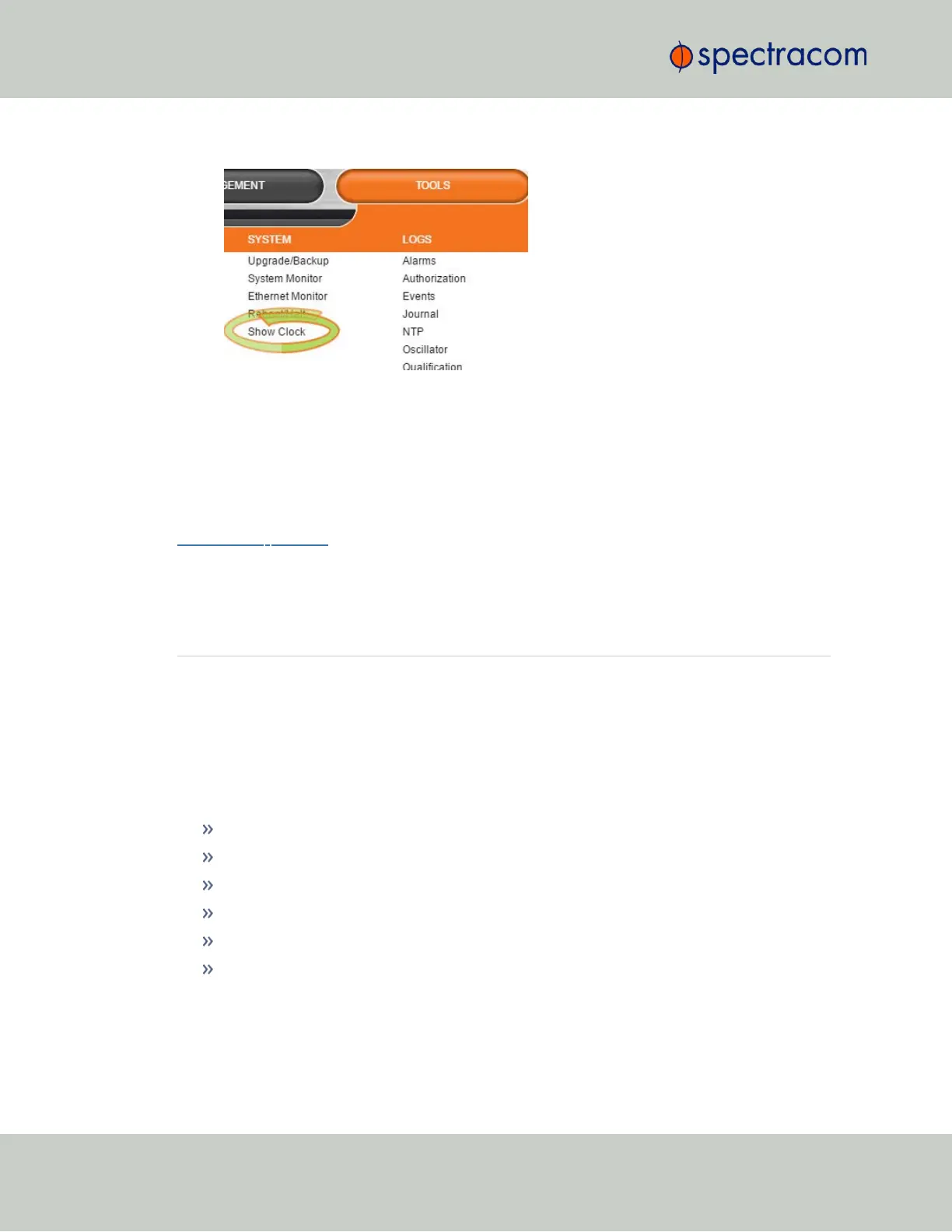
1.
Navigate to TOOLS > SYSTEM: Show Clock:
2.
To return to the standard Web UI, click Home.
4.5.3 Synchronizing Network PCs
Frequently, network PCs have to be synchronized to VersaSync via the Ethernet port, using NTP
(Network Time Protocol). A detailed description on how to synchronize Windows PCs can be
found online in the Spectracom Technical Note Synchronizing Windows Computers on the
Spectracom website. This document also contains information and details about using the
Spectracom PresenTense NTP client software.
4.6 Quality Management
4.6.1 System Monitoring
4.6.1.1 Status Monitoring via the Web UI
Detailed status information can be accessed via the VersaSync Web UI, such as:
Time synchronization status, including references
GNSS satellites currently being tracked
NTP sync status and current Stratum level
Estimated time errors
Oscillator disciplining
Temperature monitoring
The HOME screen provides time server status information, while the TOOLS > System Monitor
screen also displays hardware status data, e.g. temperature curves:
200
CHAPTER 4 • VersaSync User Manual Rev. 6.0
4.6 Quality Management



 To Next Page