4.
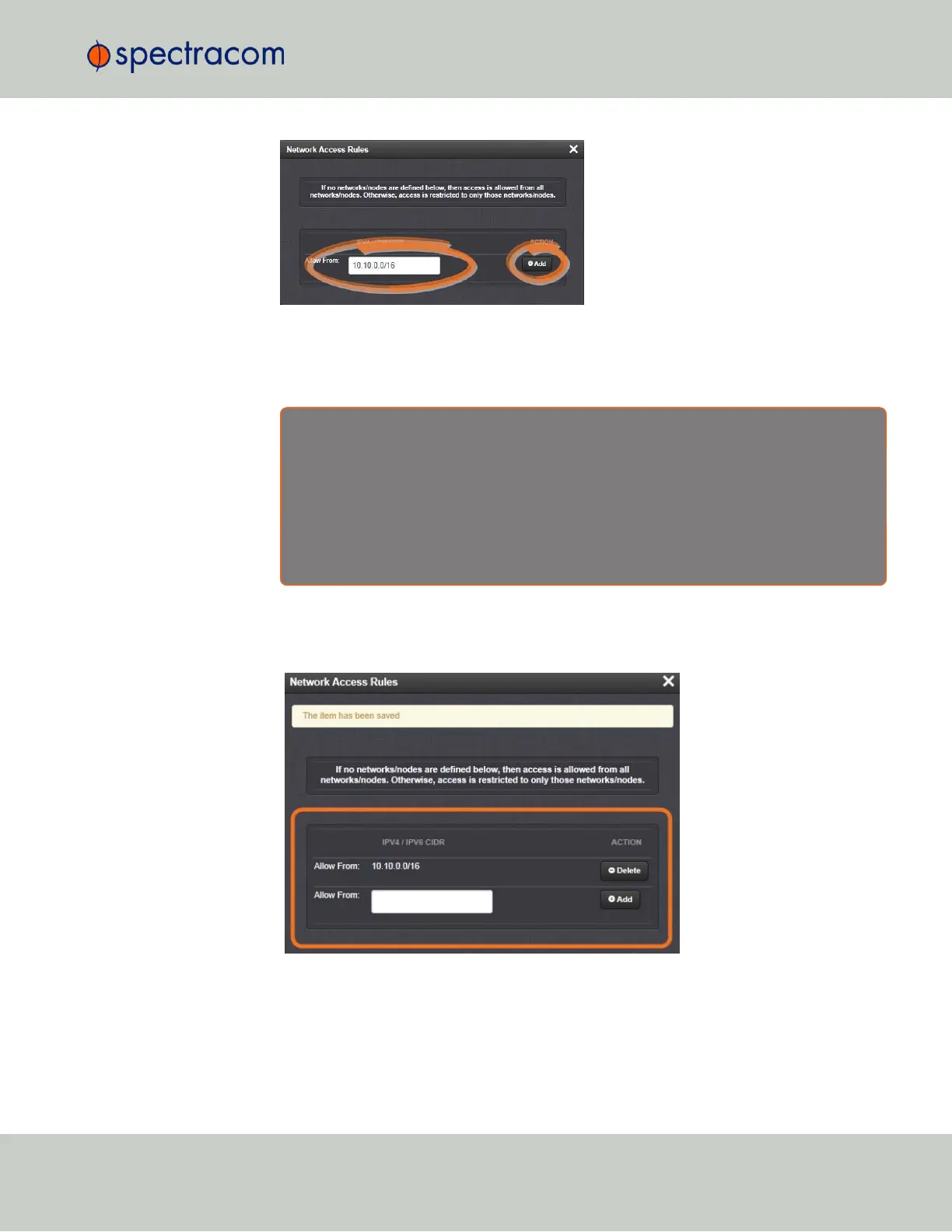
In the Allow From field, enter a valid IP address. It is not possible, however, to add direct
IP addresses, but instead they must be input as blocks, i.e. you need to add /32 at the
end of an IP address to ensure that only that address is allowed.
Example: 10.2.100.29/32 will allow only 10.2.100.29 access.
I P a d d r e s s n o m e n c l a t u r e :
IPv4—10.10.0.0/16, where 10.10.0.0 is the IP address and 16 is the subnet
mask in prefix form. See the table "Subnet Mask Values" on page34 for a list of subnet
mask values.
IPv6—2001:db8::/48, representing 2001:db8:0:0:0:0:0:0 to 2001:d-
b8:0:ffff:ffff:ffff:ffff:ffff.
5.
Click the Add button in the Action column to add the new rule.
6.
The established rule appears in the Network Access Rules window.
Click the Delete button next to an existing rule, if you want to delete it.
2.7.5 SSH
The SSH, or Secure Shell, protocol is a cryptographic network protocol, allowing secure
remote login by establishing a secure channel between an SSH client and an SSH server. SSH
2.7 Configuring Network Settings
CHAPTER 2 • VersaSync User Manual Rev. 6.0
59



 To Next Page