1.
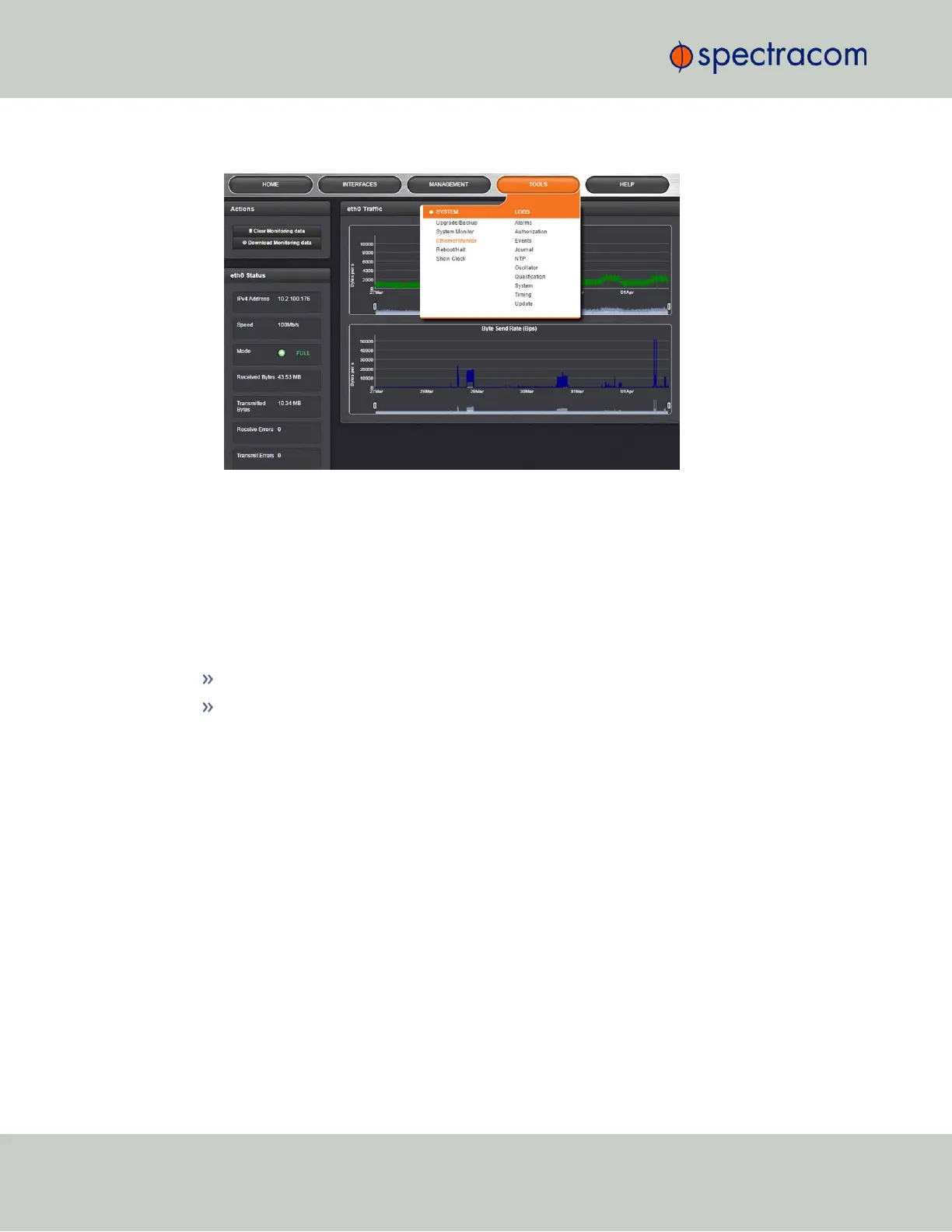
Navigate to TOOLS > SYSTEM: Ethernet Monitor. The Ethernet monitoring screen opens:
The data displayed is linked to a specific Ethernet port e.g., ETH0. If you enable additional Eth-
ernet ports, their throughput data will also be displayed.
In the Traffic pane on the right the traffic throughput in Bytes per second is displayed in two
graphs. Drag the handles at the bottom of the graphs to zoom in on a particular time frame.
In the Actions panel on the left, you can clear or download monitoring data.
In the Status panel on the left, information pertaining to the given Ethernet port is displayed,
including throughput statistics and error statistics. The Mode field indicates which transmission
mode is being used for the given Ethernet port:
FULL duplex, or
HALF duplex.
Note that the Mode is auto-negotiated by VersaSync. It can be changed only via the switch Ver-
saSync is connected to, not by using the VersaSync WebUI.
4.6.1.3 Monitoring the Oscillator
The Oscillator Management screen provides current and history status information on dis-
ciplining state and accuracy.
To access the Oscillator Management screen:
204
CHAPTER 4 • VersaSync User Manual Rev. 6.0
4.6 Quality Management



 To Next Page