you have manually entered a valid position for your antenna location (instructions
can be found under "Manually Setting the GNSS Position" on page162 and
"Determining Your Position" on page163).
the GNSS receiver continues to track at least one qualified satellite.
Note: VersaSync is designed to provide the most accurate time in Standard
Mode. The Single Satellite Mode should only be used if the GNSS receiver
could not complete a survey.
3.3.3.4 Setting GNSS Receiver Dynamics
Receiver Dynamics further refine the reception characteristics for the individual receiver modes
and determine if the receiver will automatically resurvey after a reboot.
Caution: If you select a setting that does NOT resurvey, and subsequently relocate
your unit (antenna) by more than 100m, u-blox M8T receivers will NOT detect the
new position, and hence provide an incorrect time.
For more information about the GNSS Survey, see "Performing a GNSS Receiver Survey" on
page157.
For more information on Receiver Modes , see "Selecting a GNSS Receiver Mode" on
page153.
To change/review the GNSS Receiver Dynamics:
1.
Navigate to INTERFACES > REFERENCES: GNSS 0.
2.
Under the Main tab of the GNSS 0 status window, the line item Receiver Dynamics will
indicate the current setting.
3.
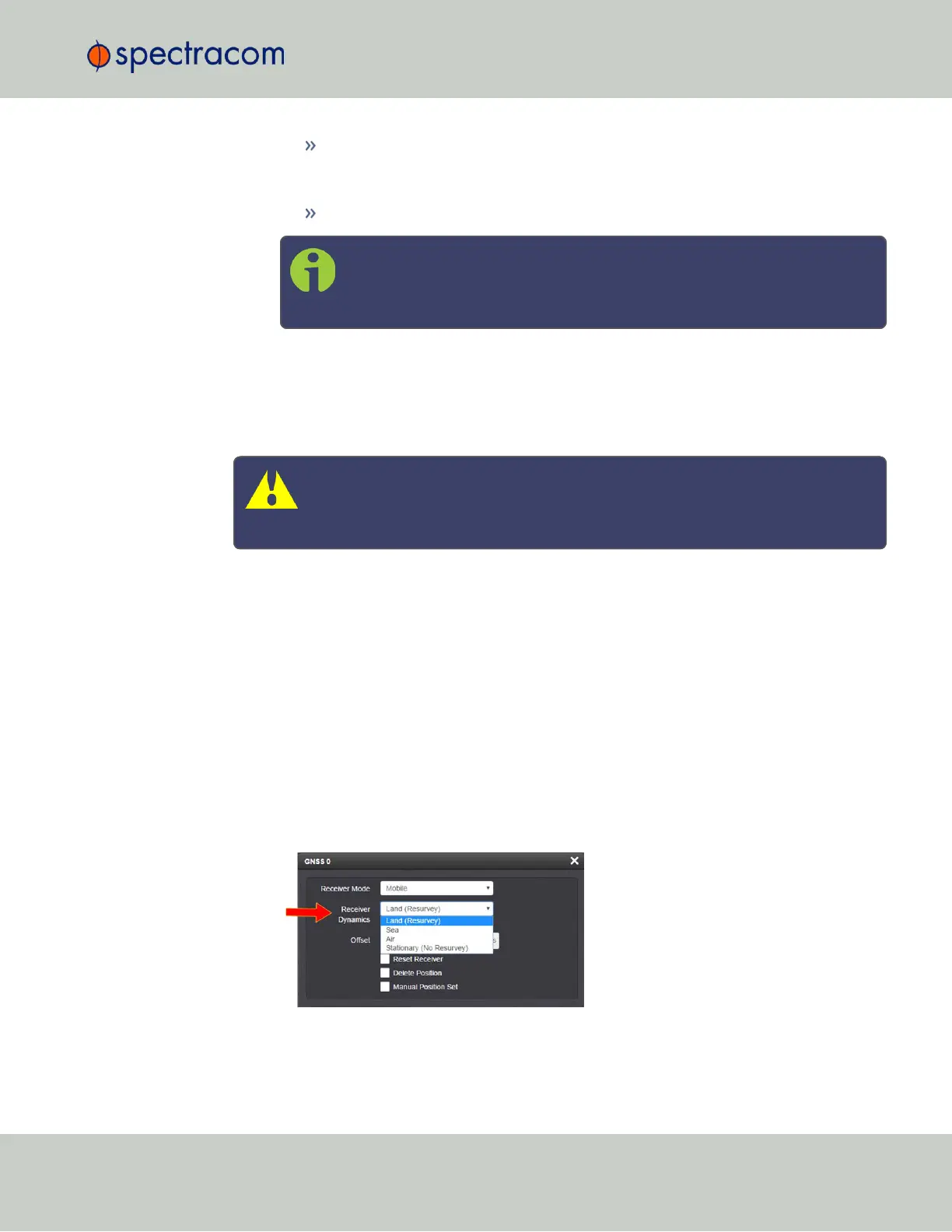
To change the setting, click Edit in the bottom-left corner. The GNSS 0 configuration win-
dow will display:
4.
Select a setting and click Submit.
3.3 Managing References
CHAPTER 3 • VersaSync User Manual Rev. 6.0
155



 To Next Page