1.3.3.1 LED Patterns during Boot Sequence
For the first five seconds after power-up all LEDs will be OFF. Then the Power LED will be blink-
ing before it will be lit permanently. If you have configured your unit to operate in Blackout
Mode, this will take effect once the blinking cycle ends.
1.3.4 Blackout Mode
All LEDs can be turned off via the WebUI.
The LED brightness level can be set from 63 (as bright as possible) to 0 (not visable).
To disable all LED activity via the WebUI:
Navigate to MANAGEMENT > OTHER: LED Configuration, and set the Brightness level to
"0".
1.4 Interfaces Overview
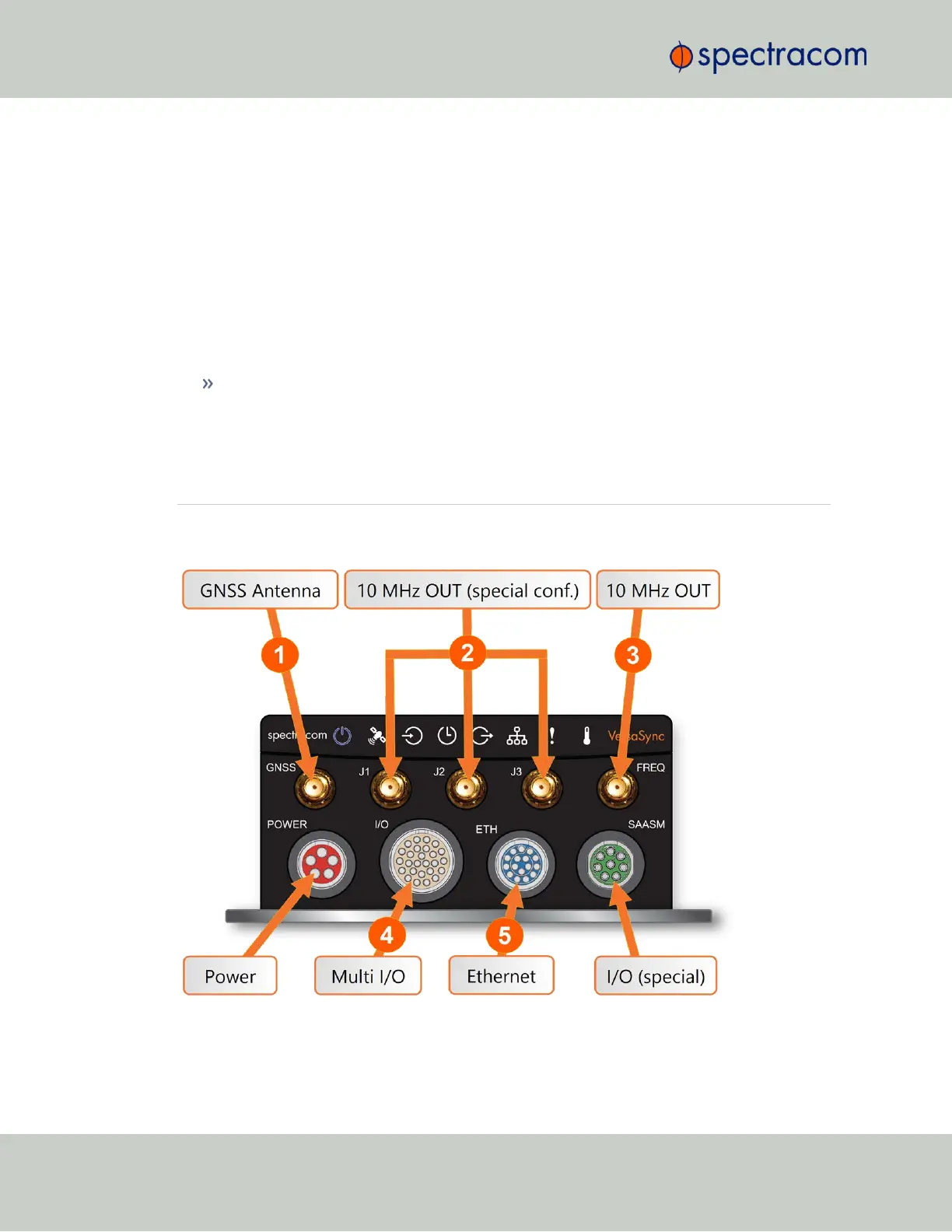
All of VersaSync's interfaces are integrated into the unit's connectors, which are located on the
front panel:
Figure 1-2: VersaSync front panel connectors
6
CHAPTER 1 • VersaSync User Manual Rev. 6.0
1.4 Interfaces Overview



 To Next Page