Reference Priority: "user" can access this page and modify settings.
Notifications: "user" can access this page and modify settings.
Time Management: "user" can access this page and modify settings.
Front panel: "user" can access this page and modify settings.
Log Configuration: "user" can access this page and modify settings.
Disciplining: "user" can access this page and modify settings.
Change my password: "user" can access this page and change only their password.
TOOLS Menu
Logs: "user" can view only the listed logs
Upgrade/Backup: "user" cannot perform any updates.
Reboot/Halt: "user" cannot reboot/shutdown/halt the unit.
4.4.1.3 Rules for Usernames
Length: Usernames can be between 3 and 32 characters long.
Accepted characters:
All letters, including the first, must be lower-case.
Numbers, underscores and dashes are accepted.
Next to punctuation symbols, the following special characters are NOT accepted:
! @ # $ % ^ & * ( )
4.4.1.4 Adding/Deleting/Changing User Accounts
To access the Users list, and the Password Security panel:
1.
Navigate to MANAGEMENT > OTHER: Authentication.
2.
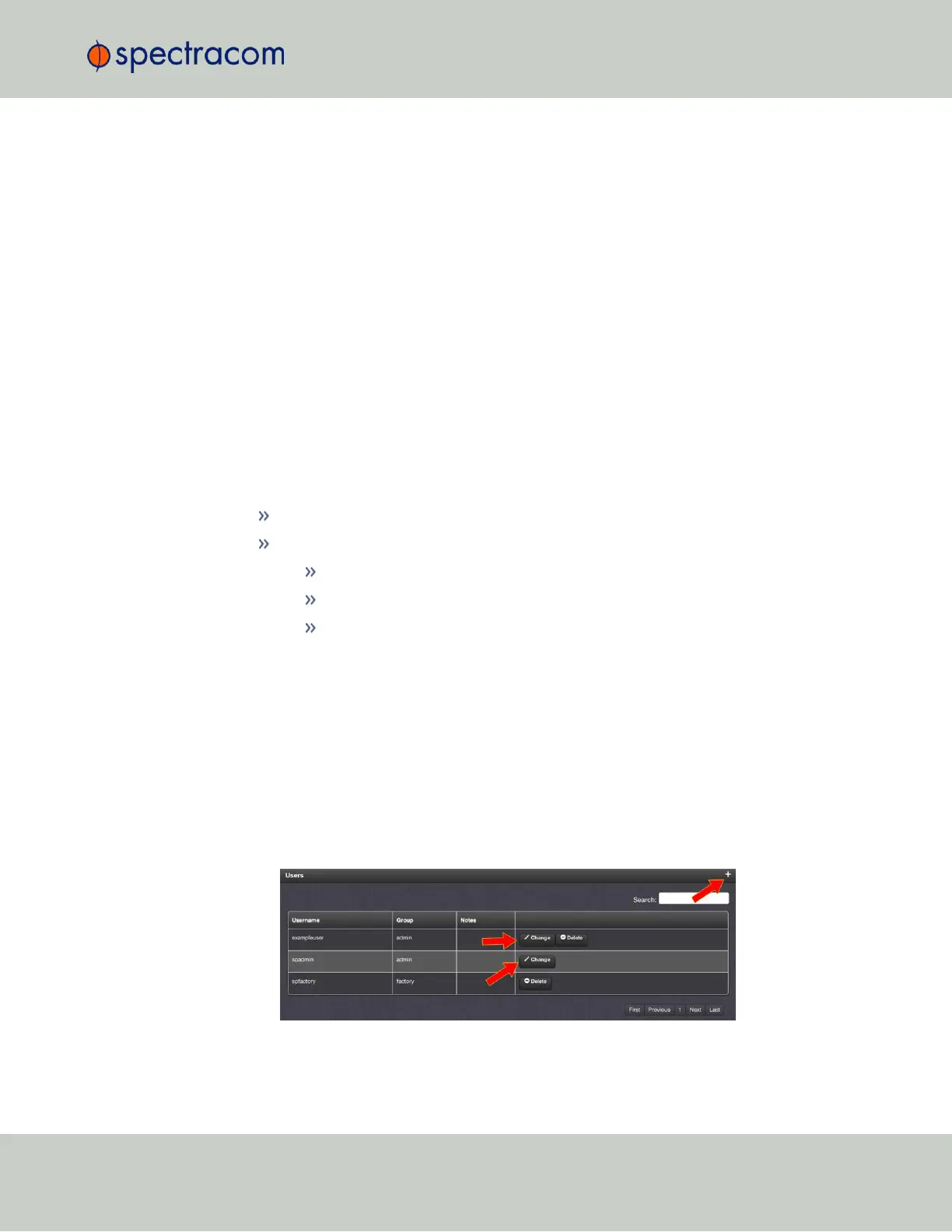
The Users panel on the right shows a list of all user accounts, including their Username,
the Group to which that user account is assigned to, and any Notes about the user
account:
VersaSync units are shipped with two default accounts:
4.4 Managing Users and Security
CHAPTER 4 • VersaSync User Manual Rev. 6.0
191



 To Next Page