4.2 Rebooting the System
To reboot VersaSync via the Web UI:
1.
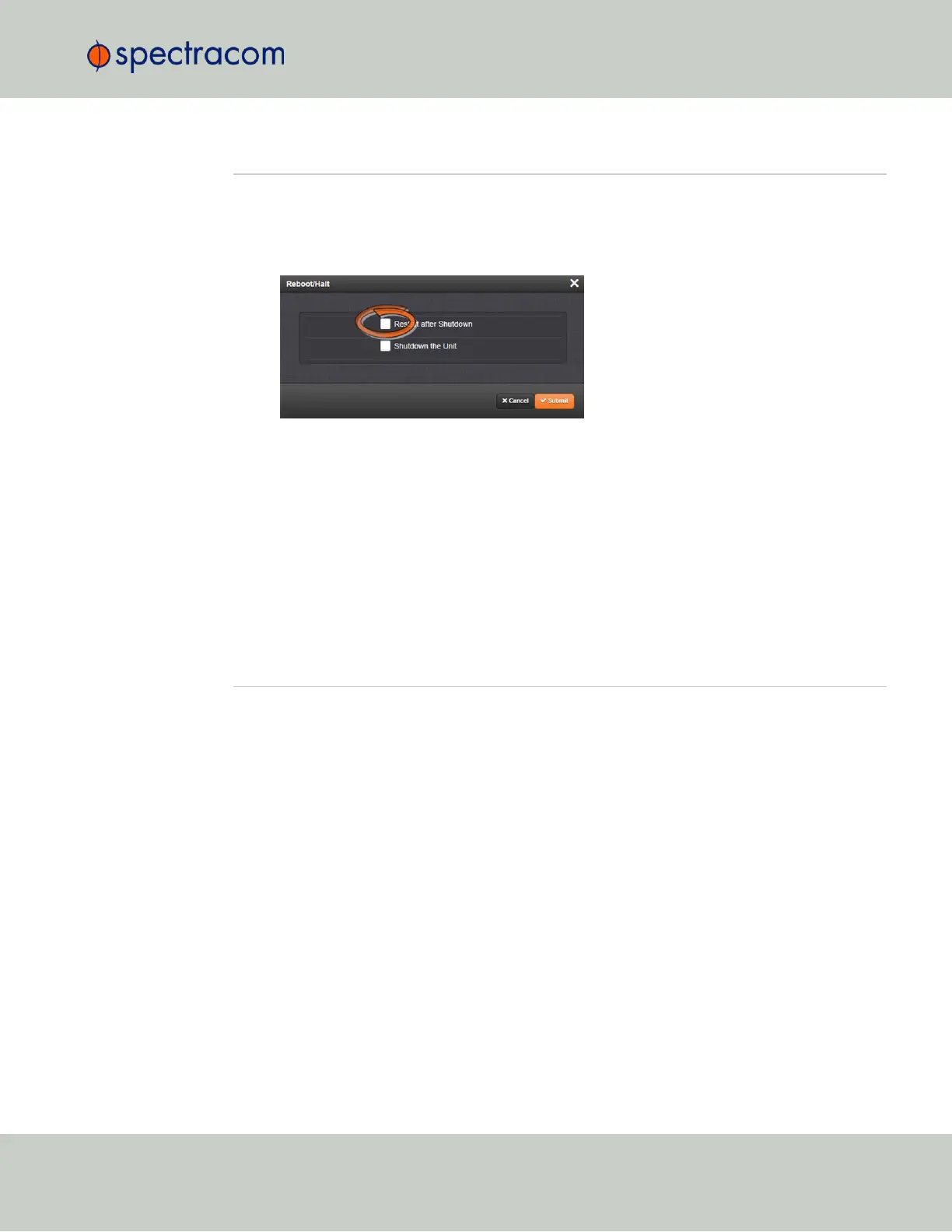
Navigate to TOOLS > SYSTEM: Reboot/Halt.
2.
Select the Restart after Shutdown box in the Reboot/Halt window.
3.
VersaSync will now be rebooted and be accessible again shortly thereafter.
Rebooting via USB Port, Telnet, SSH, SNMP
With a serial connection to the USB port, telnet connection or SSH connection, type reboot
<Enter> to reboot VersaSync.
Reboot is also is available to be performed through an snmpset operation. For more inform-
ation on VersaSync commands, see "CLICommands" on page241.
4.3 Notifications
If an event occurs e.g., VersaSync transitions into Holdover, or a short is detected in the GNSS
antenna, VersaSync can automatically notify users that a specific event has occurred.
In some situations, two events are generated. One event occurs in the transition to a specified
state and then another event occurs when transitioning back to the original state. Examples of
these are losing sync and then regaining sync, or going into Holdover mode and then going
out of Holdover mode. Other situations may only consist of one event. An example of this situ-
ation is switching from one input reference to another.
Notifications of each event that may occur can be via alarms, via SNMP Traps being sent to
one or more SNMP Managers, via an email being sent to a specified email recipient, or a com-
bination of the three. The Notifications page allows a user to configure whether the occurrence
of each event automatically triggers an alarm to be generated, an SNMP trap to be sent out,
an email to be sent out, or a combination of the three.
Also, this page allows the desired email recipient’s address for that particular event to be spe-
cified. Each event can be configured with the desired email address that is specific to just that
one event only. Note that only one email address can be specified in each Email Address field.
If desired, the same email address can be used in all of the fields, or different addresses can be
used for different events.
4.2 Rebooting the System
CHAPTER 4 • VersaSync User Manual Rev. 6.0
181



 To Next Page