Note: Restoring configurations (reloading a saved configuration), erasing the
stored GNSS location and clearing the log files are separate processes. You may
restore one without restoring the others.
If VersaSync was assigned a static IP address before cleaning the configurations, it will be reset
to DHCP after the clean has been performed. If no DHCP server is available after the clean
operation, the static IP address will need to be manually reconfigured.
4.8.1 Resetting All Configurations to their Factory Defaults
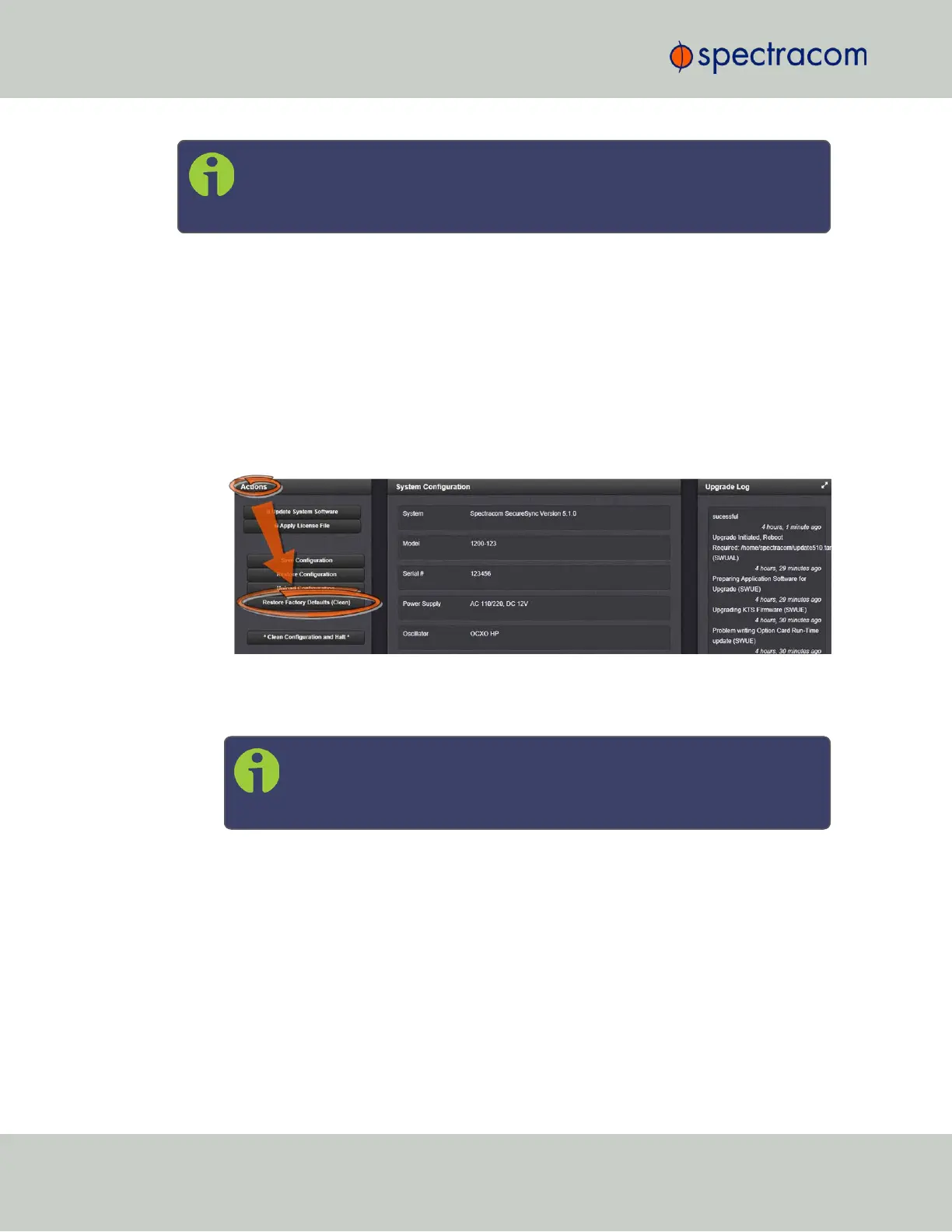
To restore the configuration files to their factory defaults:
1.
Navigate to TOOLS > SYSTEM: Upgrade/Backup.
2.
In the Actions panel, click the Restore Factory Defaults (Clean) button.
3.
VersaSync restores the configuration files to the factory settings, and then reboots in
order to read the new configuration files. Once powered back up, VersaSync will be
configured with the previously stored files.
Note: While the geographic GNSS position is stored and retained through
power cycles, choosing Clean (Restore Factory Configuration) will erase
the stored GNSS position.
Erasing the position stored in your GNSS receiver means that the next time the GNSS
antenna is connected and the GNSS receiver is able to continuously track at least four
satellites, a new GNSS survey will be initiated, so the position can be recalculated and
locked-in. A GNSS survey typically takes up to 33 minutes.
4.8.2 Backing-up and Restoring Configuration Files
Once VersaSync has been configured, it may be desired to back up the configuration files to a
PC for off-unit storage. If necessary in the future, the original configuration of the VersaSync
can then be restored into the same unit.
224
CHAPTER 4 • VersaSync User Manual Rev. 6.0
4.8 Resetting the Unit to Factory Configuration



 To Next Page