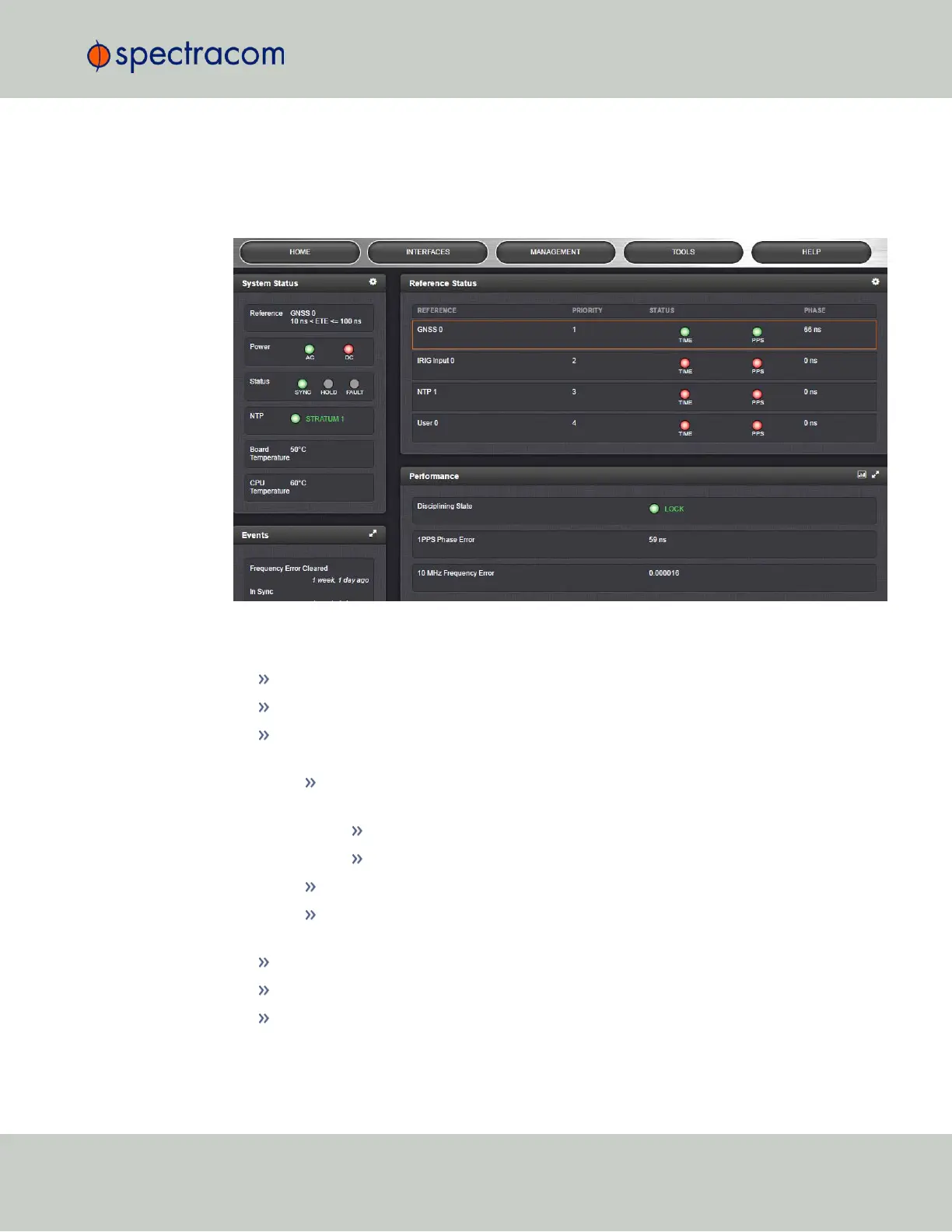
Status Monitoring via the HOME Screen
The HOME screen of the VersaSync Web UI provides a system status overview (see also "The
Web UI HOME Screen" on page16).
The HOME screen is divided into four panels:
System Status panel
Reference—Indicates the status of the current synchronizing reference, if any.
Power—Indicates whether the power is on.
Status—Indicates the status of the network’s timing. There are three indicators in the
Status field:
Sync—Indicates whether VersaSync is synchronized to its selected input ref-
erences.
Green indicates VersaSync is currently synchronized to its references.
Orange indicates VersaSync is not currently synchronized to its references.
Hold—When lit, VersaSync is in Holdover mode.
Fault—Indicates a fault in the operation of the VersaSync. See "Troubleshooting
via Web UI Status Page" on page236 for instructions for troubleshooting faults.
Alarm Status: If a major or minor alarm is present, it will be displayed here.
NTP—Current STRATUM status of this VersaSync unit.
Temperature—The current board temperature will be displayed here.
4.6 Quality Management
CHAPTER 4 • VersaSync User Manual Rev. 6.0
201



 To Next Page