1.
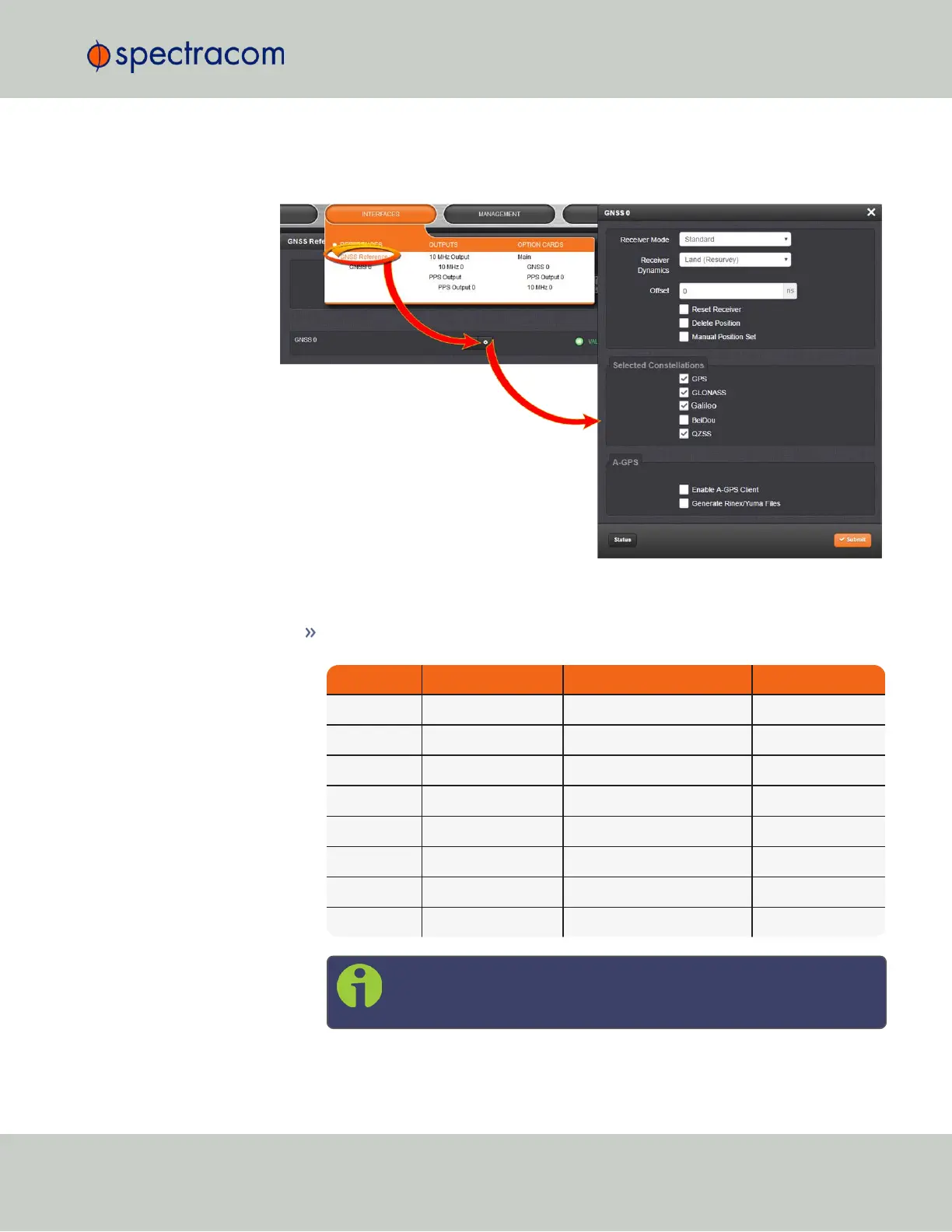
Navigate to INTERFACES > REFERENCES: GNSS Reference.
2.
Click the GEAR button next to GNSS 0. The GNSS0 window will open:
3.
Under Selected Constellations, review which constellations are currently tracked, and
apply your changes. Note the following:
The u-blox M8T receiver is capable of receiving multiple GNSS constellations sim-
ultaneously; the table below shows which combinations are possible:
GPS Galileo GLONASS BeiDou
X X – –
X X X –
X X – X
X – X –
X – – X
– X X –
– X – X
– – X X
Note: The augmentation systems SBAS and QZSS can be enabled
only if GPS operation is enabled.
3.3 Managing References
CHAPTER 3 • VersaSync User Manual Rev. 6.0
165



 To Next Page