Resetting the
spadmin
account password does not reset any user-created account passwords.
This process only resets the
spadmin
account password.
Any user with administrator rights can reset the
spadmin
password through the
MANAGEMENT > OTHER: Authentication window.
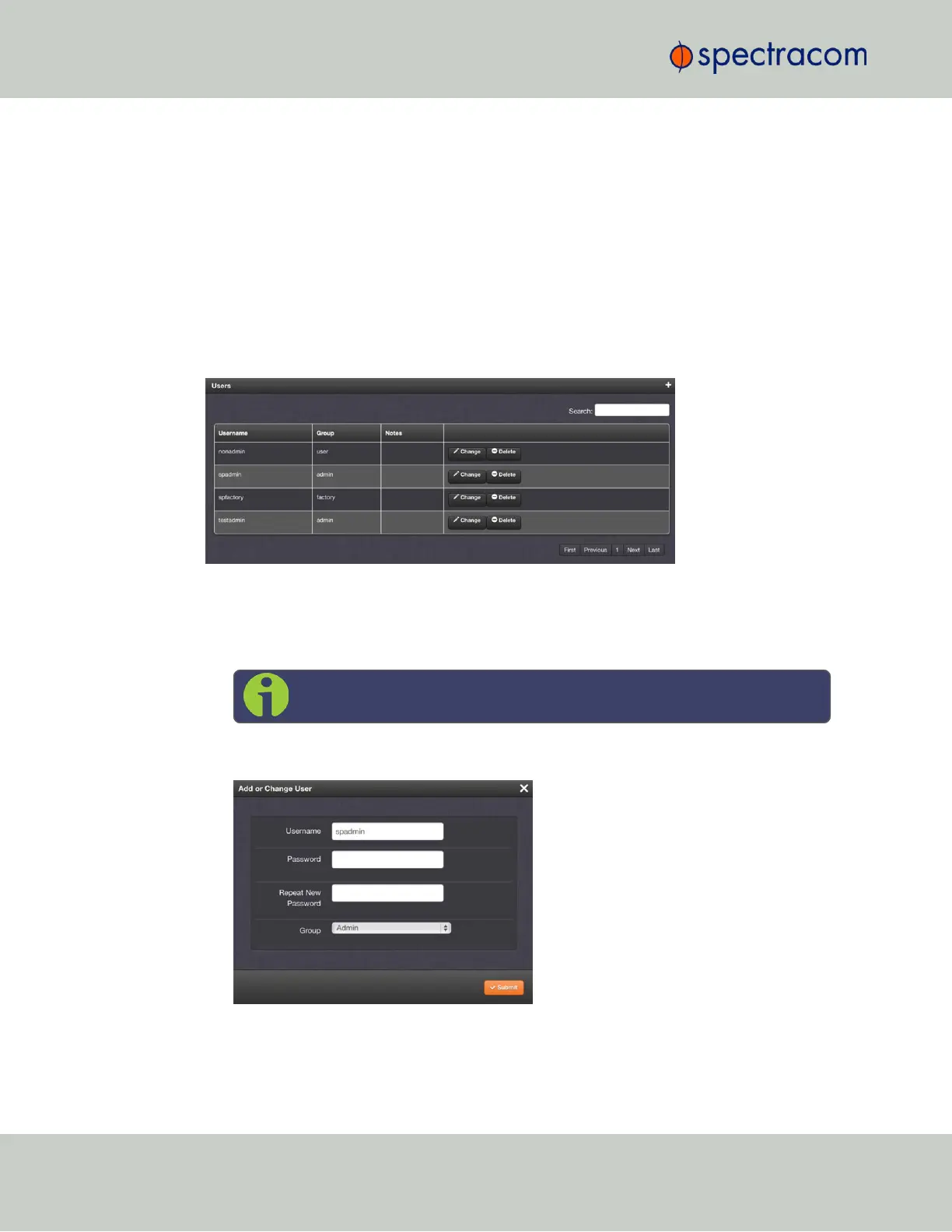
Changing the "spadmin" password via Web UI
To change the spadmin password:
1.
Navigate to the MANAGEMENT > OTHER: Authentication window.
2. Locate the
spadmin
entry in the Users table.
3.
Click the CHANGE button.
4.
In the Add or Change User window:
1.
Enter a new password.
Note: The new password can be from 8 to 32 characters in length.
2.
Confirm the new password.
3.
Click Submit.
196
CHAPTER 4 • VersaSync User Manual Rev. 6.0
4.4 Managing Users and Security



 To Next Page