Note: The default login credentials are:
User name = spadmin
Password = admin123 (will not be displayed on the screen)
b.
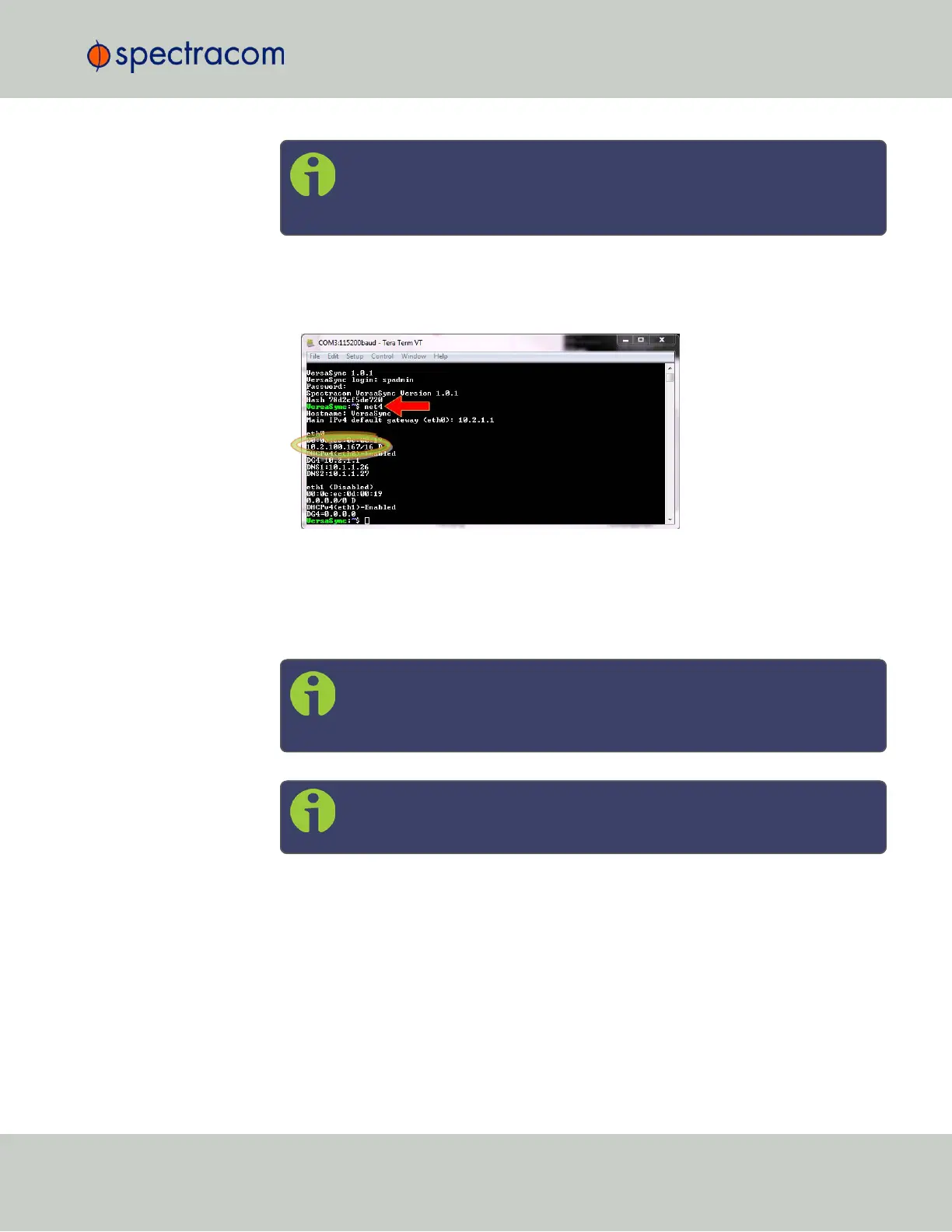
If you are on a DHCP-enabled network, retrieve the IP address assigned to VersaSync
by typing the net4 command. The command should return the network settings, includ-
ing the IP address assigned to the unit. Take note of the IP address.
You can use this IP address to login to the VersaSync Web UI and then set a static IP
address, subnet mask and gateway. (This can also be done via the CLI and a terminal
emulator. See "Assigning a Static IP Address" on page33).
Or, continue with the network configuration via the CLI, as described under Step c.
below.
Note: For your reference, the command helpcli produces a list of available
commands. Press the space key to display the next page, or the b key to
display the previous page.
Note: Should it become necessary to leave the VI editor mode (indicated
by a command line prompt ":"), press Q, or Ctrl C.
For more detailed information about setting a static IPaddress for your unit, see "Setting up an
IP Address" on page32
Next, proceed to "Accessing the WebUI" on page31.
2.2 Initial Network Setup
CHAPTER 2 • VersaSync User Manual Rev. 6.0
29



 To Next Page