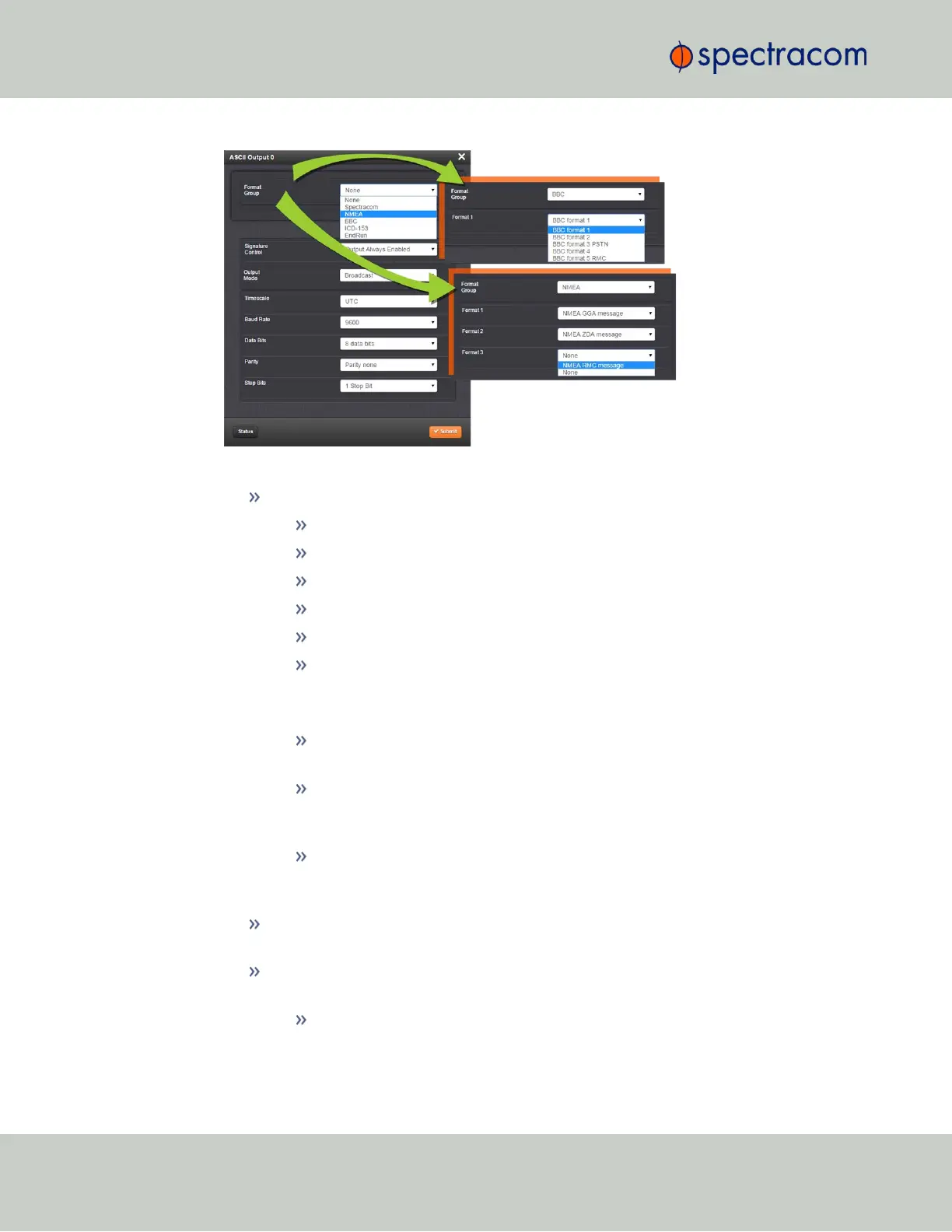
The Edit window allows the configuration of the following settings:
Format Group: configures the message format type. Choices are:
None (no message will be output)
Spectracom
NMEA
BBC
ICD-153
EndRun
Once selected, the Format Group may offer a choice of Formats. For more inform-
ation on supported Formats, see "Time Code Data Formats" on page246.
Format 1: Selects either the first of up to three, or the only format message
to be output.
Format 2: Selects the second consecutive format message to be outputted.
Select “None” if only one output format is desired. “None” will be the only
choice available if Format 1 is “None.”
Format 3: Selects the third consecutive format message to be outputted.
Select “None” if only one output format is desired. “None” will be the only
choice available if Format 2 is “None.”
Signature Control: Signature Control controls when the selected ASCII data output
format will be present;see "Signature Control" on page52.
Output Mode: This field determines when the output data will be provided. The
available Mode selections are as follows:
Broadcast: The format messages are automatically sent out on authorized
condition (Signature control), every second a message is generated in sync
48
CHAPTER 2 • VersaSync User Manual Rev. 6.0
2.6 Configuring Inputs/Outputs



 To Next Page