Loading Material Connecting Material Coil Box To Printer
Page 102
© Copyright 2020 Stratasys. All rights reserved.
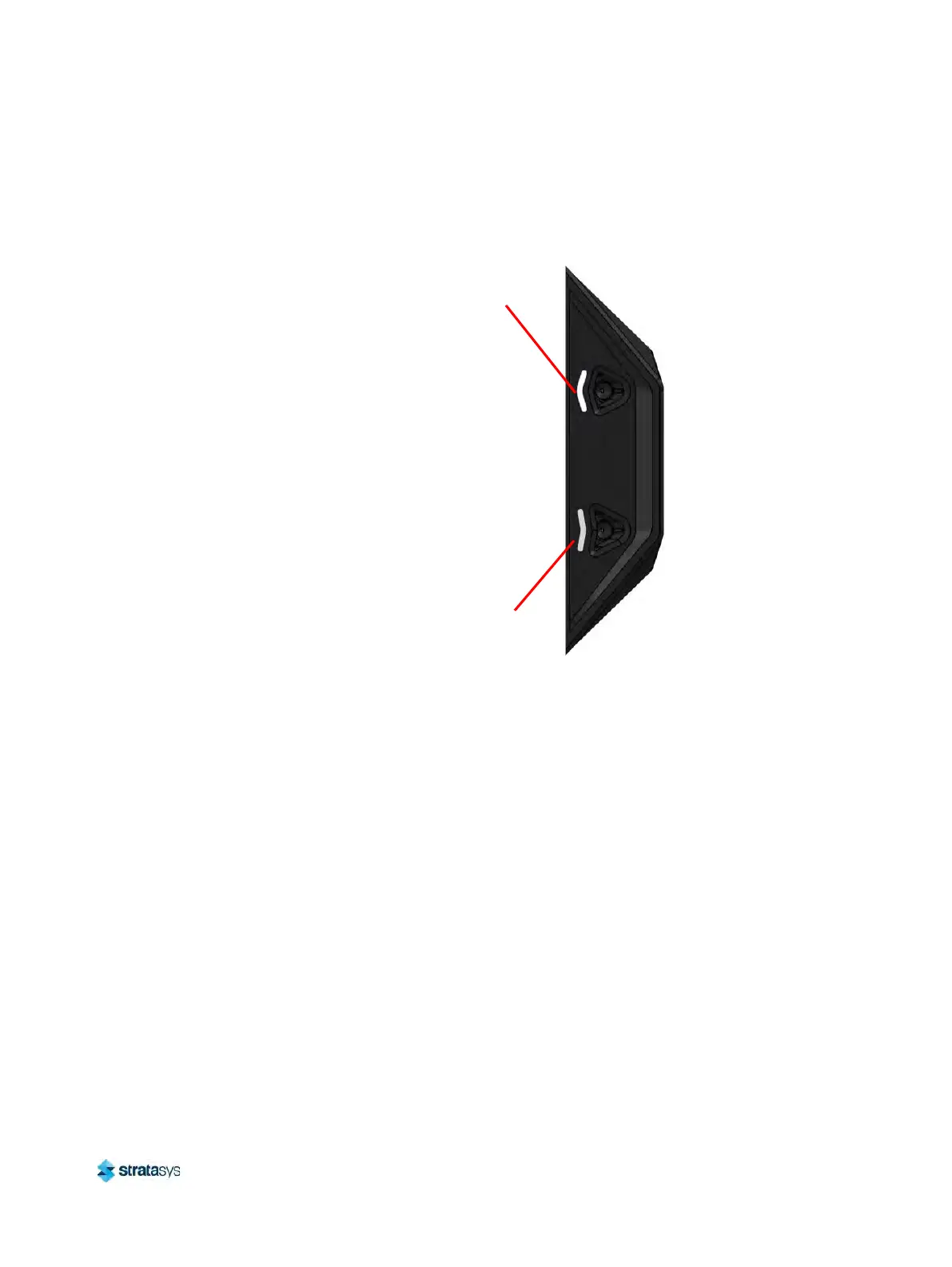
5. Grasp the end of the material filament and insert it into the corresponding material port (see
Figure 9). Feed the filament into the material port until the filament firmly stops. At this
point, the machine will begin to feed the material into the liquefier.
Figure 9: Material Ports
6. Material begins to load to the liquefier tip within the head. The pathway displayed between
t
he Material Status Icon and the corresponding Head Status Icon becomes highlighted to
indicate load progress (see Figure 31 (page 67)).
7. When filament reaches the head, it enters the liquefier tip and begins to warm to the
m
aterial operating temperature (automatic - based on material coil box memory chip data).
This step also sets the oven temperature to the correct value for the material being loaded
8. Once the tip is within three degrees of the set point temperature the head moves to the
p
urge area and the tip purges a small amount of material.
Model Material
Port
Support
Material Port






 To Next Page