Tip Calibration Manual Tip Calibration
Page 136
© Copyright 2020 Stratasys. All rights reserved.
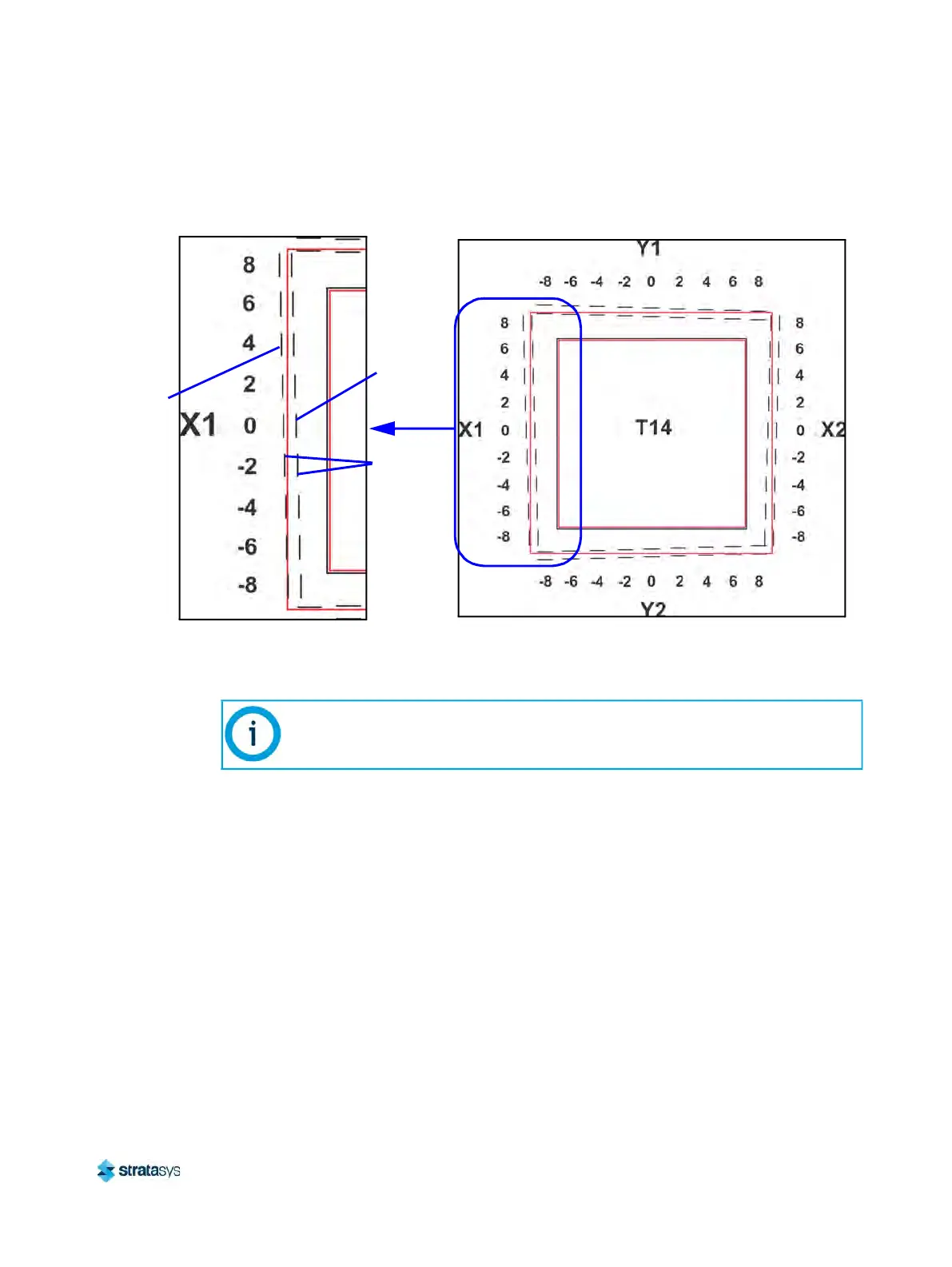
Figure 12: Calibration Part
c. Within the Manual Tip Calibration page, slide all four of the scale icons on the screen to
m
atch where the support toolpath is most centered between the alignment indicators.
The Delta X and Delta Y fields will change to reflect adjustments made.
Calibration Part
Support
toolpath,
most
centered
at 4
Not
centered
at 0
Support toolpath is most centered between the alignment
indicators at the 4, indicating an adjustment of X1 = 0.004
Alignment
indicators
One offset value must be selected for each side (X1, X2, Y1, and Y2).













 To Next Page