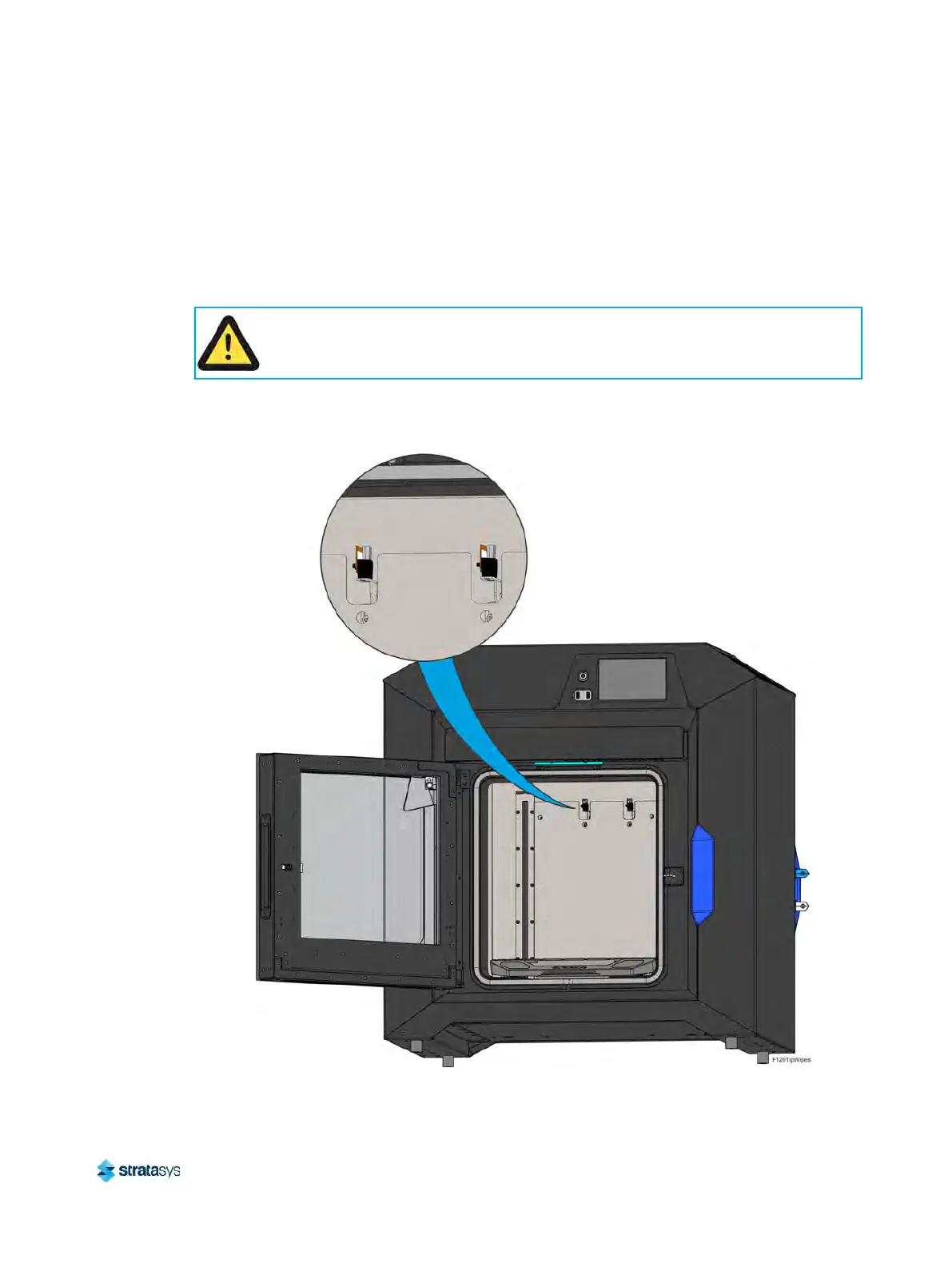
Monthly Maintenance Clean/Inspect Tip Wipe Assemblies
Page 155
© Copyright 2020 Stratasys. All rights reserved.
the flicker portion of the assembly or whenever bristle clumping (which cannot be removed with
a brush) is apparent within the brush portion of the assembly. The tip wipe assembly is
replaced as a single unit.
To clean the tip wipe assembly and inspect its components:
1. Ensure that the printer is stopped (idle) and is not building.
2
. Open the oven door.
3
. Remove the model side tip wipe assembly by lifting it upward until it clears its locating pins.
F
igure 11: Tip Wipe Assembly Removal
Caution:
Depending on how long the oven has been allowed to cool, components may be hot.
Wear the safety gloves provided in the Welcome Kit to perform all remaining steps.






 To Next Page