Monthly Maintenance Clean/Inspect Tip Wipe Assemblies
Page 156
© Copyright 2020 Stratasys. All rights reserved.
4. Repeat step 3 above to remove the support side tip wipe assembly.
5. Clean and inspect the surface around the locating pins. Make sure that the tip wipe
a
ssemblies can sit flush on the surface.
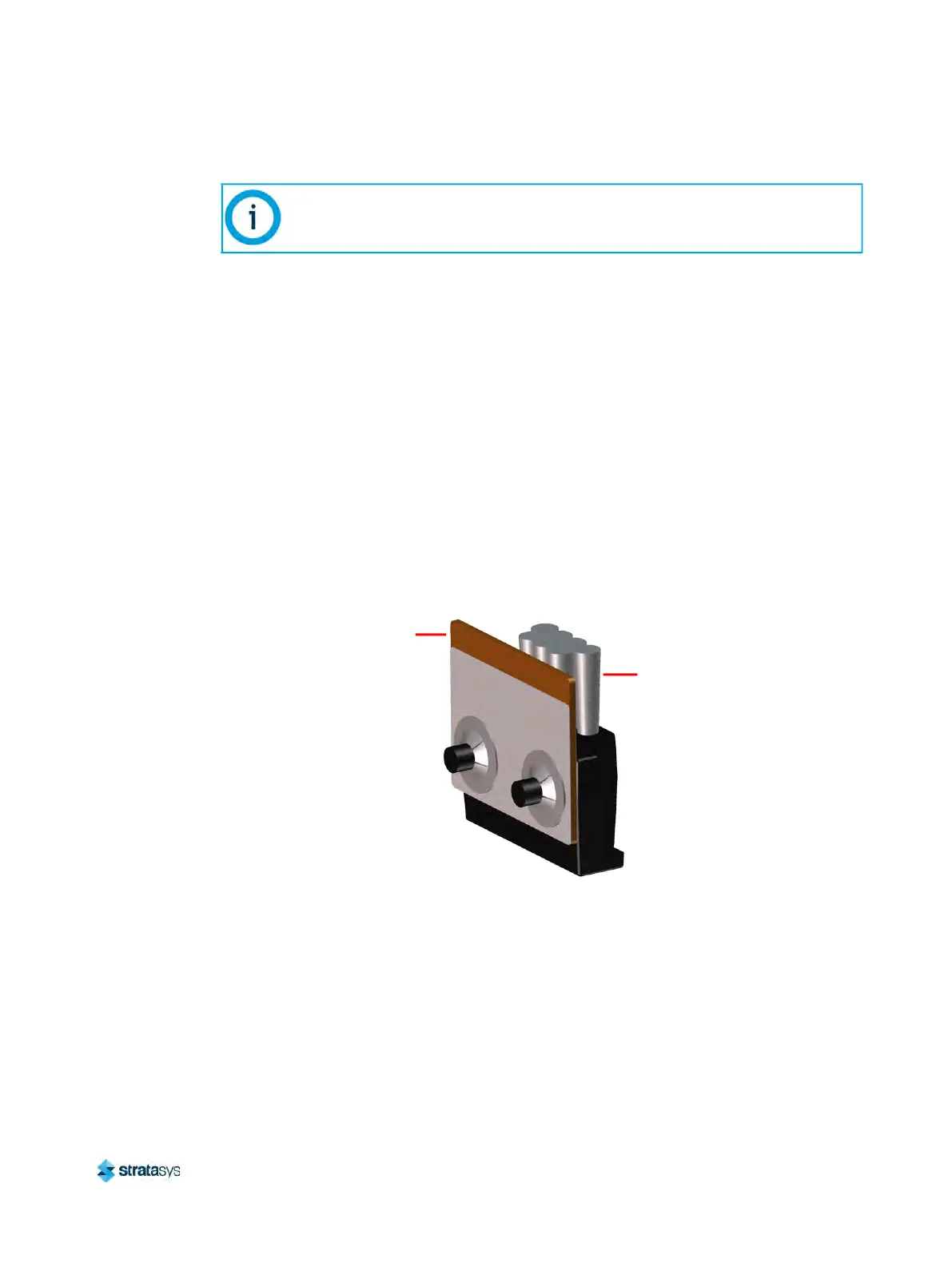
6. Inspect the flicker portion of the tip wipe assemblies. The top edge of the flicker should be
s
traight and must not contain excessive notching/wear.
7. Inspect the brush portion of the tip wipe assemblies. Brush bristles must not show evidence
o
f wear (i.e. no notches in bristle pattern) and should not contain significant bristle
clumping. Frayed bristles are acceptable as long as the top edge is even across all of the
bristles.
8. Replace one or both of the tip wipe assemblies if excessive wear is present. See
T
able 2 (page 153) for information on ordering replacement assemblies.
• The components of the assembly cannot be replaced individually. The entire tip wipe
a
ssembly must be replaced if excessive wear is present on the flicker or the brush.
Figure 12: Tip Wipe Assembly Details
9
. Reinstall the support side tip wipe assembly by placing the assembly onto its locating pins
a
nd sliding the assembly downward.
10. Repeat s
tep 9 above to reinstall the model side tip wipe assembly.
If the head is positioned above the purge area it may impede your ability to
remove the tip wipe assemblies. Open the top cover and manually move the head
away from the purge area.
Tip Wipe Assembly
Flicker
Brush






 To Next Page