Customer Replaceable Units Touchscreen Display
Page 174
© Copyright 2020 Stratasys. All rights reserved.
1. Power OFF the printer. See “Powering Off” (page 159).
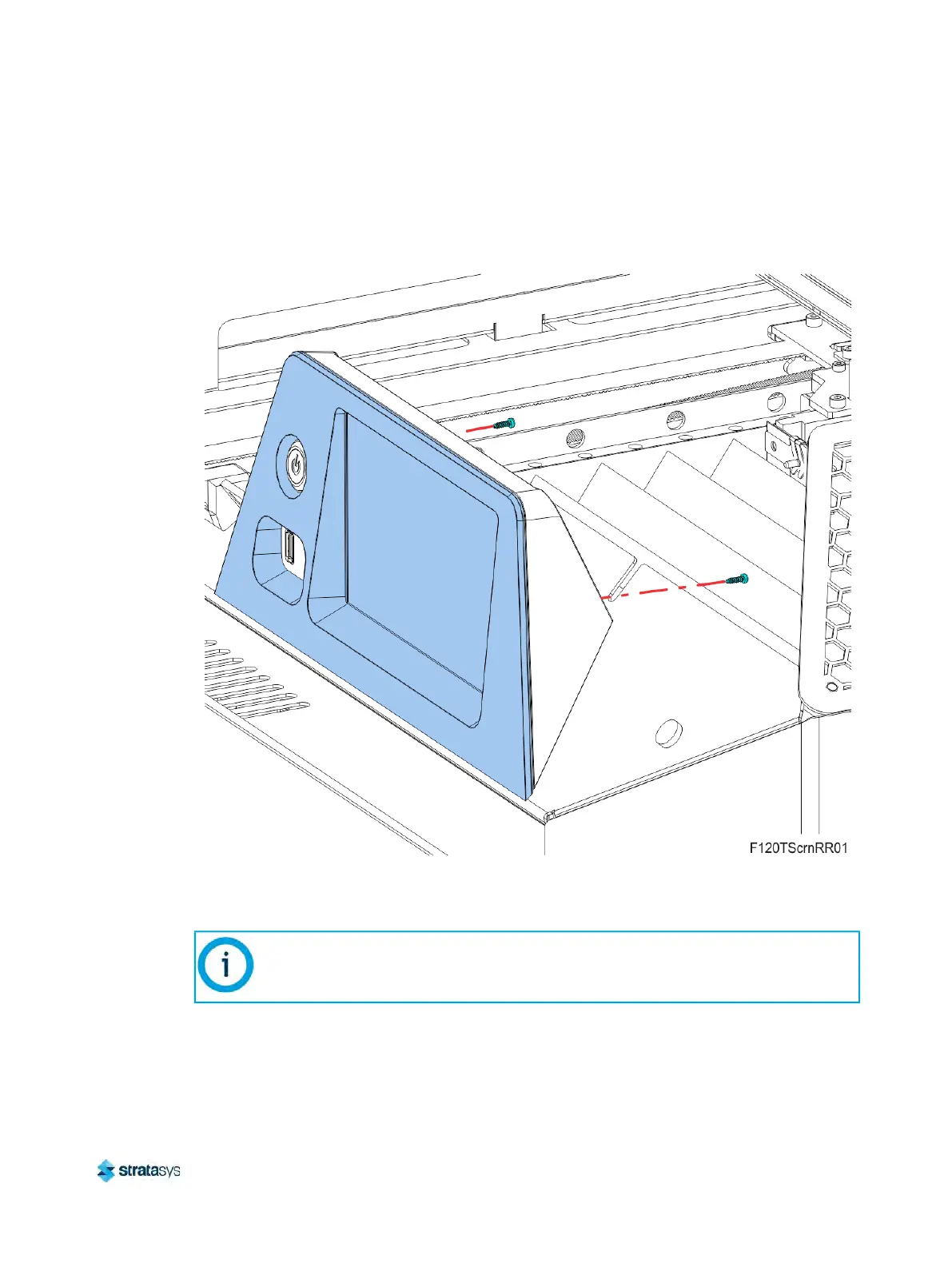
2. Using a T8 Torx wrench, remove the mounting screws (2) that secure the touchscreen to
t
he display housing. Retain the mounting screws. See Figure 28 (page 174).
Figure 28: Touchscreen mounting screw locations
3. While supporting the touchscreen, tilt it away from the bracket to disconnect the grounding
c
able, touch extender cable and the flat display cable from the back of the display. Retain
the nut and star washer. See Figure 29 (page 175).
Note:
The flat display cable connector is fragile. Simultaneously pull both corners of the
connector straight out, without rocking back and forth.













 To Next Page