Working with the Materials Page Viewing Head Details
Page 58
© Copyright 2020 Stratasys. All rights reserved.
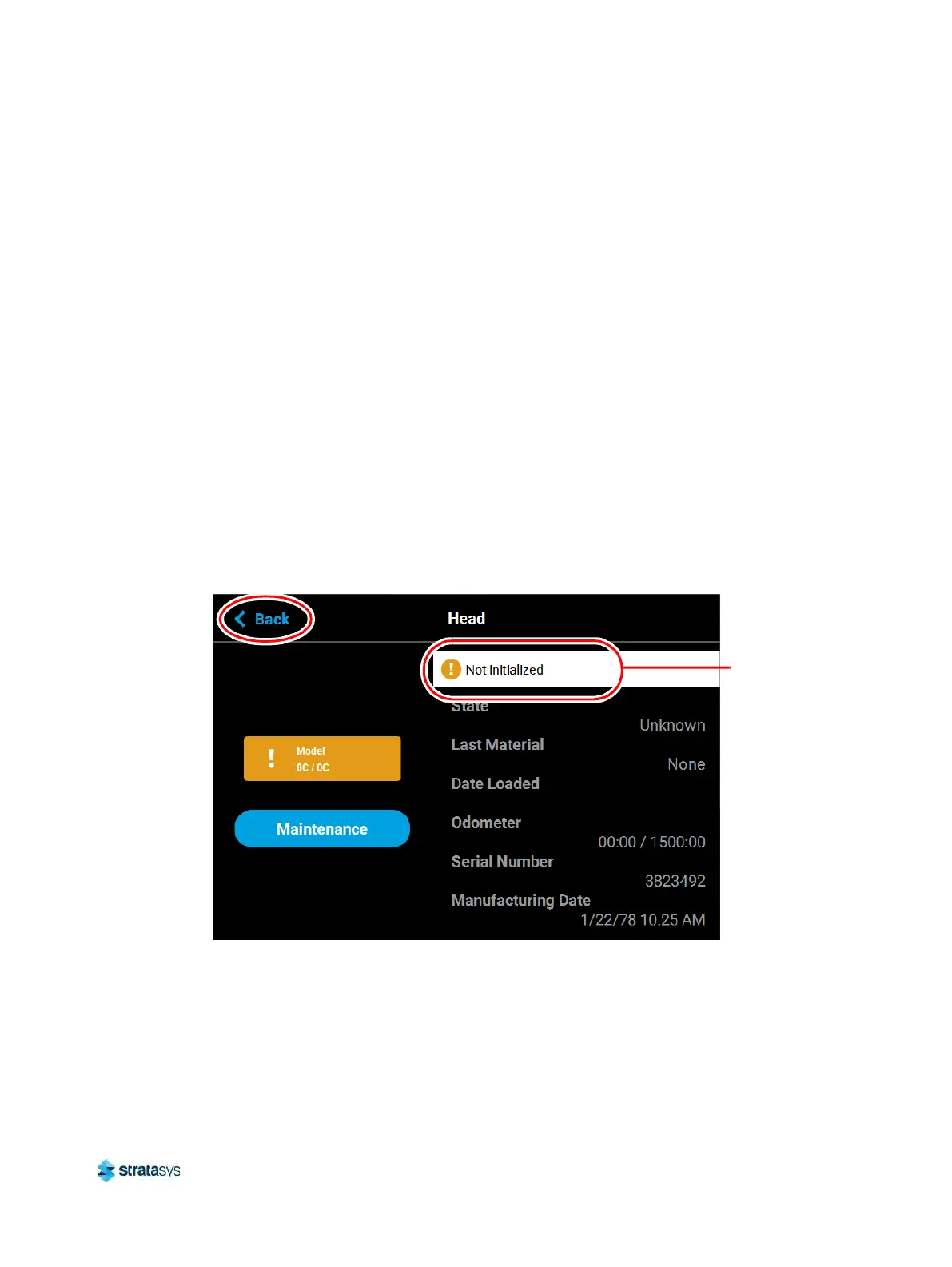
• Odometer: displays the amount of build time for the selected head. This value is important
as the printer will display different errors depending on the amount of build time for a head.
• When a head’s odometer reaches 1350 build hours the Head Status Icon will be
d
isplayed in its warning state, and you will be prompted to order a replacement head.
• When a head’s odometer reaches the 1500 build hours odometer limit, the Head Status
I
con will be displayed in its error state, and you will be prompted to replace the head.
You can continue to build using the head, but part quality will be unpredictable. It is
recommended that you immediately change a head which has exceeded its odometer
limit (see “Head Replacement” (page 108) for instructions).
• Serial Number: displays the head’s unique serial number.
•
Manufacturing Date: displays the date that the head was manufactured.
T
he left portion of the screen displays the same Head Status Icon as is displayed on the
Ma
terials page (see Figure 25 (page 54)). This icon displays the current temperature as
compared to the set point temperature of the head. The Maintenance button directly below the
He
ad Status Icon will display a menu allowing you to perform a variety of head maintenance
functions.
To close this page and return to the main Materials page, press the Ba
ck button within the
header of the page.
Figure 26: Head Details Page
Head Maintenance
Pressing the Maintenance button within the Head Details page will open the Head
Maintenance page. The buttons within this page will allow you perform a variety of head
maintenance functions. The buttons displayed in the menu within the right half of the screen
will vary depending on whether the Enable button has been pressed. After pressing the
Maintenance button the button will toggle and instead display the Details button. Pressing the
Details button will close the Head Maintenance page and return you to the Head Details page.
Warning/error
information
displayed here













 To Next Page