Objet1000 Plus User Guide 6 Operating and Maintaining the Objet1000 Plus 3DPrinter
DOC-06810 Rev.B 6-40
Optimizing
(Calibrating)
Print Heads
Theconditionoftheprintheadsdirectlyaffectsthequalityofprintedmodels.
Tomaintainoptimumprinting,youshouldroutinelytesttheprintheads,and
calibratethemtothebestworkingconfigurationpossiblebyrunningthe
HeadOptimizationwizardevery300hoursofprinting.
Duringtheoptimizationprocess,32samplesareprintedonthebuildtray.
Aftercarefullyinspectingandweighingeachofthem,youenterdatainthe
wizard.Thewizardusesthisdatatooptimizetheheads.
If,duringtheoptimizationprocess,thewizarddeterminesthataprintheadis
faulty—orthatitisnegativelyaffectinglayeruniformitywiththecurrenthead
configuration—thewizardinstructsyoutoreplaceit.Ifthishappens,youcan
continuethewizardtoreplacetheprinthead,orabortthewizard,toreplace
theheadatanothertime.
RuntheHeadOptimizationwizardevery300hoursofprintingorwhenever
theconditionofprintheadsisnegativelyaffectingthequalityofprinted
models,orifyoususpectthatthereisaproblemwithoneormoreoftheprint
heads.
Note: Toaccuratelytestandcalibrateprintheads,theymustbeclean.If
necessary,runtheCleaningwizardbeforebeginningthisprocedure.
Totestandcalibratetheprintheads:
1. Prepare—
❒ disposablecleaninggloves(anyclean,powder-freeprotectivegloves)
❒ pinkpaper
❒ theMissingNozzlesruler
❒ thescalesuppliedforuseintheHeadOptimizationwizard
Important: Ensurethatthescaleiscalibratedbeforebeginningthis
procedure.Itishighlyrecommendedtoconnectthescaletoapower
sourcewhenrunningthiswizard.Ifnot,makesurethatthescaleisfully
charged.
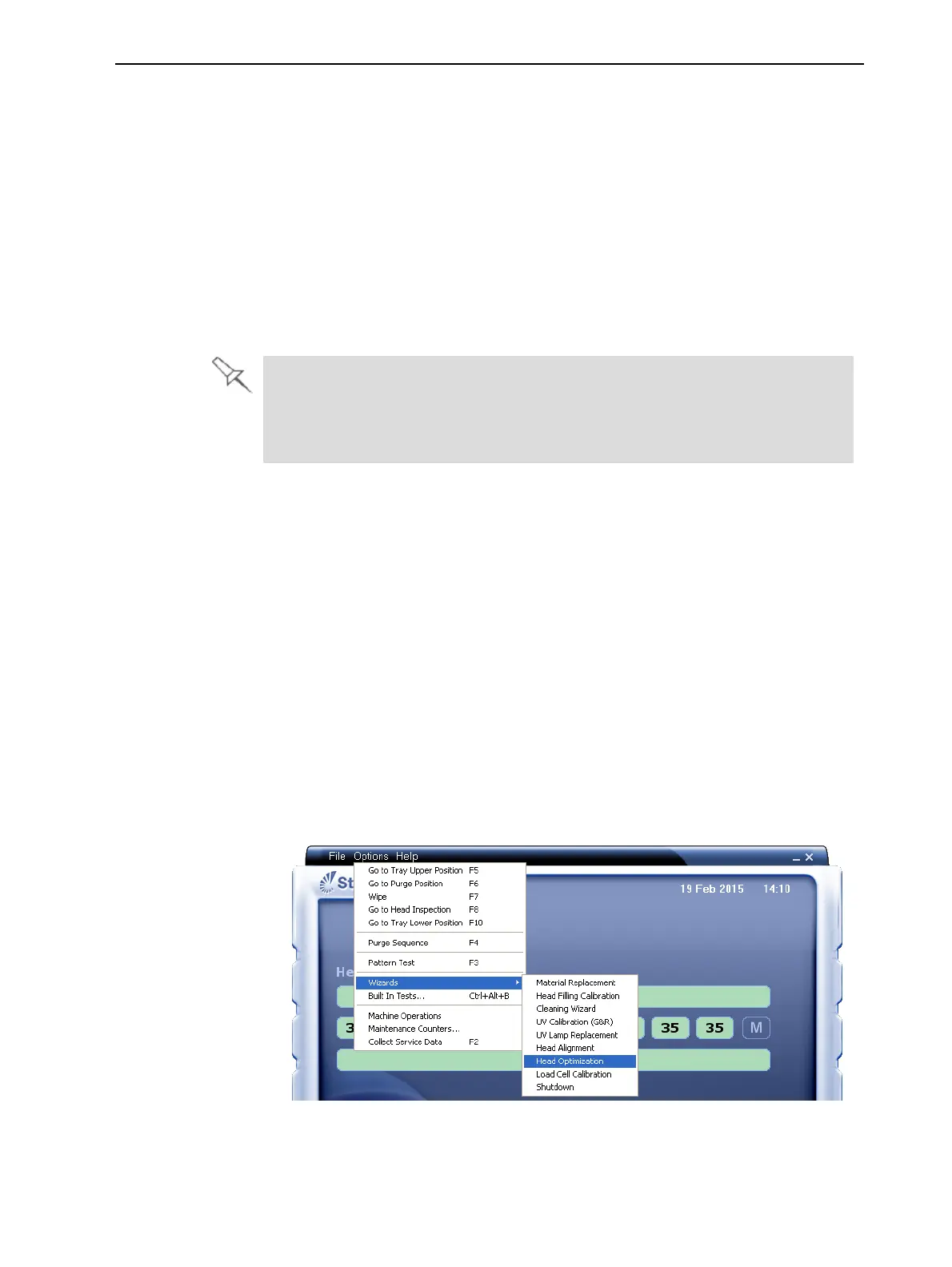
2. StarttheHeadOptimizationwizardfromtheOptionsmenu.
Figure6-50StartingtheHeadOptimizationwizard
3. Intheopeningwizardscreen,clickNexttobegin.
TheWizard Conditionsscreenappears.













 To Next Page