Objet1000 Plus User Guide 6 Operating and Maintaining the Objet1000 Plus 3DPrinter
DOC-06810 Rev.B 6-41
4. Readtheconditions,selectIAgreeandclickNext.
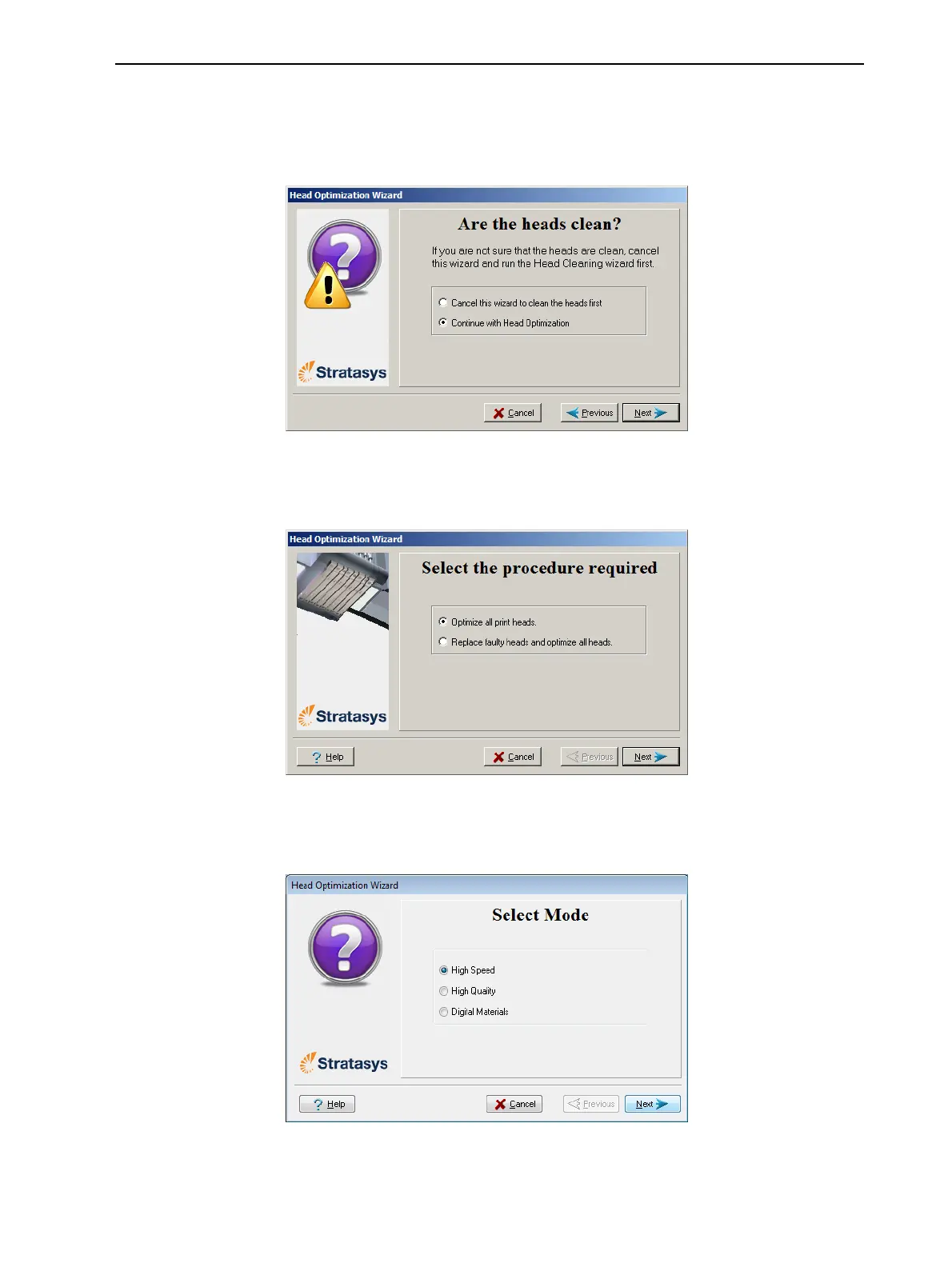
5. Inthefollowingscreen,selectContinuewithHeadoptimizationifyouhave
recentlycleanedtheprintheads.Otherwise,cancelthewizardandrunthe
Cleaningwizard.
Figure6-51Cleanprintheadsscreen
6. Inthefollowingscreen,makesureOptimize all print headsisselected,
andclickNext.
Figure6-52Procedureselectionscreen
7. Selecttheprintingmodeforwhichyouwanttooptimizetheprintheads
andclickNext.
Figure6-53Printingmodeselection
8. Checkthatthebuildtrayisemptyandthattheprinterdoorsareclosed.













 To Next Page