Objet1000 Plus User Guide 6 Operating and Maintaining the Objet1000 Plus 3DPrinter
DOC-06810 Rev.B 6-43
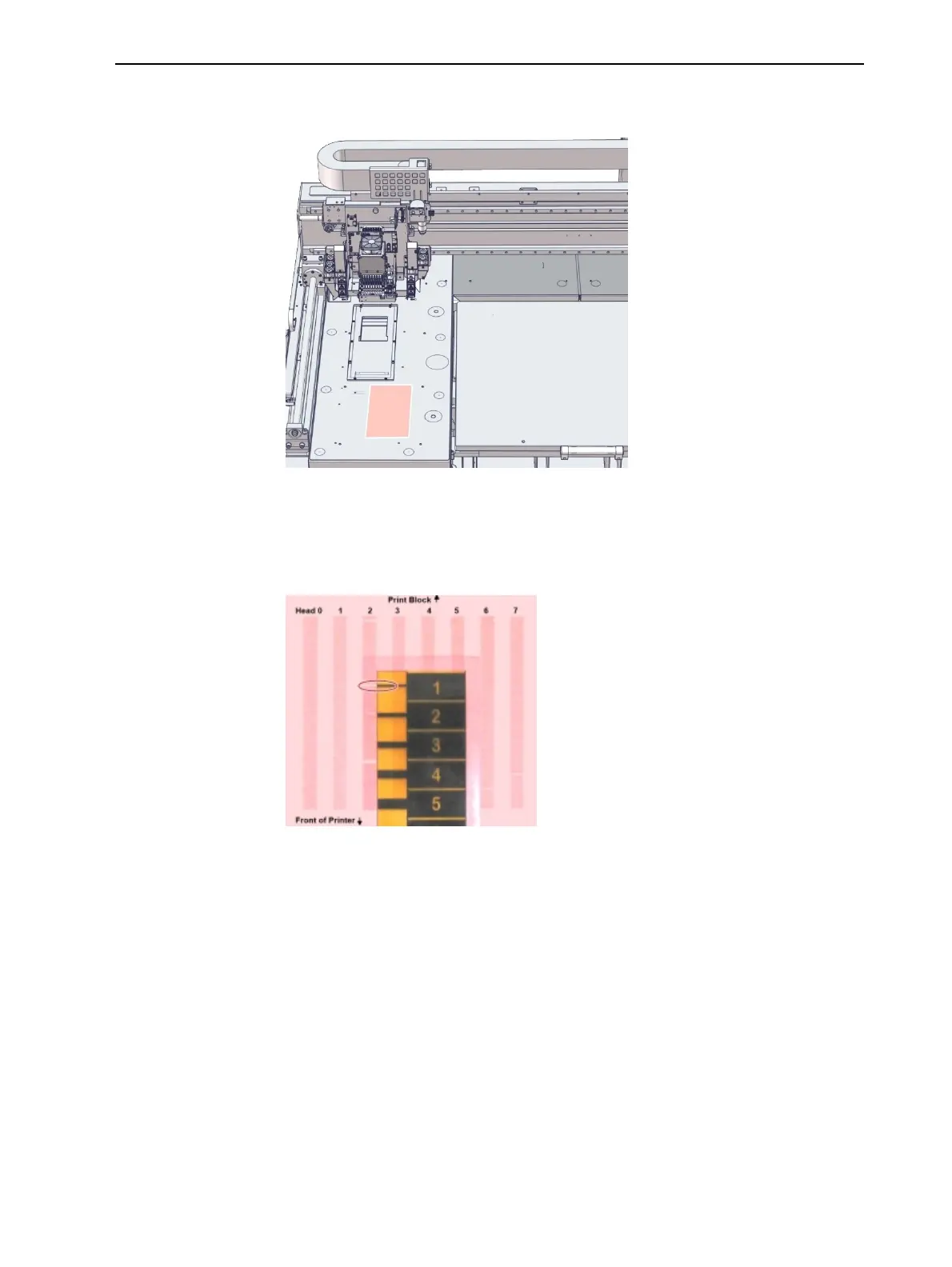
10.Whenthe“PreparationforPatternTest”screenappears,tapeasheetof
pinkpapertothesurfaceleftofthebuildtray,asshownbelow.
Figure6-56PatternTestpaperpositionednexttothebuildtray
11.ClosetheprinterdoorsandclickNextinthewizardscreen.
12.WhenthePatternTestisprinted,carefullyinspectit,usingtheMissing
NozzlesRulertoseeiftherearemissinglines.
Figure6-57InspectingthePatternTest
Eachmissinglinerepresentsafaultynozzleintheprinthead.













 To Next Page