Objet1000 Plus User Guide 6 Operating and Maintaining the Objet1000 Plus 3DPrinter
DOC-06810 Rev.B 6-44
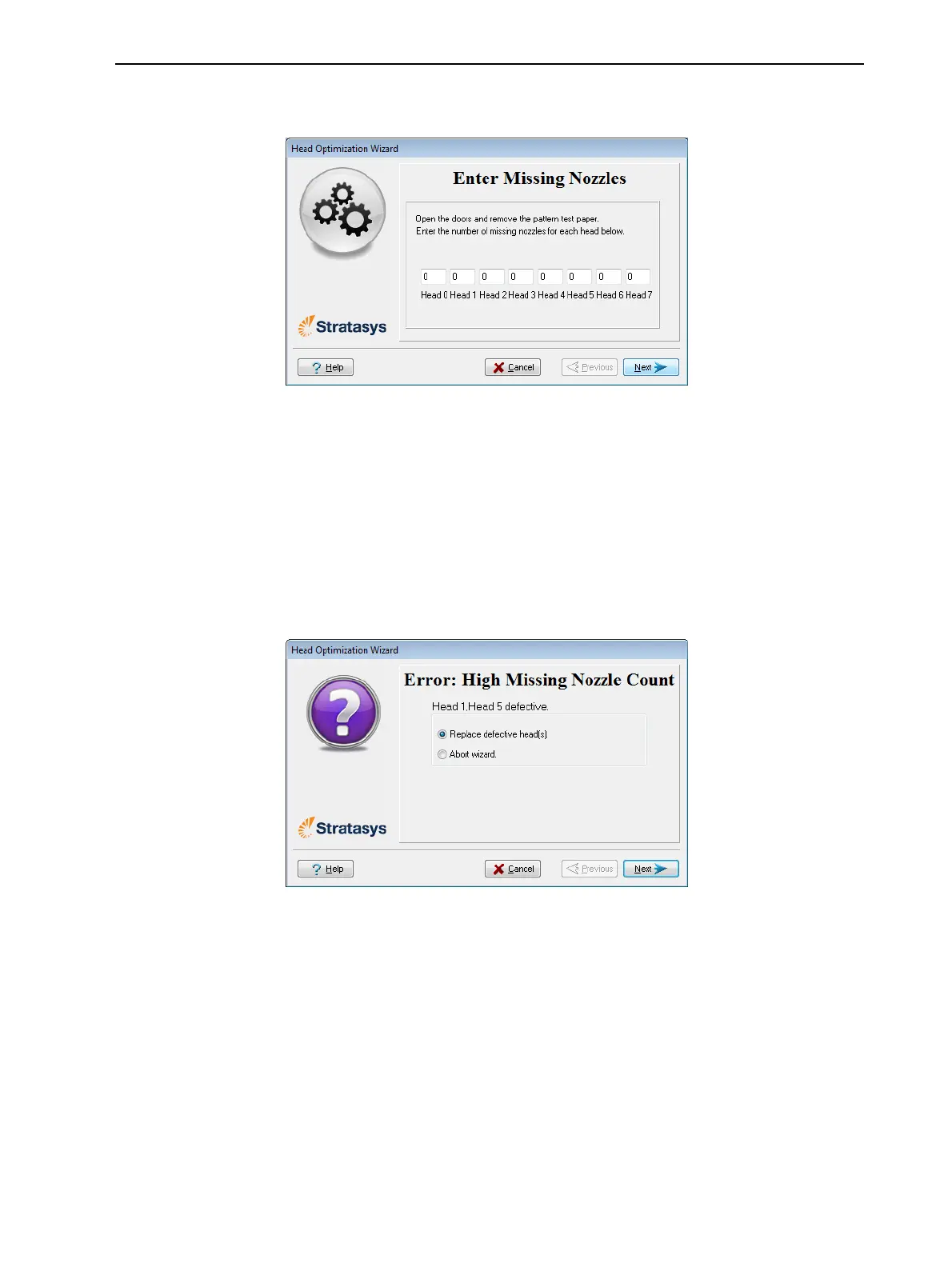
13.Inthefollowingwizardscreen,enterthenumberofmissingnozzlesfor
eachprintheadandclickNext.
Figure6-58Enter Missing Nozzlesscreen
14.Thewizardcontinuesaccordingtothenumberofmissingnozzlesyou
entered.
❒ Iftherearetoomanymissingnozzlesforacceptableprinting,the
wizardinstructsyoutoreplacethedefectiveprinthead(s).Youcando
thisnow,orabortthewizard.
Ifyouarepreparedtoreplaceprintheadsnow,thewizardguidesyou
throughtheprocedurewhenyouclickNext.Makesureyouhave
replacementheadsandtherequiredtools(seepage6-49).Then,
continuewith"PreparingthePrintBlock"onpage6-50.
Figure6-59Headreplacementduetomissingnozzles
❒ Ifthenumberofmissingnozzlesinallprintheadsisacceptable,the
wizardcontinueswiththeheadoptimizationprocess(below).













 To Next Page