Objet1000 Plus User Guide 6 Operating and Maintaining the Objet1000 Plus 3DPrinter
DOC-06810 Rev.B 6-45
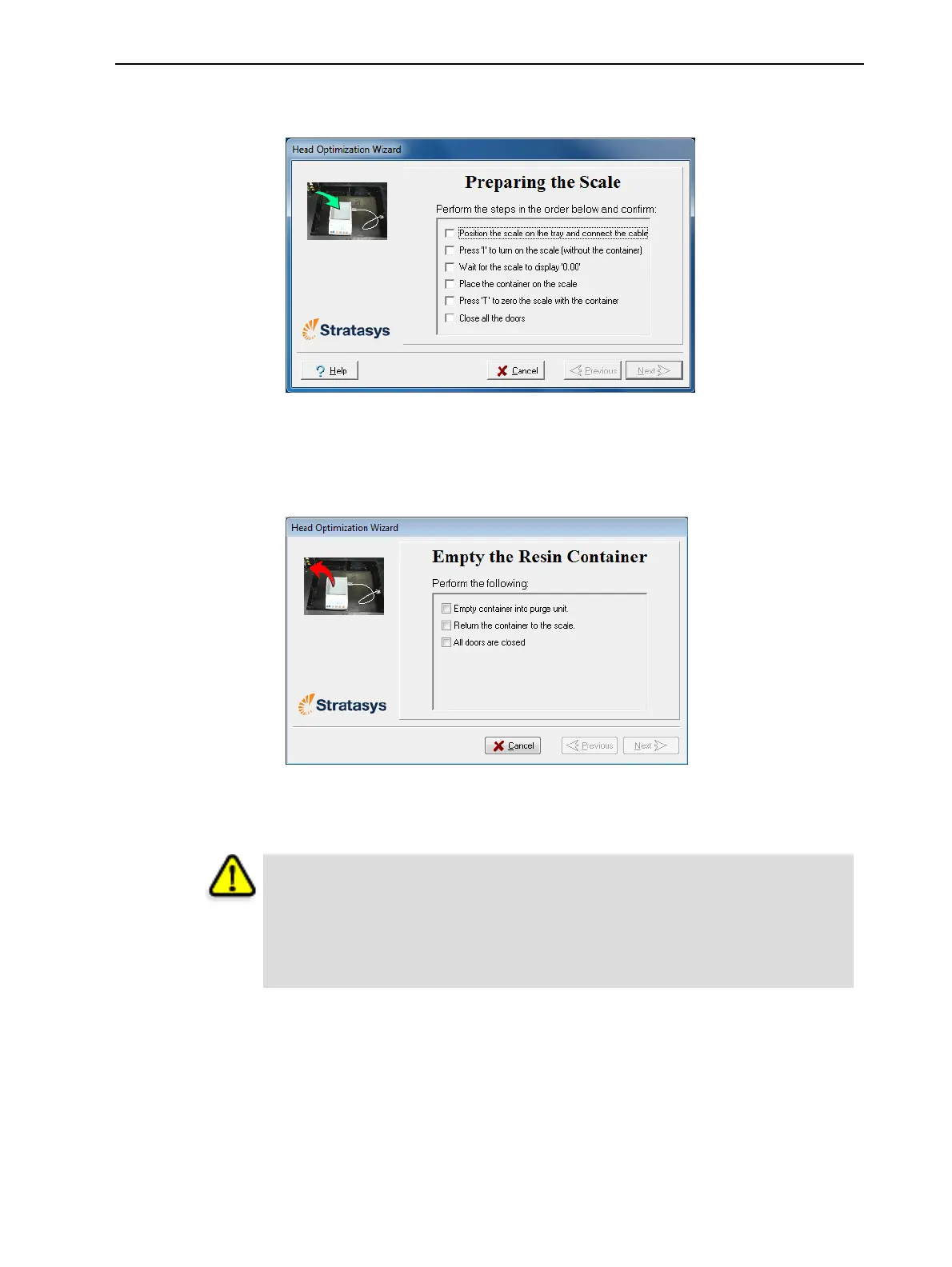
15.Setupthescaleintheprinterbyperformingthestepslistedinthewizard
screen.
Figure6-60SettinguptheHeadOptimizationscale
16.Afterconfirmingalloftheitemslistedinthewizardscreen,clickNext.
Printingmaterial(resin)isjettedfromeachheadanditsweightis
automaticallyrecorded.
Figure6-61Emptyingtheresincontainer
17.Carefullyremovetheresincontainerfromthescaleandemptyitintothe
purgeunitintheprinter.Thenreturnthecontainertothescale.
Caution: The resin in the container is uncured
l Topreventcontactwithskin,wearneopreneornitrilegloves.
l Disposeofuncuredresininaccordancewithapplicableregulations.By
emptyingthecontainerintothepurgeunit,theresinisstoredintheprinter’s
sealedwastecontainer.
18.ClosetheprinterandclickNext.
Theprintercurestheremainingresininthecontainer.













 To Next Page