Objet1000 Plus User Guide 6 Operating and Maintaining the Objet1000 Plus 3DPrinter
DOC-06810 Rev.B 6-51
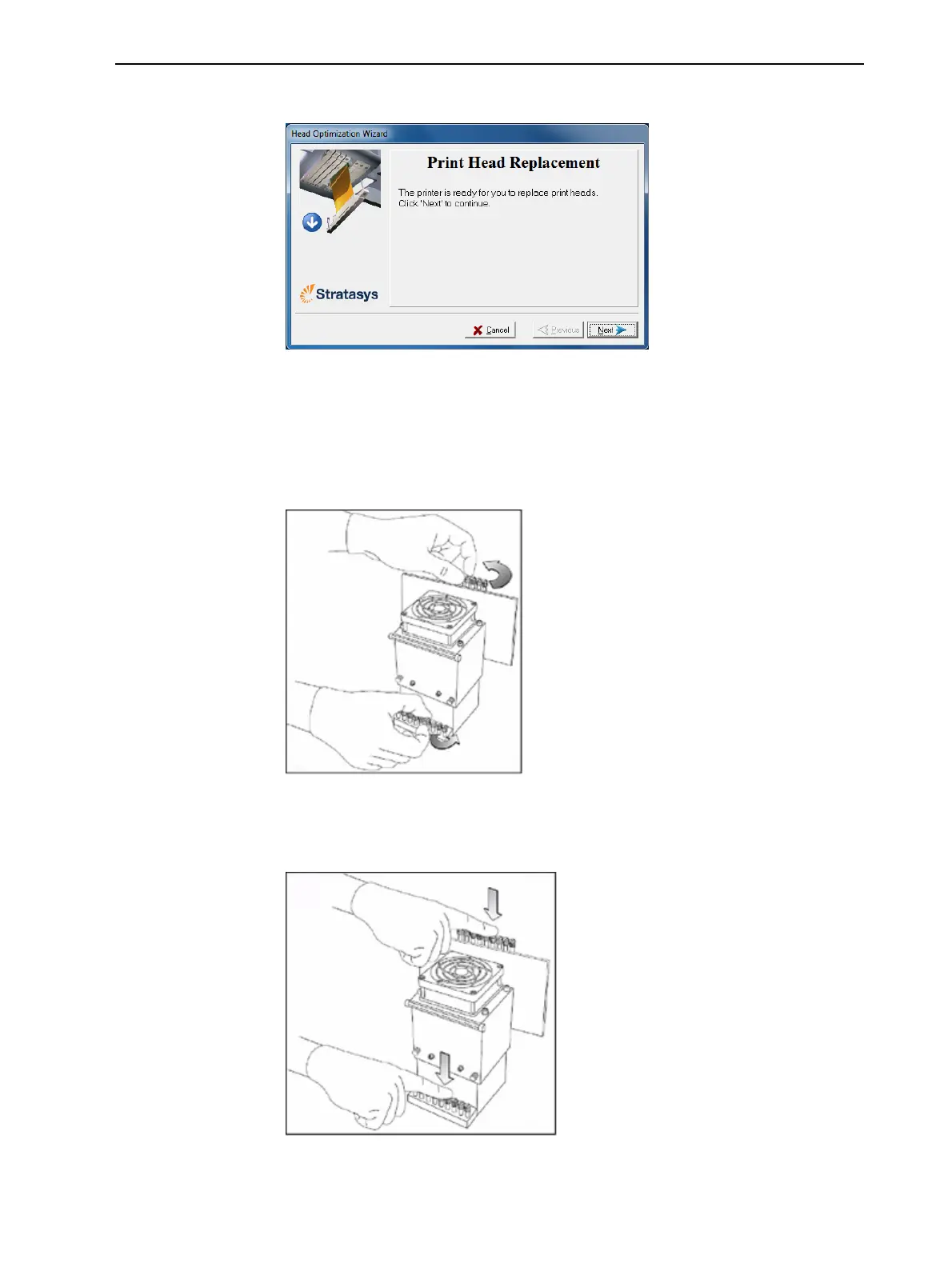
Thefollowingscreenappearswhentheprinterisreadyforyoutoreplace
printheads.
Figure6-69Printerreadyforheadreplacement
8. Putontheprotectiveglovesandopentheprintercover.
Note:Theprinterdisconnectspowertotheheadsforyoursafety.
Removingthe
DefectiveHead
9. Ontheprintblock,releasetheupperandlowerscrewsthatsecurethe
printheadintheblock.(Ifnecessary,youmayuseascrewdrivertoloosen
thescrews.)
Figure6-70Releasingthelockingscrews
10.Pressdownontheupperandlowerlockingscrewstoreleasetheprint
head.
Figure6-71Releasingtheprinthead













 To Next Page