Objet1000 Plus User Guide 6 Operating and Maintaining the Objet1000 Plus 3DPrinter
DOC-06810 Rev.B 6-57
c. Inthewizardscreen,selectthecheckboxtoconfirmthatyouhave
re-insertedthecard,andclickNext.
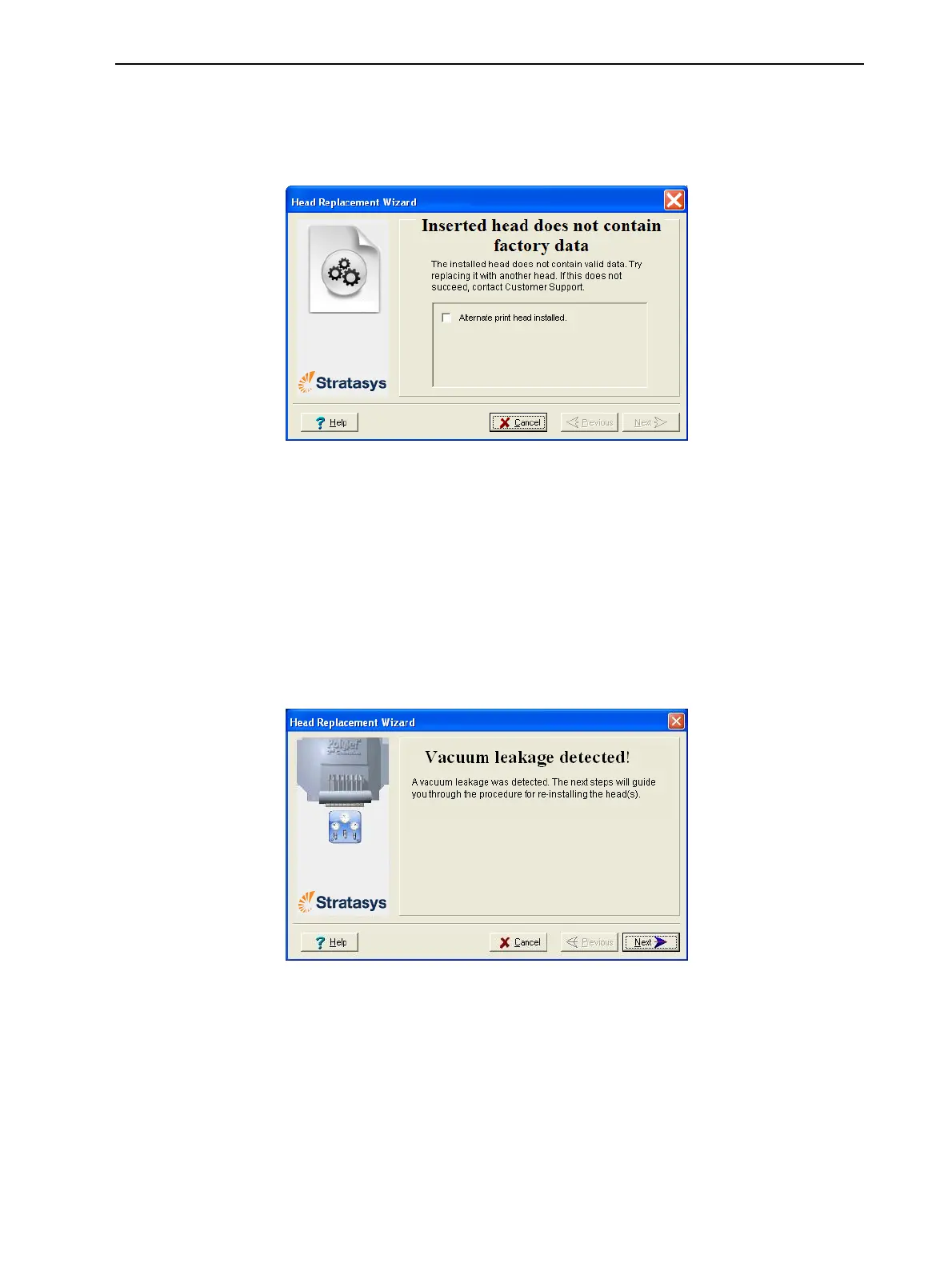
•Ifthereplacementheadwasnotfactory-calibrated,thefollowingwarning
screenappears.
Figure6-84Invalid-datawarningscreen
Ifthishappens:
a. Removetheheadandreplaceitwithanotherone(startingwithstep9
onpage6-51).
b. Inthewizardscreen,selectthecheckboxtoconfirmthatyouhave
installedanotherprinthead,andclickNext.
c. ContactyourauthorizedCustomerSupportcenteraboutthe
unformattedhead.
•Ifthevacuumtestisnotsuccessful,thereplacementheadwasnotsealed
properlyduringinstallation,andthefollowingwarningscreenappears.
Figure6-85Vacuum-leakagewarningscreen
Ifthishappens:
a. ClickNext.
b. Followtheinstructionsonthewizardscreenstore-installthehead.













 To Next Page