Objet1000 Plus User Guide 5 Using Objet Studio
DOC-06810 Rev.B 5-12
Placing Objects
on the Build
Tray
Toplaceanobjectonthebuildtray:
1. OpentheInsertdialogbox—
❒ FromtheObjectmenu,selectInsert.
or—
❒ OntheTray Settingsribbon,click .
or—
❒ Right-clickonthebuildtray,andselectInsertfromthecontextmenu.
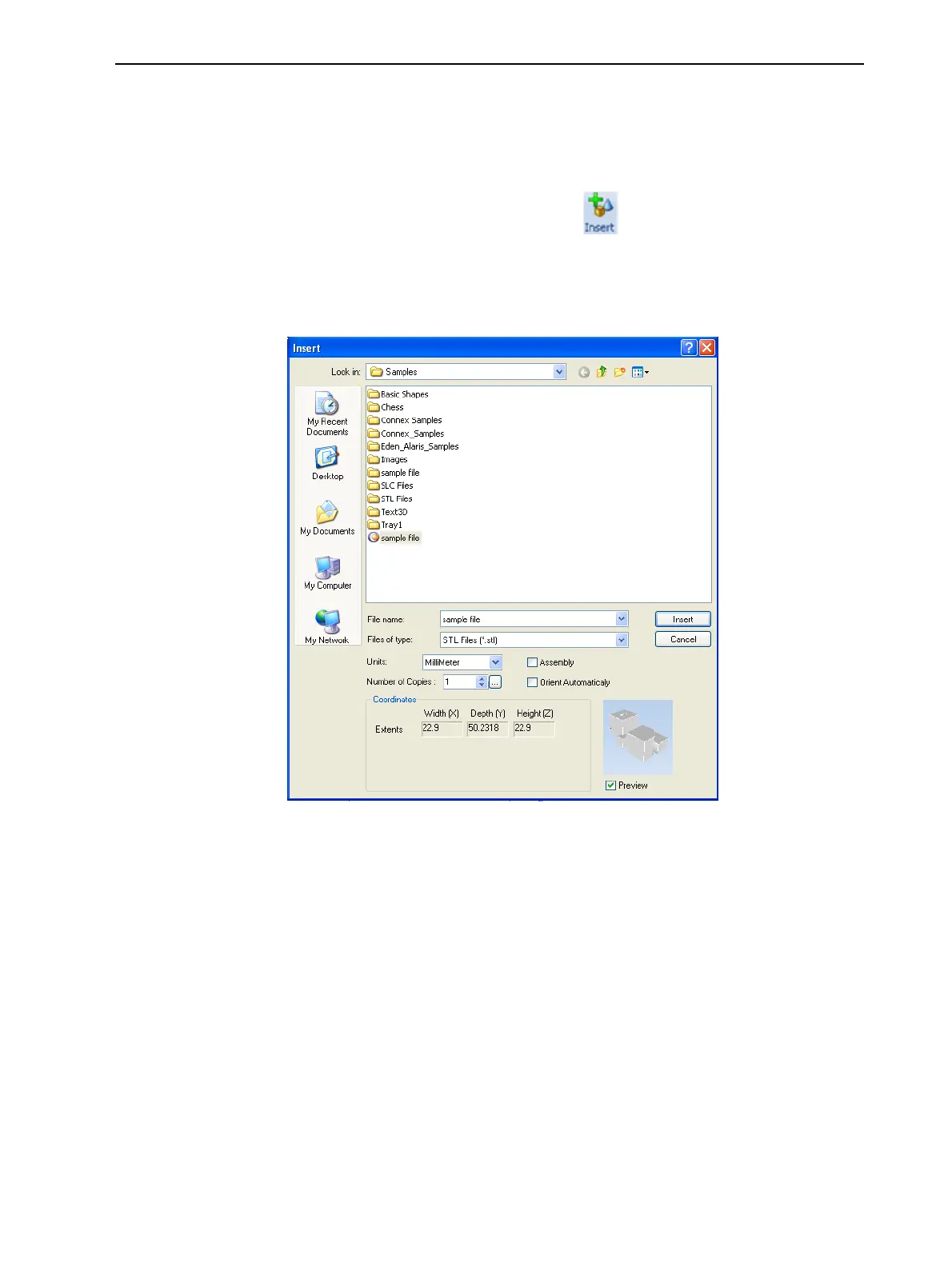
TheInsertdialogboxappears.
Figure5-10Insertdialogbox
2. IntheLook infield,displaytheappropriatefolder.
3. IntheFiles of typefield,selectthefiletypetodisplay.
4. Selectthedesiredfile,andmakesurethatitappearsintheFile namefield.
IfthePreviewcheckboxisselected,theobjectisdisplayedinthedialog
box,asshowninFigure5-10.
Note: WhenselectingaVRML(wrl)file,theobjectisdisplayedinthedialog
boxonlyifthereisanequivalentbmpfileinthesamefolder.Therefore,when
savingVRMLfilesinaCADprogram,abmpfileoftheassemblyshouldbe
saved.
Youcanopenseveralstlfilestoplaceseveralmodelsonthebuildtray.If
youselectmultiplestlfilesthatmakeupanassembly,youcanselectallor
someoftheparts.Toprinttheentiremodel,selectallofanassembly’s
componentstlfiles,andselecttheAssemblycheckbox.Thispositionsthe
partsasacomplete,integratedmodelinsteadofasindependentparts.The













 To Next Page