Objet1000 Plus User Guide 5 Using Objet Studio
DOC-06810 Rev.B 5-26
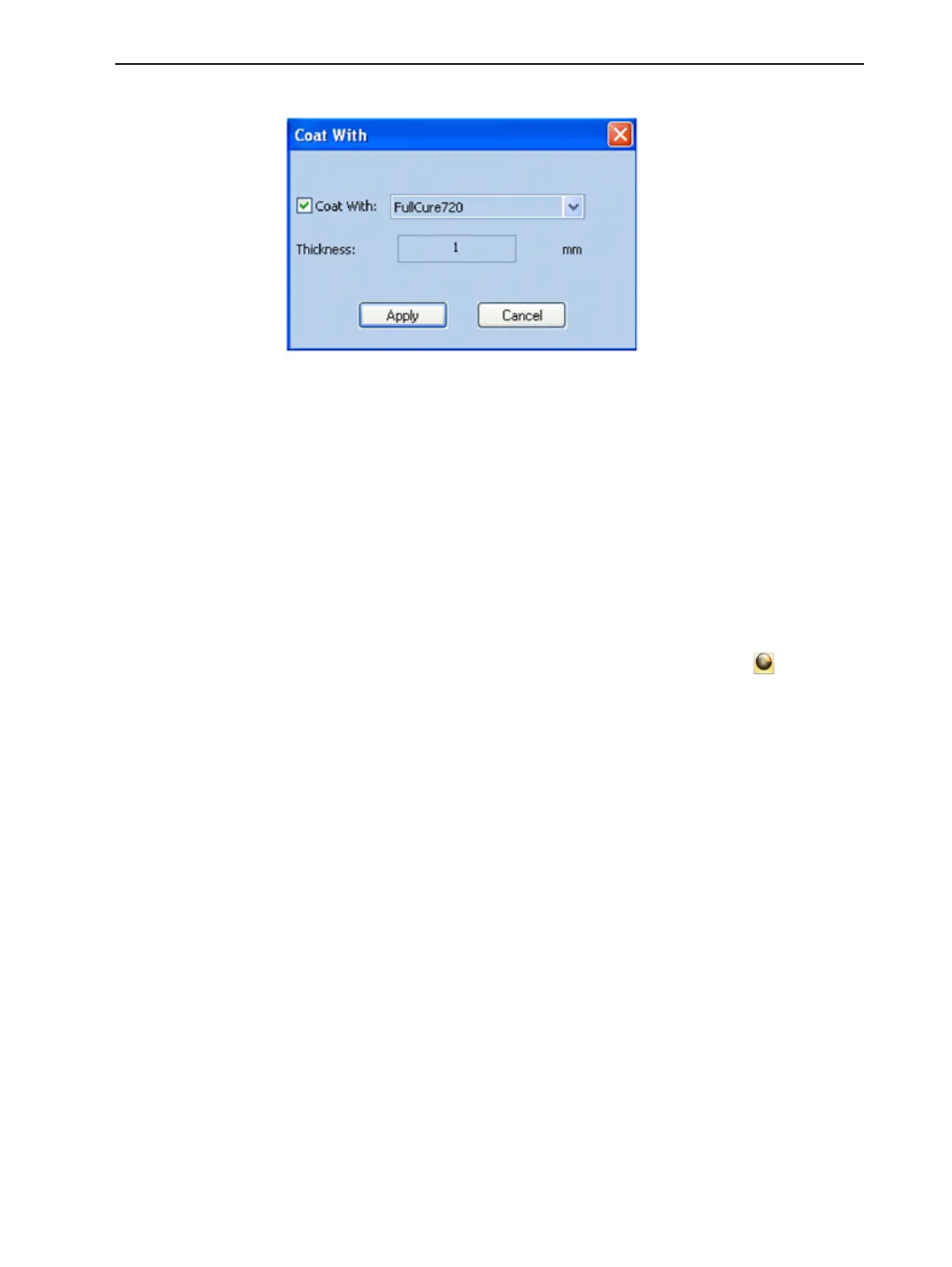
3. SelectCoatWithand,fromthedrop-downlist,selectthecoatingmaterial.
Figure5-31Coatingmaterialselected
4. IntheThicknessfield,enteracoatingthicknessbetween0.3and3
millimeters.
Note: Thecoatingthicknessdoesnotaffecttheexternaldimensionsofthe
object,whichremainunchanged.Thecoatinglayerreplacespartofthemain
modelmaterial.
5. ClickApply.
Note: Whenyoude-selectobjects,theyaredisplayed,bydefault,withcolors
representingthemodel-material.Evenafteraddingacoatingtoanobject,its
colorremainsthatofthemainmaterial,notthecolorofthecoatingmaterial.
Toinspect,modifyorremovethecoatingappliedtoanobject:
1. Onthe"ModelToolbar"ortheModel Settingsribbon,click .
TheCoat withdialogboxopens.
2. Performoneofthefollowingactions—
❒ Changethecoatingsettings,andclickApply.
❒ Toremovethecoating,cleartheCoat WithcheckboxandclickApply.
❒ Tokeepthecurrentcoatingsettings,clickApplyorCancel.













 To Next Page