S CLASS™ 2 cutter User’s Manual
Detailed Operation 4-8
4.3.1.8 Advanced cutting
G-Performance:
G-Performance
is designed to enhance the speed / performance of digital finishing operations
on the S2 roll cutters up to 40%. Activating this option to ‘high speed’ enables faster cutting
speeds on wider substrates, provided the used material can handle the higher acceleration
and speeds. The option is only visible if the mode is activated (see section 4.2.6).
Press the G-Performance button, then set it to High speed or High quality.
Press to confirm or to cancel.
Overcut:
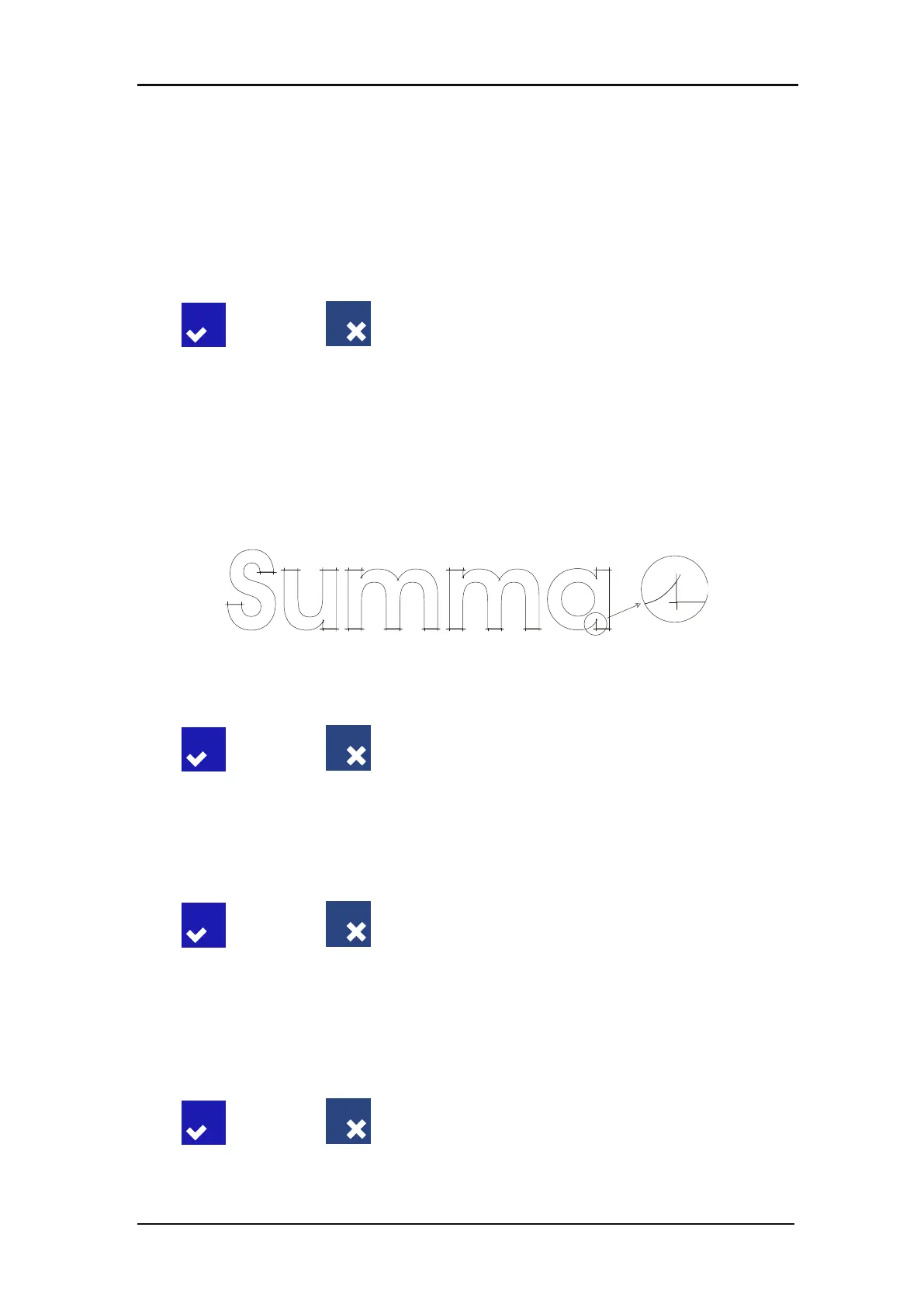
Use the Overcut submenu to generate an overcut in order to facilitate weeding the cut. Each
time the knife goes up or down, the cutter cuts a bit further then it should. Figure 4.3 below
shows what overcut does with a tangential knife. A sample, cut out with a drag knife, shows
fewer overcuts because there are fewer up/downs (usually only one per curve/letter).
The overcut setting can be disabled (=0) or set to any value between 0(=off) and 10. One unit
is about 0.1 mm or 0.004 ".
FIG 4-4
4-4 OVERCUT
Press the Overcut button, then change the overcut to the desired value.
Press to confirm or to cancel.
OptiCut:
OptiCut increases the cutting quality in case the knife is worn out or not calibrated correctly.
OptiCut is default set to OFF.
Press the OptiCut button, then set it off or on.
Press to confirm or to cancel.
Paneling:
Use the Paneling submenu to enable or disable the internal paneling function of the cutter.
Paneling is used for several different applications. Most common are FlexCut and long jobs
with or without the roll up option.
Press the Paneling button, then set it off or on.
Press to confirm or to cancel.








 To Next Page