S CLASS™ 2 cutter User’s Manual
OPOS 3-13
Calibrating OPOS
To ensure that OPOS is working accurately, two calibrations are necessary: the OPOS
calibration and the media calibration. The OPOS calibration is the calibration of the distance
between the knife tip and the sensor. The media calibration “teaches” the cutter the reflection
levels of the mark colour and the media colour.
NOTE: Although the OPOS sensor has been calibrated in the factory, Summa
recommends doing a test to determine how well the factory-set parameters work
with the materials you are using. If the accuracy is not what is expected, then
perform the OPOS calibration.
3.4.1 OPOS calibration
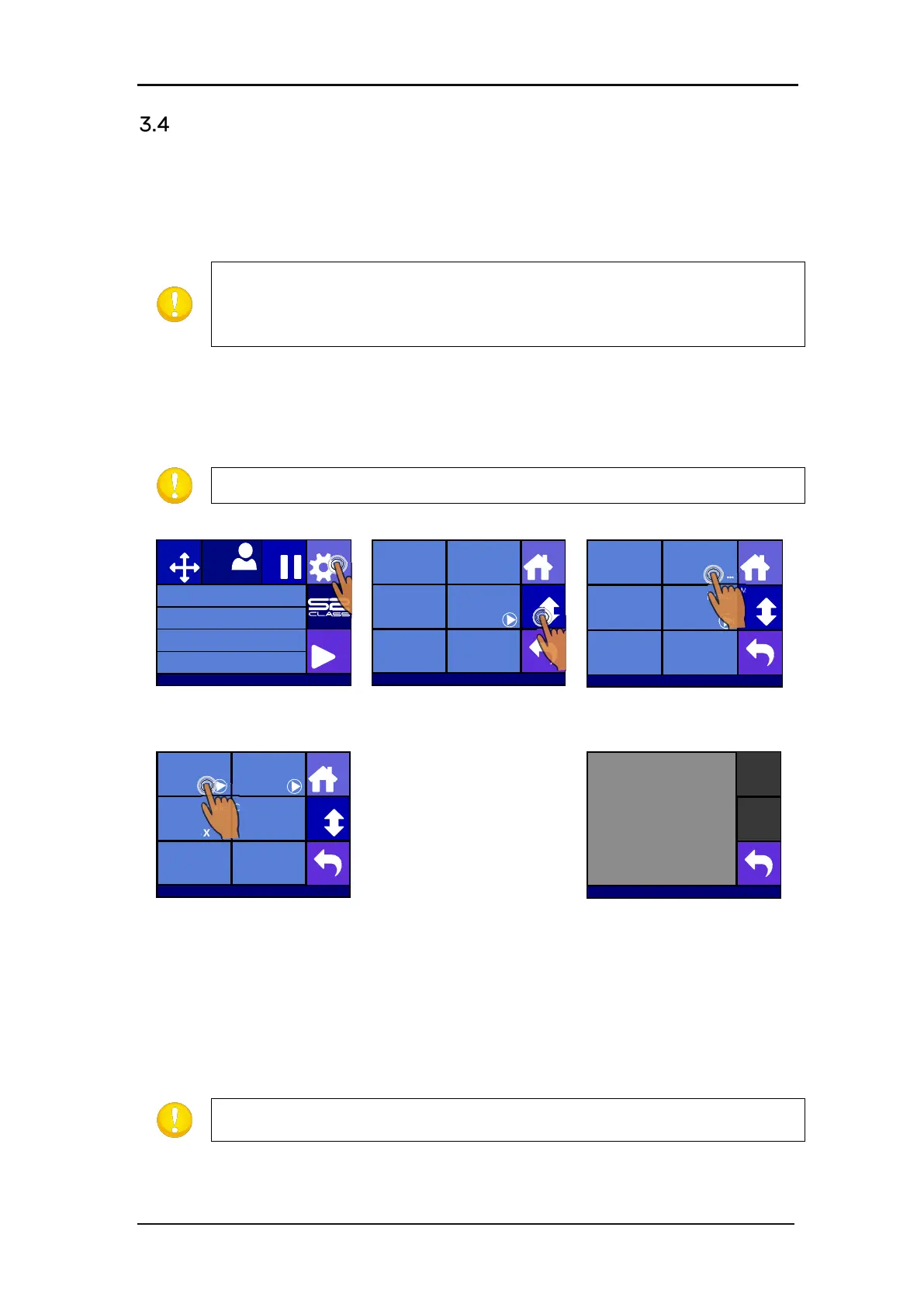
1. Switch the cutter on and load black vinyl with a white backing.
NOTE: Black vinyl with white backing MUST be used when calibrating OPOS.
Press Settings
Press More
Press OPOS.
The cutter will cut out a
square, measuring
approximately 9.5x9.5mm
and move the square
forward. “Weed out
Rectangle” will appear on
the display.
Press Calibrate OPOS
Carefully weed the
square, making sure the
edges stay intact. Press
Back.
OPOS will read the edges of the square and calibrate itself accordingly.
NOTE: In order to keep the accuracy of the OPOS sensor as high as possible, do
this calibration each time the knife is been replaced.
Knife pressure 95 gr
Velocity 800 mm/s
Tool Tangential knife
Media size 50000 x 718 mm
Actions
Settings
Configuration 1
Pause
Origin
USB port 1
Settings
More
Home
Tool
Tangential knife
Velocity
800 mm/s
Knife pressure
95 gr
Calibrate Knife
FlexCut
...
Advanced cutting
...
Settings
More
Home
General OPOS
Communication Length Calibration
Coil setup
...
Factory defaults
...
... ...
...
Settings | OPOS
More
Home
Calibrate OPOS Calibrate media
(OPOS)
Alignment mode
OPOS X
OPOS sheet mode
Off
OPOS panelling
Mark
OPOS origin
Off
Weed out rectangle
S31212-10088








 To Next Page