S CLASS™ 2 cutter User’s Manual
Setup 1-13
Powering-on the cutter
WARNING: Make sure the power switch is turned off before connecting the power
cord (the “0” side of the ON/OFF rocker switch should be pressed).
Do not use the power cord if it is visibly damaged. Disconnect the
power cord by pulling the plug, not the cable.
WARNING: Keep fingers and other body parts away from the cutting area. There
are hazardous moving parts.
1. Plug the female end of the AC power cord into the receptacle, located in the power entry
module at the cutter’s rear panel.
2. Plug the male end of the AC power cord into a properly grounded wall socket.
3. Power on the cutter by pressing the “I” side of the ON/OFF rocker switch, which is located
on the power entry module at the rear panel.
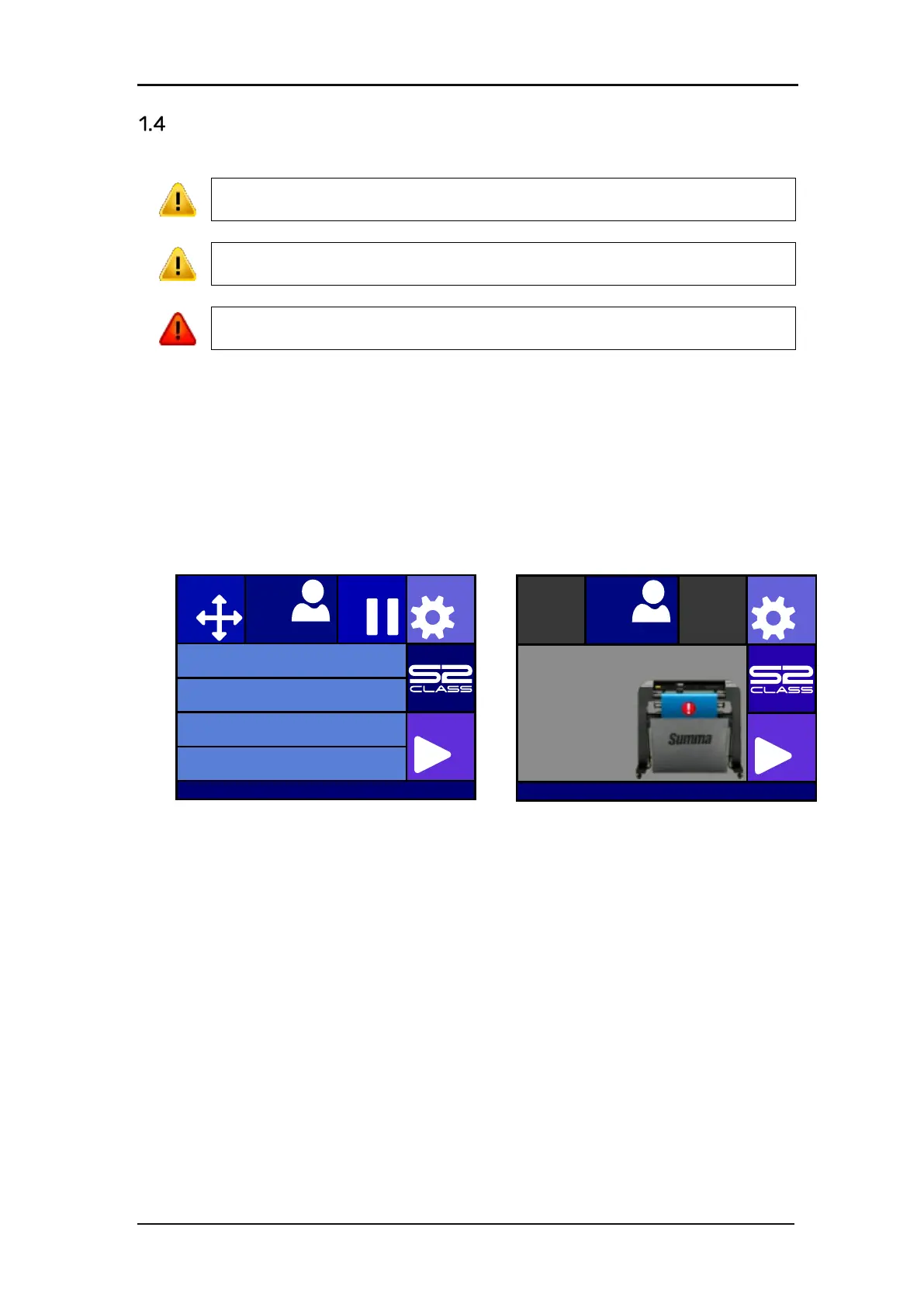
4. The touch screen will activate and the initialization process will begin. If media is loaded,
the cutter will check the size and load the media.
FIG 1-13
1-13 CUTTER IS LOADED AND READY
FIG 1-14
1-14 CUTTER IS READY - NO MEDIA LOADED
Knife pressure 95 gr
Velocity 800 mm/s
Tool Tangential knife
Media size 50000 x 718 mm
Actions
Settings
Configuration 1
Pau seOrigin
Summa USB port 1








 To Next Page