S CLASS™ 2 cutter User’s Manual
Setup 1-32
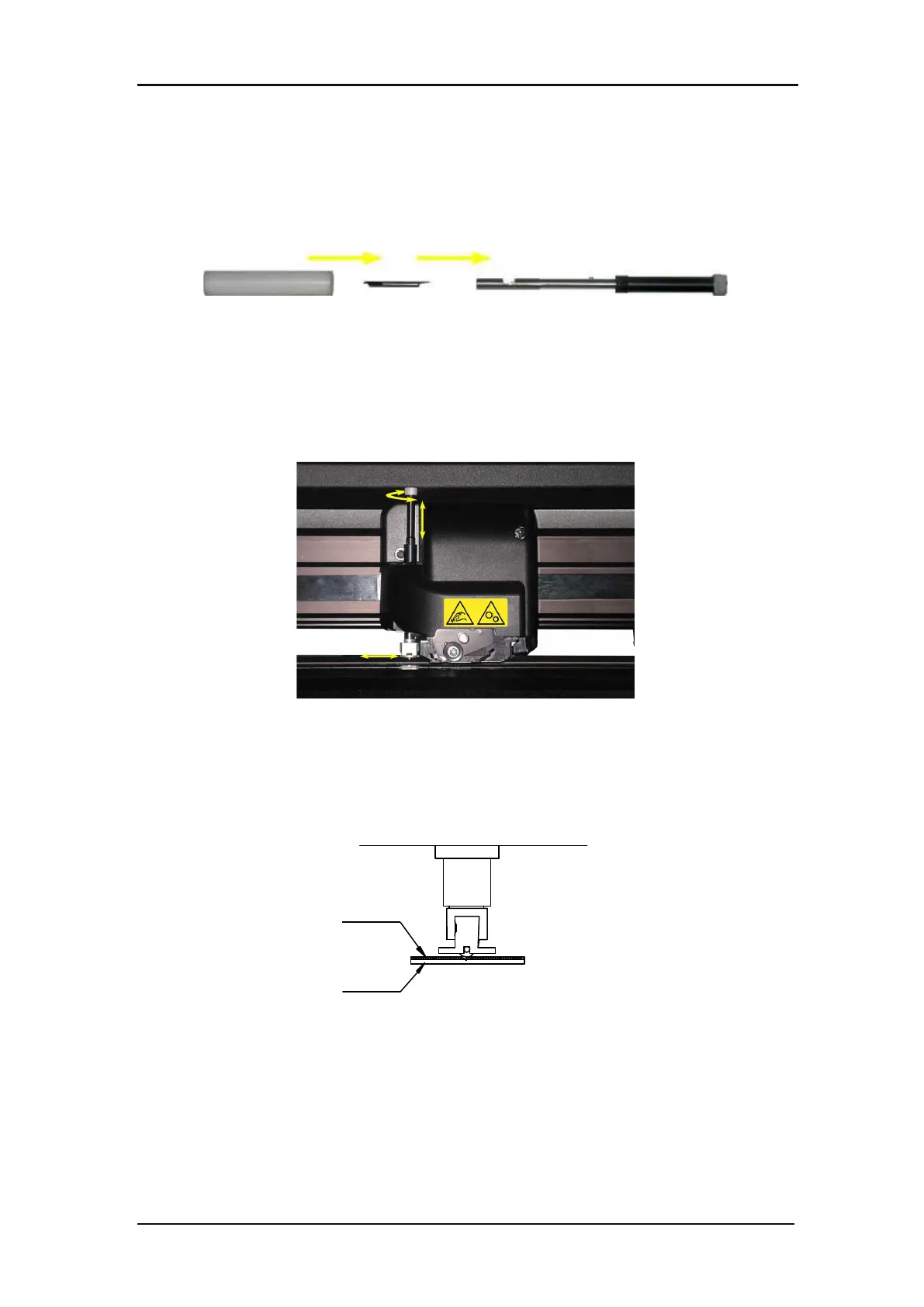
Installing the tangential knife and setting the knife depth
1. Insert the standard knife blade into the knife holder. Make sure the knife blade is firmly
fixed in the holder. The knife is inserted correctly if it cannot be removed manually from
the knife holder. The installation tool can be used to apply enough pressure on the knife
in order to secure it.
FIG 1-31
1-30 BLADE ASSEMBLY
2. Insert the nosepiece from the side until it snaps into place. Gently insert the knife into the
tool shaft. Hold the nosepiece in place with one hand and, with the other hand, turn the
knife holder counterclockwise until the alignment pin fits into the small notch of the tool
shaft. Now turn the knife holder clockwise until its thread fits inside the tool shaft.
FIG 1-32
1-31 INSERTING THE TANGENTIAL KNIFE HOLDER
3. Hold the nosepiece in place with one hand. Adjust the knife depth with the other hand by
turning the knife holder clockwise until the knife tip is just visible from underneath the
nosepiece.
FIG 1-33
1-32 KNIFE DEPTH ADJUSTMENT








 To Next Page