S CLASS™ 2 cutter User’s Manual
OPOS 3-4
3.2.3 Processing long jobs
Normally the OPOS sensor registers all the marks before it starts cutting. However, with long
jobs that can result in extensive back and forward feeding of the media, this could result in bad
tracking. To avoid this, an extra parameter can be set in the cutter. With this option, the job
can be divided into panels to avoid moving the media unnecessarily. When OPOS panelling is
activated, all cut data will be cut in panels. The size of the panel will be the distance between
the OPOS marks in the X-axis.
OPOS Panels can be set to OFF, ON (2 marks) or ON (4 marks). When set to ON (2 marks), the
cutter will only load 2 marks in the X-direction when loading OPOS and read the marks (4 in
total for the first panel). The following panels will then be cut after reading the marks at the
end of that panel (so 2 for each following panel). When set to ON (4 marks), the last marks of
the previous panel are re-read. This improves the connection between the panels.
NOTE: Do not use software panelling when using OPOS panelling.
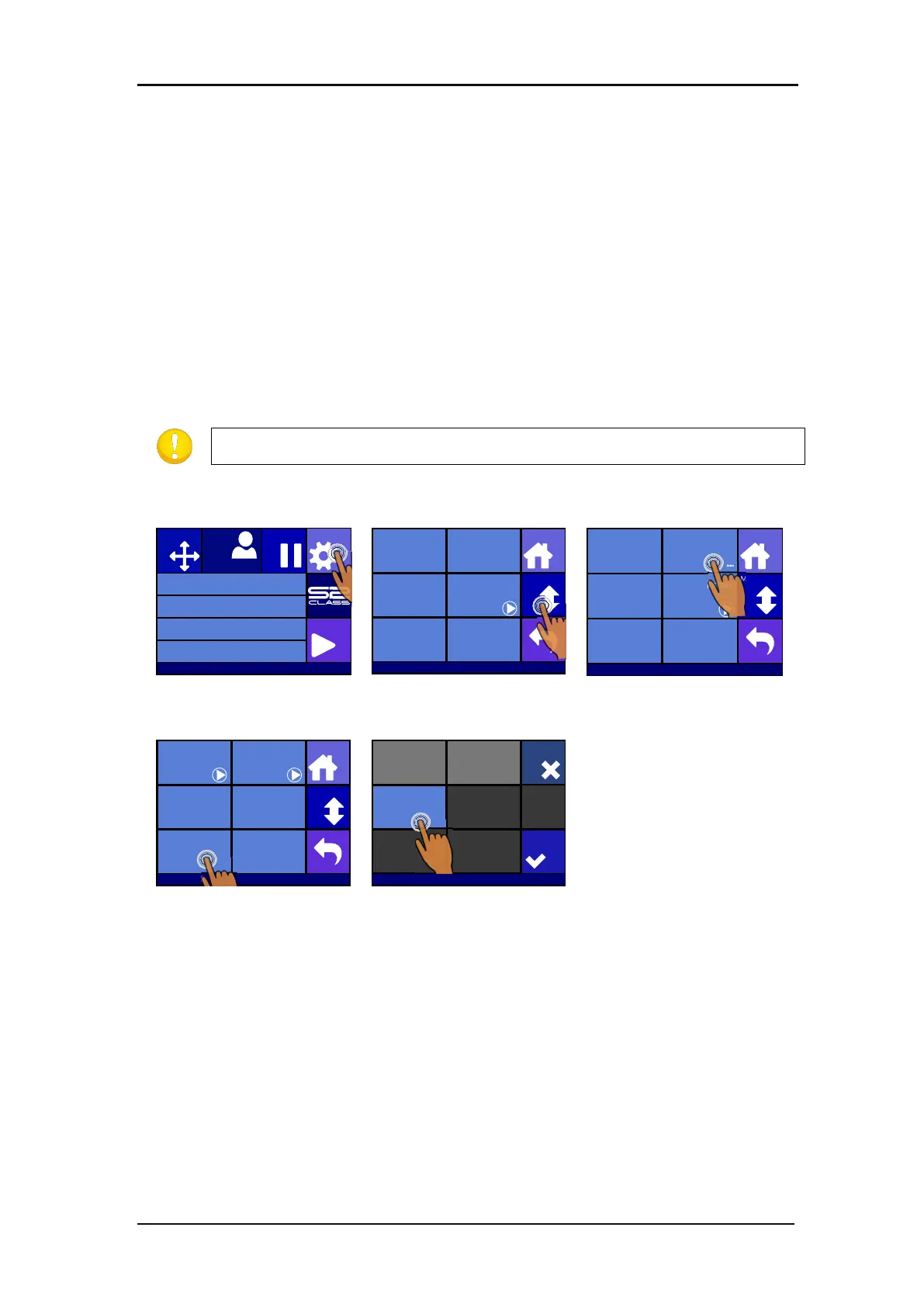
Activating OPOS panelling:
Press Settings
Press More
Press OPOS.
Knife pressure 95 gr
Velocity 800 mm/s
Tool Tangential knife
Media size 50000 x 718 mm
Actions
Settings
Configuration 1
Pause
Origin
USB port 1
Settings
More
Home
Tool
Tangential knife
Velocity
800 mm/s
Knife pressure
95 gr
Calibrate Knife
FlexCut
...
Advanced cutting
...
Settings
More
Home
General OPOS
Communication Length Calibration
Coil setup
...
Factory defaults
...
... ...
...
Settings | OPOS
More
Home
Calibrate OPOS Calibrate media
(OPOS)
Alignment mode
OPOS X
OPOS sheet mode
Off
OPOS panelling
Mark
OPOS origin
Off
Off
On (4marks)
Cancel
Apply
On (2marks)
USB port 1








 To Next Page