S CLASS™ 2 cutter User’s Manual
Detailed Operation 4-3
4.2.6 G-Performance
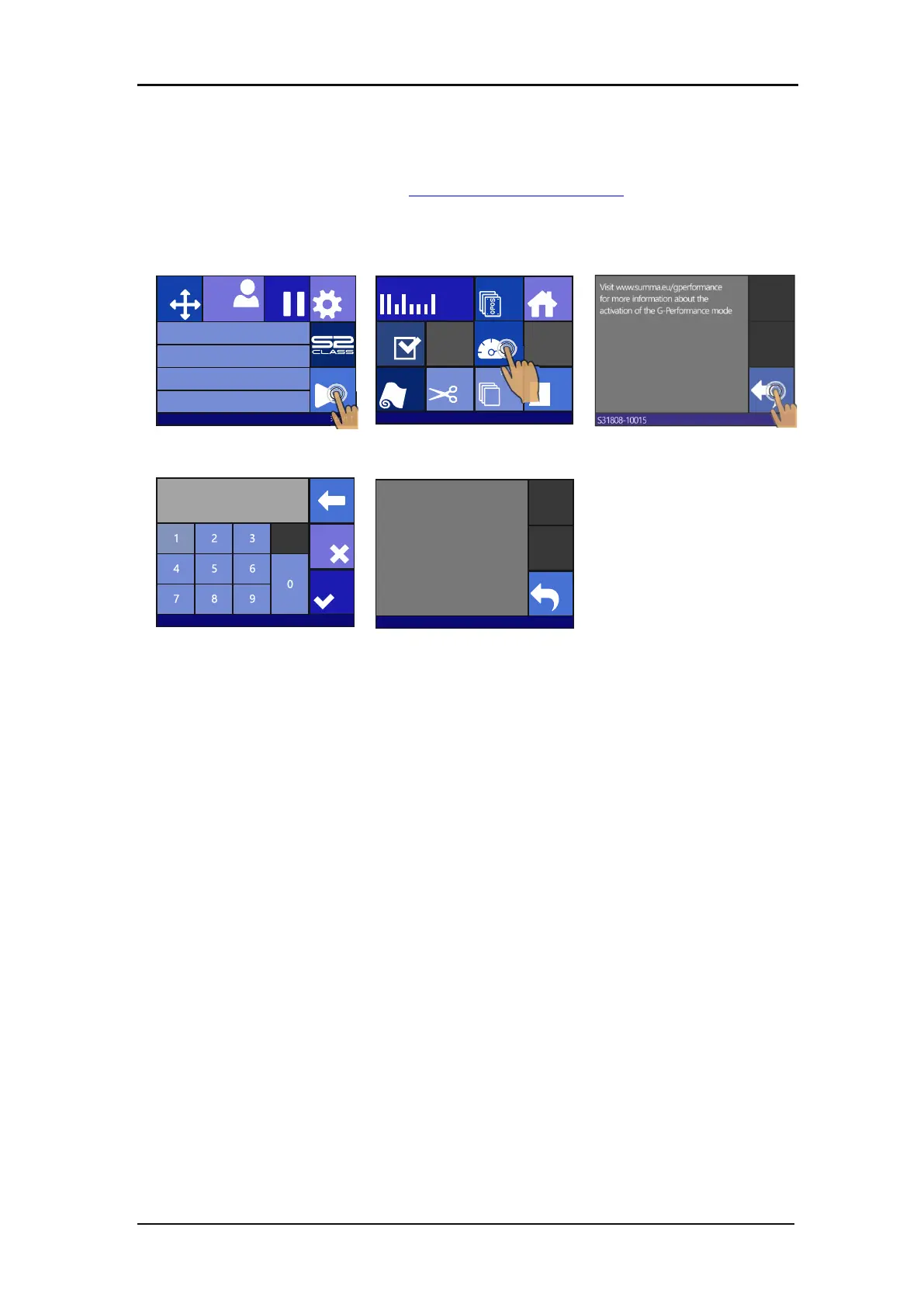
Click this to enter the activation code for the G-performance mode. The activation code can be
downloaded from the internet. Go to www.summa.eu/gperformance
to register. A code (or
unlock file) will be given.
1. Switch on the cutter.
3. Press G-Performance mode
Press the arrow button and
enter the activation code.
Then press Apply
Press enter.
4.2.7 Replot
Each job is stored in the cutter’s memory until a new job is sent. Pressing replot allows the job
to be replotted. After this button is pressed, the user can choose the number of replots. The
replot button does not work if there is no job in the memory or if the previous job was larger
than the cutter’s memory.
4.2.8 Load
The load menu is explained in detail in section 1.6.4.
4.2.9 Cut Off
This functionality cuts of the currently loaded material.
Knife pressure 95 gr
Velocity 800 mm/s
Tool Tangential knife
Media size 50000 x 718 mm
Actions
Settings
Configuration 1
Pause
Origin
USB port 1
Home
OPOS sheet
mode
OPOS Barcode
Cut sheetCut offLoad Reset
Cut tests
USB port 1
G Performance-
mode
Apply
0▌
Visit www.summa.eu
Cancel
S31808-10015
The G-Performance mode is unlocked








 To Next Page