S CLASS™ 2 cutter User’s Manual
Setup 1-17
Use static address:
The static address that you received from the network administrator will be used in the
software to drive the cutter. It also needs to be set in the cutter itself.
NOTE: The default DHCP setting for the cutter is On. If the setting has already been
changed to “Off” then leave it at that, otherwise change
it to this value as
described below.
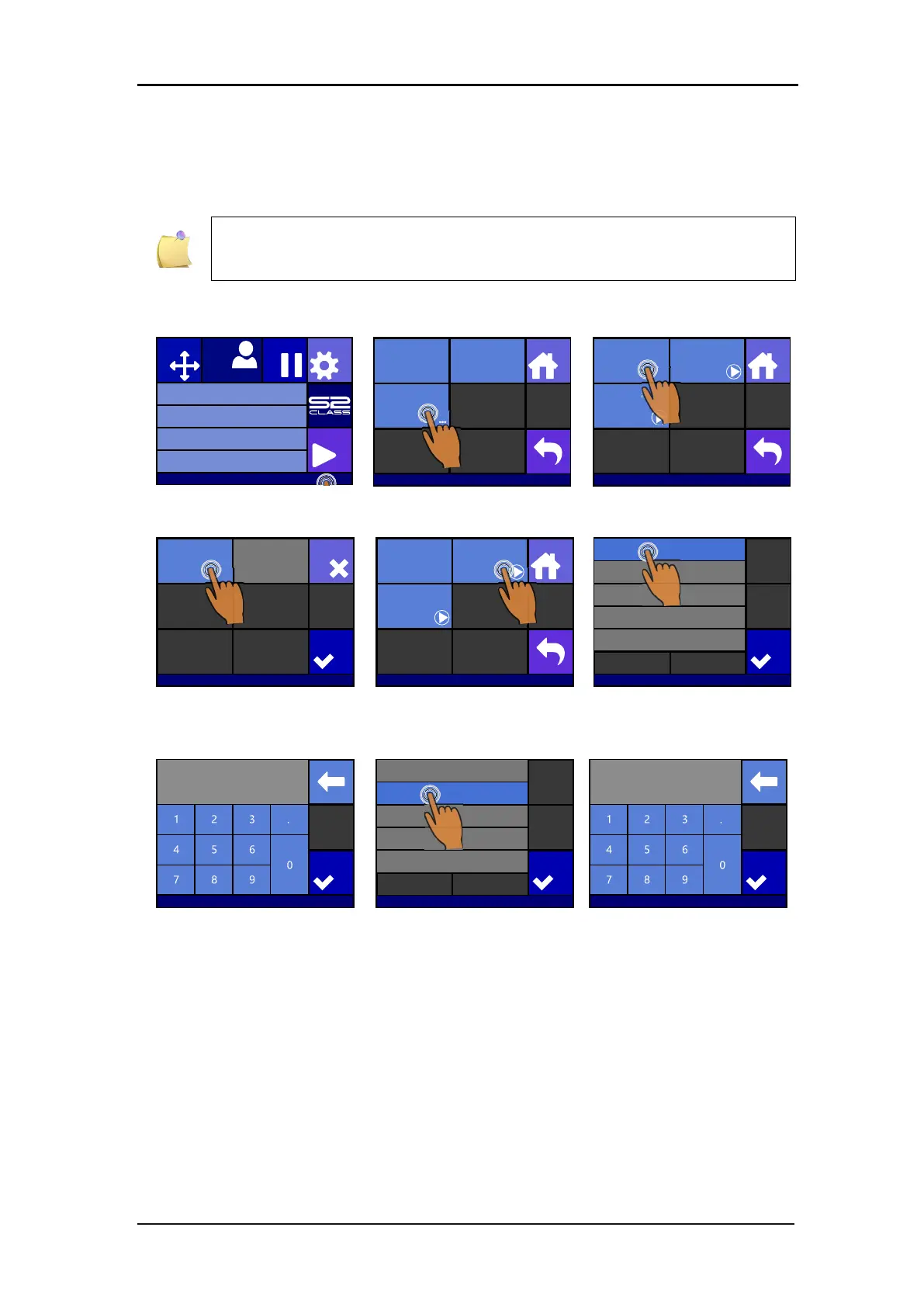
1. Power on the cutter (see section 1.4) and connect the Ethernet cable.
Press the status bar
Press LAN
Press DHCP
Press off and then Apply
Press Configure
Press the parameter that
needs to be changed
Set the address correctly
press apply
Press the parameter that
needs to be changed
Set the address correctly
and press apply
Knife pressure 95 gr
Velocity 800 mm/s
Tool Tangential knife
Media size 50000 x 718 mm
Actions
Settings
Configuration 1
Pause
Origin
IP 192.168.1.7
Communication
Home
Tool Commands
Accept
USB class
USB port 1
LAN
...
Communication | LAN
Home
DHCP
On
Configure
Status
Apply
Cancel
Communication | LAN
Off On
Communication | LAN
Home
DHCP
Off
Configure
Status
Gateway 0.0.0.0
DNS1 0.0.0.0
DNS2 0.0.0.0
255.255.255.0
Apply
Settinghs | Communication | LAN
IP 192.168.1.1
Subnet 255.255.255.0
Apply
▌
Settinghs | Communication | LAN
000.000.000.0000
Gateway 0.0.0.0
DNS1 0.0.0.0
DNS2 0.0.0.0
255.255.255.0
Apply
Settinghs | Communication | LAN
IP 192.168.1.1
Subnet 255.255.255.0
Apply
▌
Settinghs | Communication | LAN
000.000.000.0000








 To Next Page